

The PowerConnect Content Pack for Enterprise Security can be installed through Splunkbase and does not require any special configuration.
-
Go to the PowerConnect SAP Content for Enterprise Security | Splunkbase or find the content pack by searching in the “Find More Apps” page of your Splunk installation
-
Install the app
-
On Splunkbase, login to download the app, and upload it to your Splunk installation, or
-
On the “Find More Apps” page of Splunk installation, click to self-service install in your Splunk system
-
-
Please ensure that the following objects are shared globally in the PowerConnect for SAP Solutions app for Splunk:
-
Lookup table files
-
sensitive_user_roles.csv
-
sensitive_tcodes.csv
-
-
Lookup definitions
-
sensitive_user_roles
-
sensitive_tcodes
-
-
Macros
-
“sap-index”
-
All variations of “sap-abap”
-
-
-
Once the app is installed, you can configure and customize the correlation searches as needed!
-
Open the Splunk Enterprise Security app
-
Navigate to “Configure > Content > Content Management”
-
Do one of the following to narrow the view to the content pack:
-
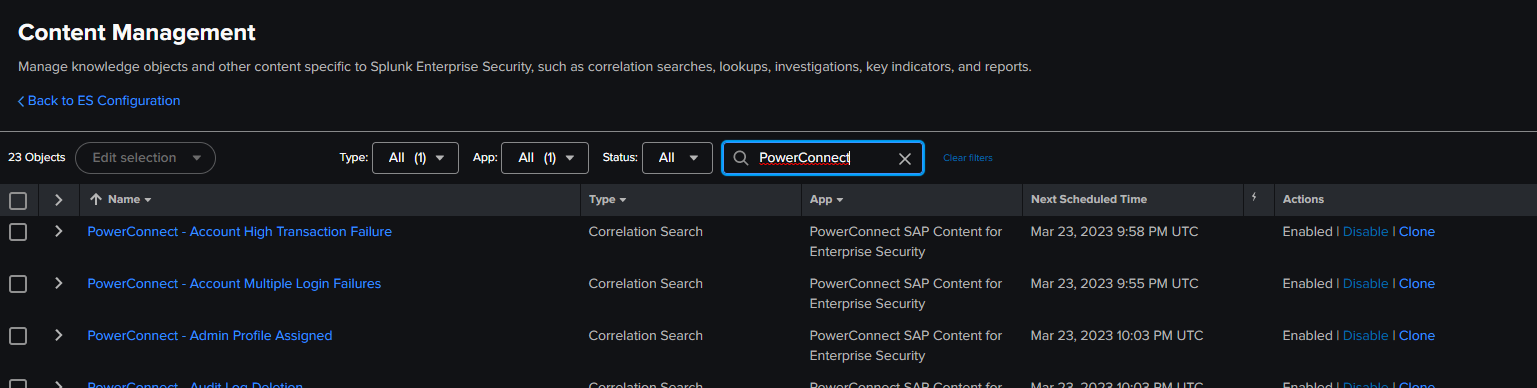
Search “PowerConnect”
-
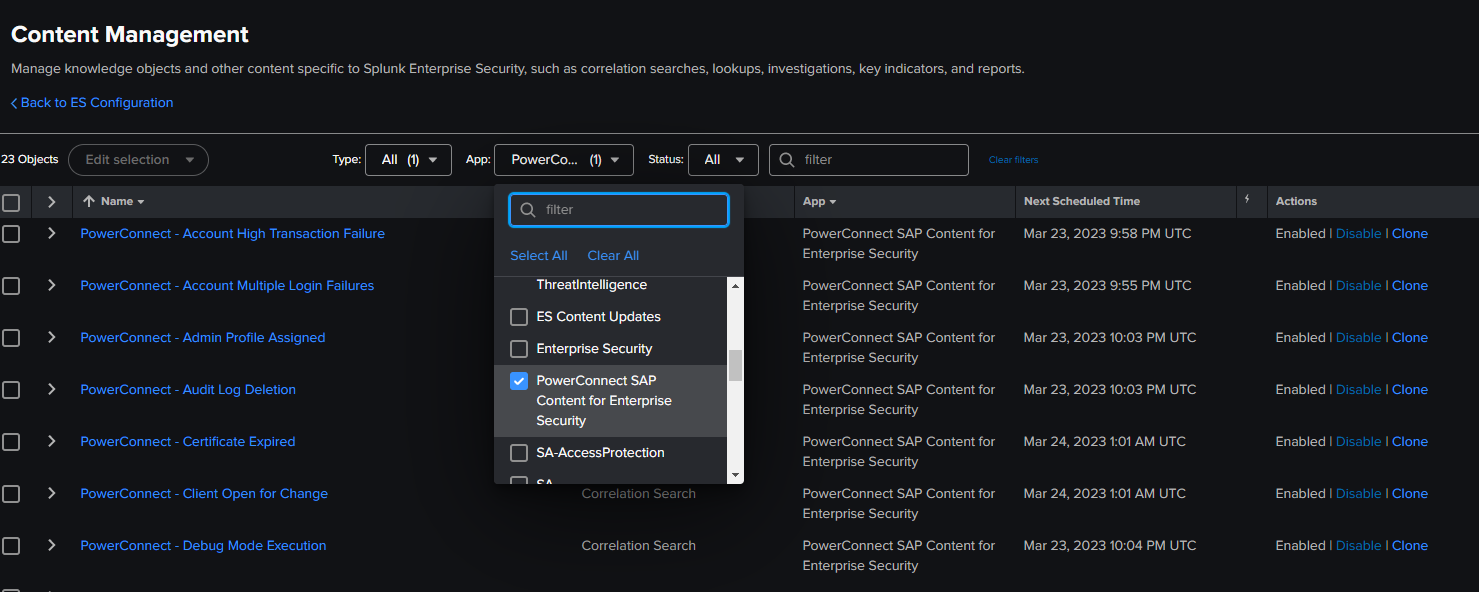
Under the App filter, select “PowerConnect SAP Content for Enterprise Security”
-
-
Activate the desired group of correlation searches by clicking “Enable” or “Disable” in the Actions column.
-
All correlation searches are deactivated by default to allow customers to activate specific searches for their use
-
CONTENT PACK VERSION 1.0.0 ONLY
A misconfiguration in the release has caused all correlation searches to be treated as orphaned searches. They will not run without being assigned to an owner. For more information on resolving this issue, see KB 174 - Orphaned Correlation Searches in ES Content Pack Not Generating Notable Events.