

Support Tickets
Open a ticket with the RHONDOS support team and track it together with your colleagues.
Opening a ticket
-
Go to the section
Click Support in the top navigation, then Open a ticket.
-
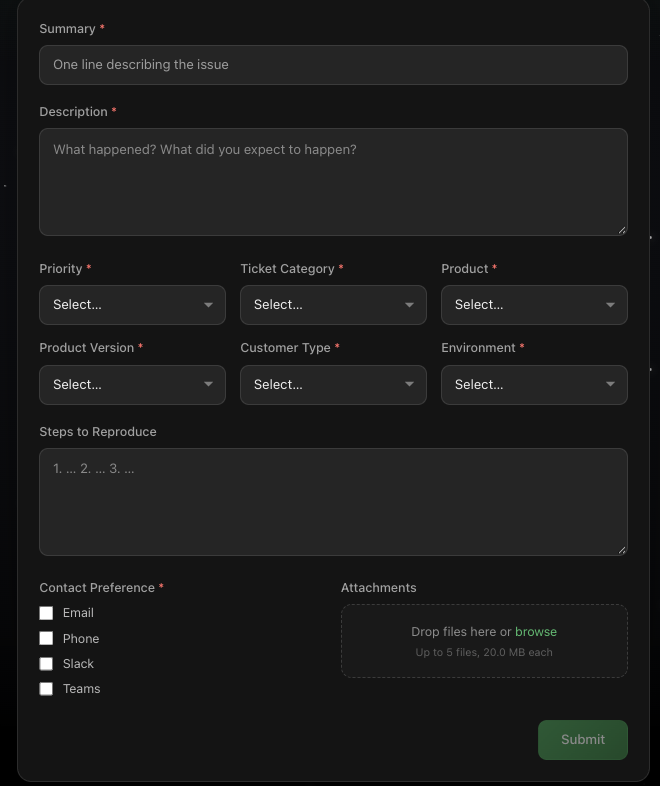
Fill in the form
|
Field |
Required |
Notes |
|---|---|---|
|
Summary |
Yes |
One line describing the issue |
|
Description |
Yes |
What happened and what you expected to happen |
|
Priority |
Yes |
How urgent the issue is for your business |
|
Ticket Category |
Yes |
The type of request |
|
Product |
Yes |
The affected PowerConnect product |
|
Product Version |
Yes |
The version or build in use |
|
Customer Type |
Yes |
Direct or partner |
|
Environment |
Yes |
Production, staging, development or DR |
|
Steps to Reproduce |
No |
Numbered steps that let us recreate the issue |
|
Contact Preference |
Yes |
Email, Phone, Slack or Teams. Select as many as apply |
|
Attachments |
No |
Logs, screenshots or config exports. Up to 5 files, 20 MB each |
The more detail you give in the description, the steps to reproduce and the attachments, the faster the support team can work on the issue.
-
Click Submit
You receive an acknowledgement by email with the ticket number.
Tracking your tickets
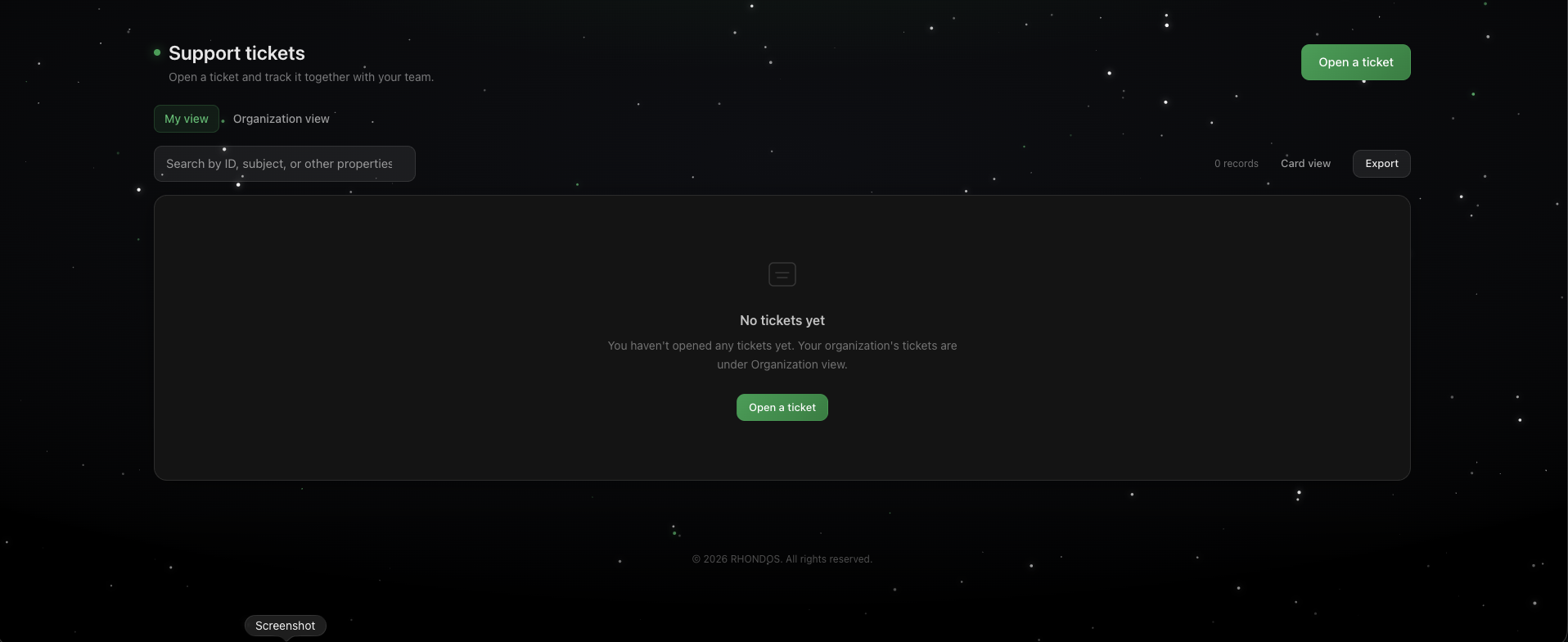
After submitting, the ticket appears in the ticket list. Two views sit at the top left:
|
View |
What it shows |
|---|---|
|
My view |
Only the tickets you opened yourself |
|
Organization view |
Every ticket opened by anyone at your company |
Organization view is useful when a colleague has already reported the same issue, when you cover for someone who is away, or when you need an overview of everything your company has open with RHONDOS.
Use the search bar to filter the list you are currently viewing. It matches on ticket ID, subject and other ticket properties, so you can type a ticket number, a keyword from the summary, or a product name to narrow things down. The record count on the right shows how many tickets match.
Card view switches the layout, and Export downloads the list you are looking at.
Questions
If you cannot open a ticket or something in the list looks wrong, write to customersuccess@rhondos.com.