
Software
Download the latest PowerConnect software for your environment. You only see what your company is entitled to, based on its licences.
Downloading a package
-
Open the section
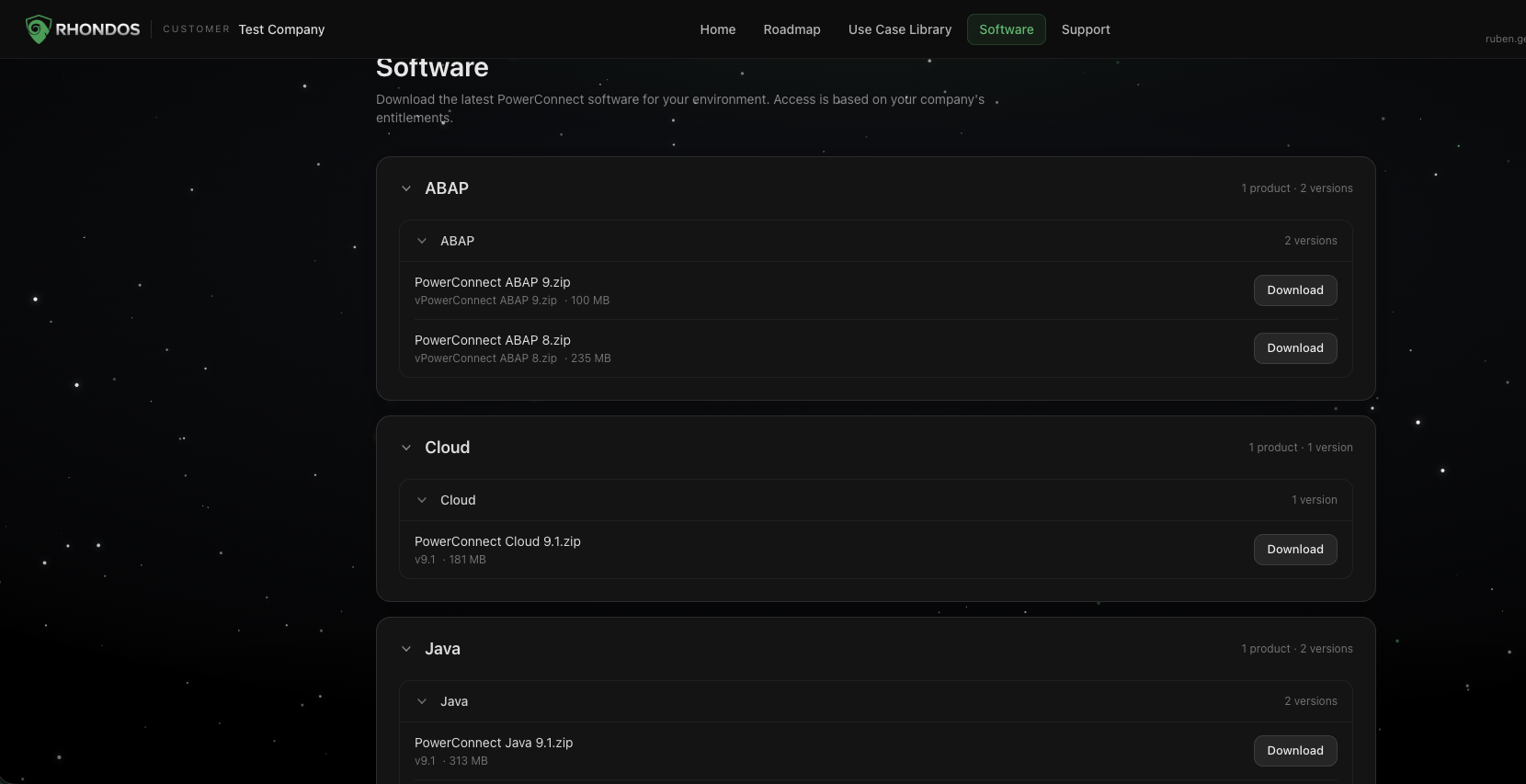
Click Software in the top navigation.
-
Find your technology
Packages are grouped by technology — ABAP, Cloud, Java and so on. Each group header shows how many products and versions it contains. Click a header to expand or collapse it.
-
Pick a version
Inside each group, the available versions are listed newest first, with the file name and download size.
-
Click Download
The file downloads straight to your machine.
Which version should I take?
Take the most recent version unless your SAP Basis or platform team has asked for a specific one. Older versions stay available for environments that cannot upgrade yet.
Before upgrading a production system, check the release notes for that version and plan the upgrade with your usual change process.
If a package you need is missing
The list reflects your company's entitlements. If you expect to see a product or version that is not there, write to customersuccess@rhondos.com.