The PowerConnect App for Dynatrace includes out of the box Davis Alerts that will generate problems based on thresholds defined in the OpenPipeline.
These new alerts will be enabled by default when installing the app for the first time or after updating the OpenPipeline configuration. A new section will be present on the app called “Alerts” where you will be able to see all of the Davis Alerts in a table, see how many times they’ve fired and also navigate directly to the Problems App.
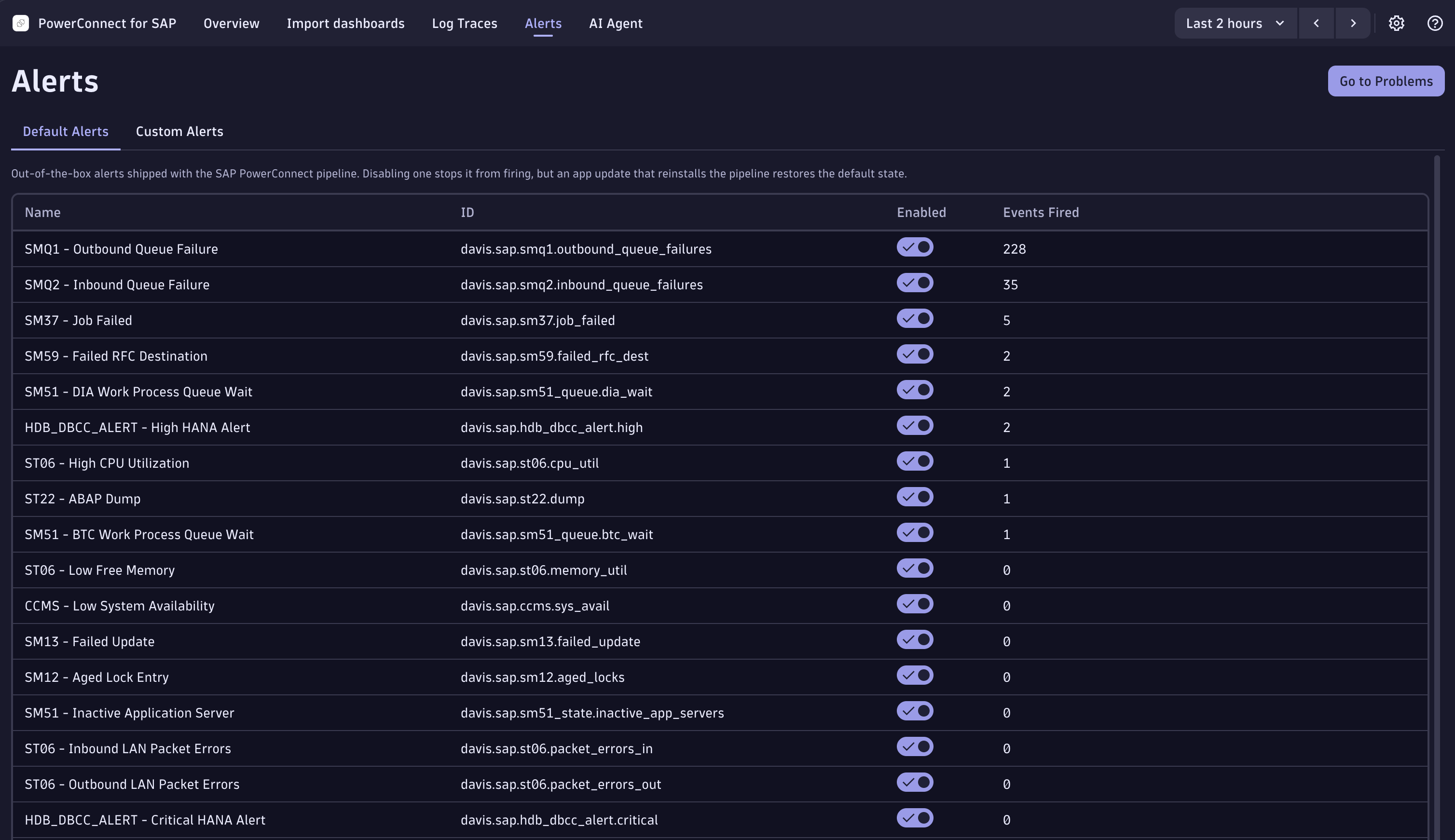
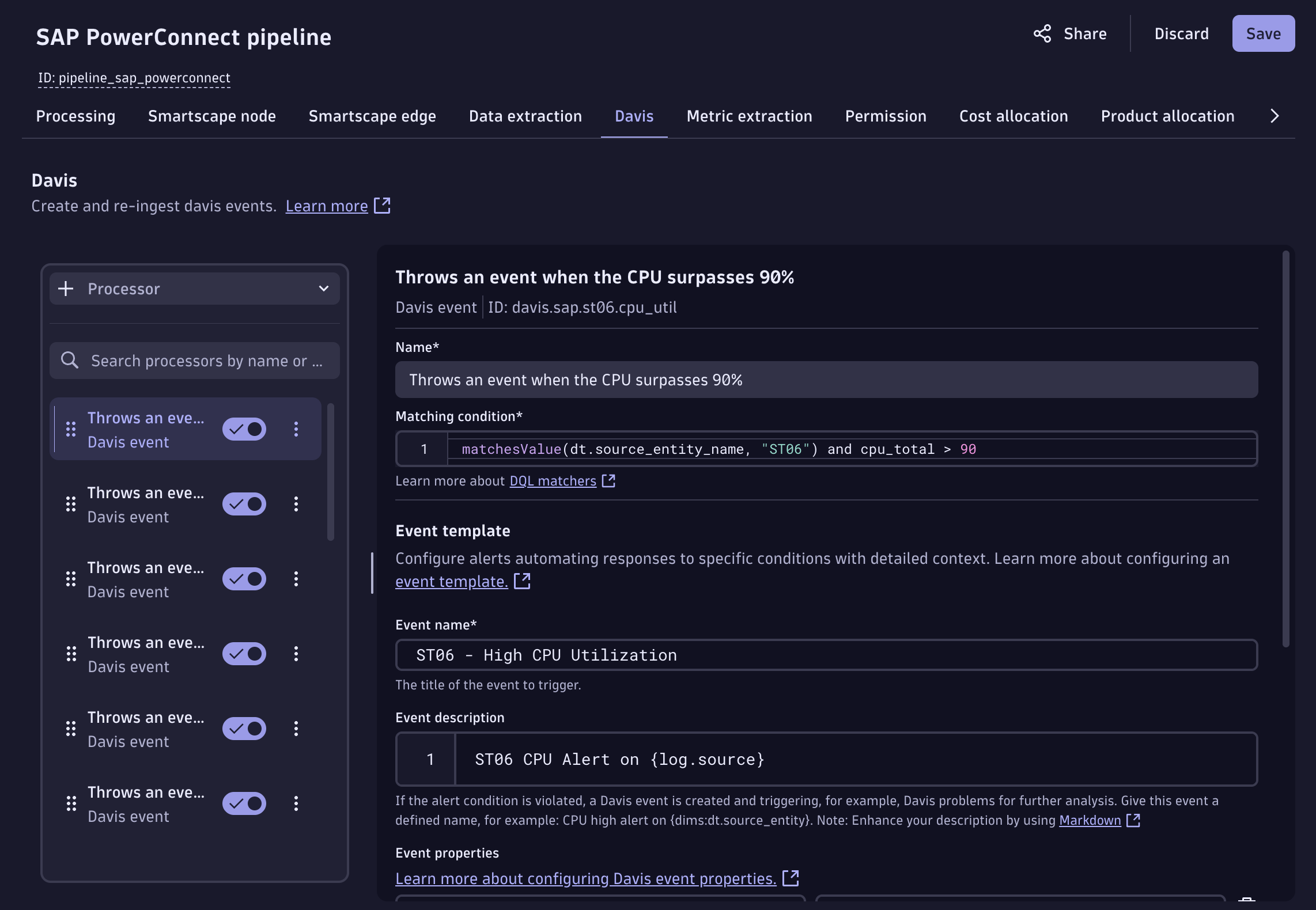
To disable them, you can simply click on the “Enabled” button on the alert. To change any of the alert definitions you can go to the PowerConnect Pipeline “Davis” section and change them. We recommend always duplicating an alert and then modifying it.
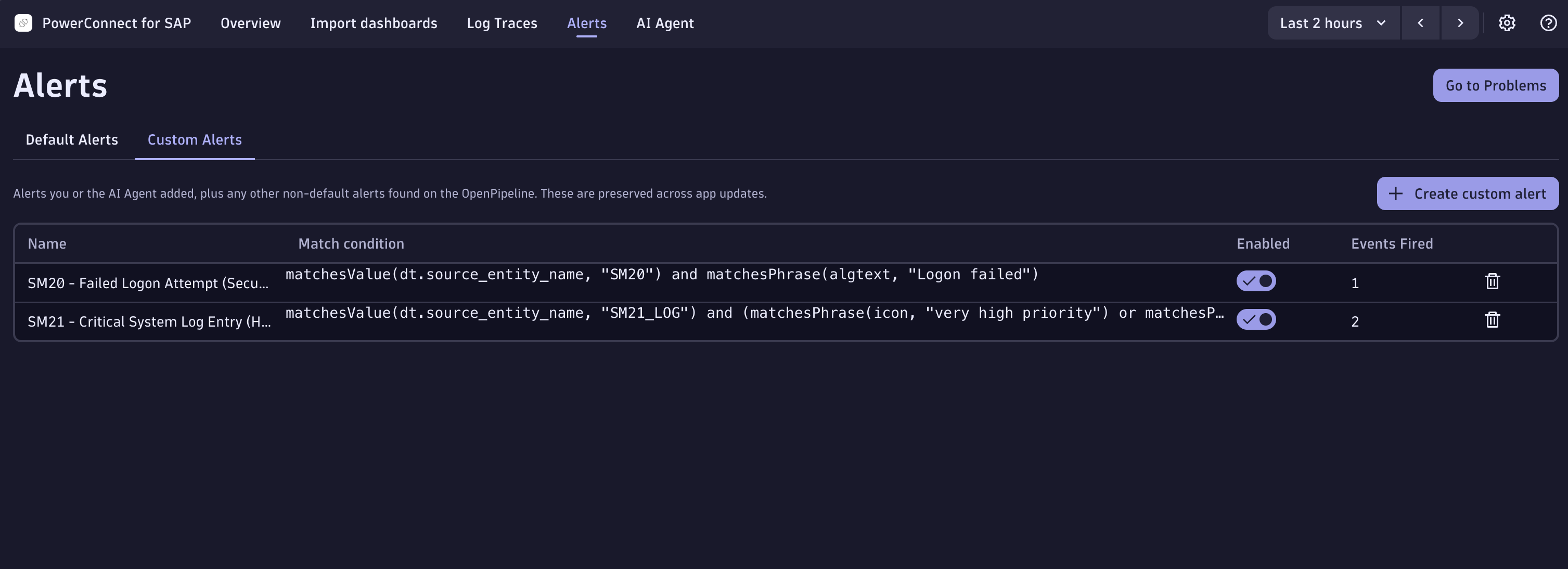
You have the option aswell to create your own custom alerts directly from the App by going into the section called “Custom Alerts”.