

For establishing a connection between the SAP system and Splunk an HTTP Event Collector (HEC) must be created within Splunk. In order to create the HEC…
-
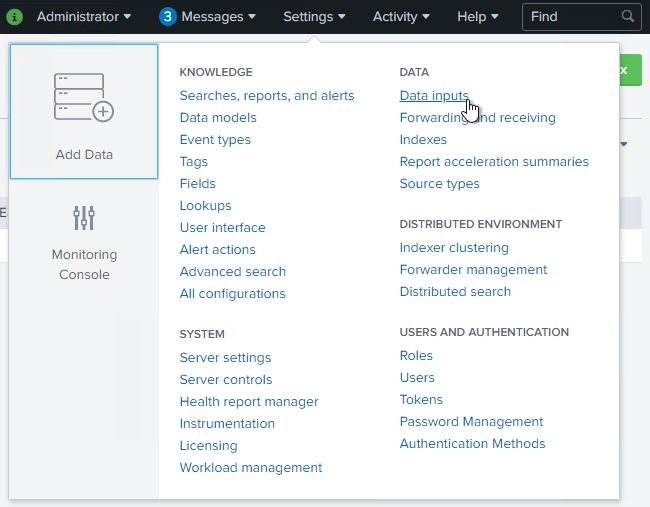
Click on “Settings”, then on “Data Inputs”.
-
Create a new HTTP Event Collector by clicking on “+ Add new”.


-
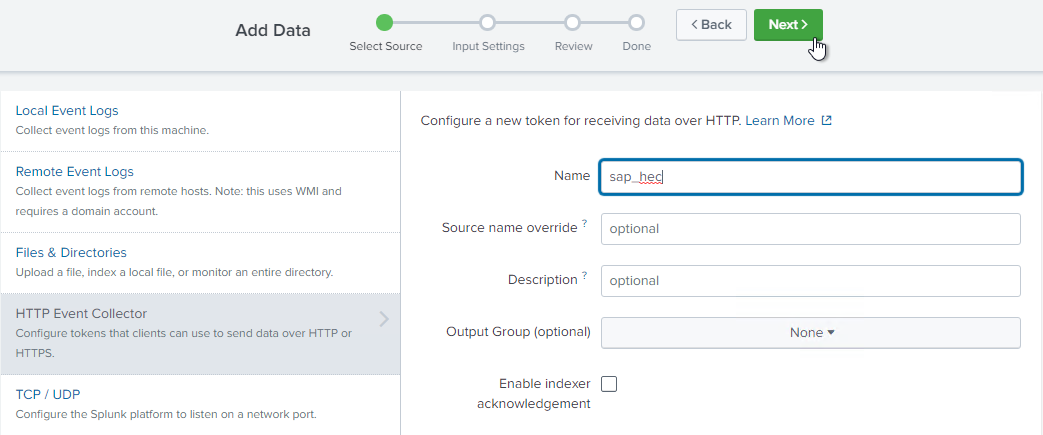
Provide a valid and reasonable name identifying the HEC.
-
Leave all other settings in default values and press “Next”.
-
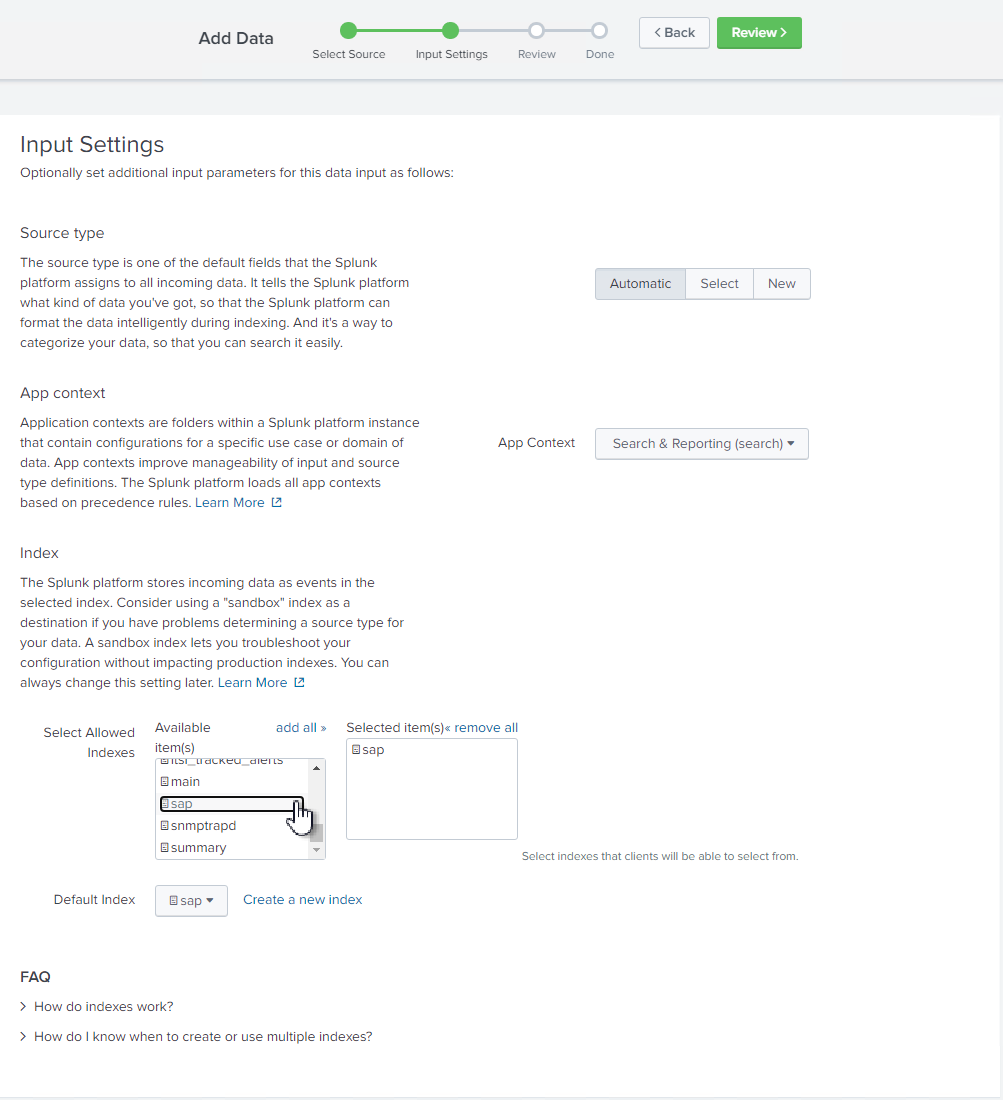
Choose the indexes you created here as an input source. Please create separate HEC endpoints for metrics and events indexes.
-
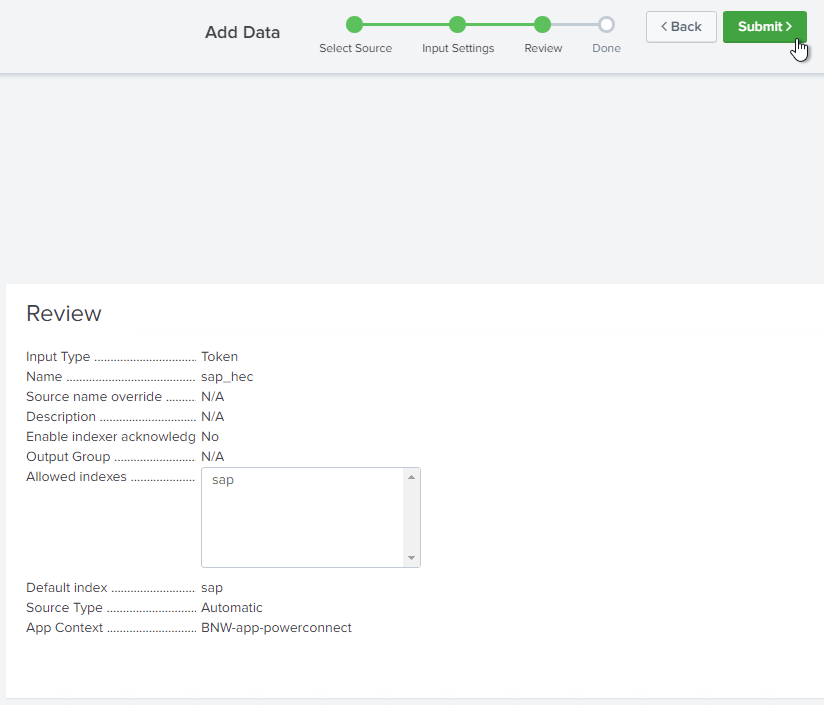
Verify settings and click “Submit” to create the new HEC configuration.
-
Note the value of the token that has been created. It will be needed when configuring the SAP add-on.
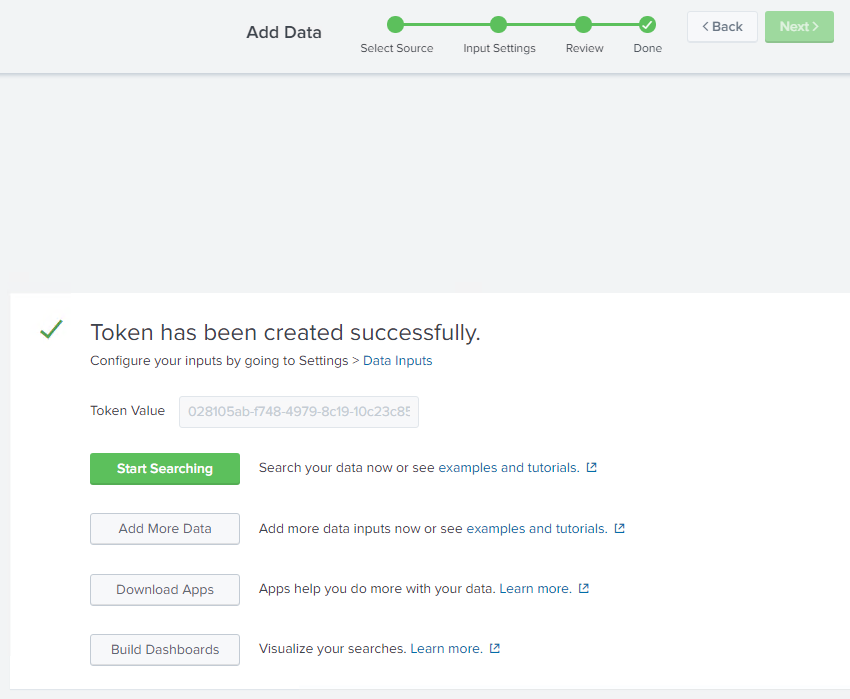
-
Verify that the HEC configuration is enabled.

-
If you have different staff for administering Splunk and SAP Basis, hand-over the following values to the SAP Basis team or your service provider:
|
Parameter |
Value |
Comment |
|---|---|---|
|
HEC Index Name |
sap (or custom) |
|
|
HEC Token |
<value> |
Token value as mentioned above. |
|
HEC Endpoint URL |
http://<Splunk Hostname> |
for a non-SSL setup. |
|
HEC Enpoint URL SSL |
https://<Splunk Hostname> |
for an SSL setup. |
|
TCP Port |
8088 (Splunk Enterprise default) 443 (Splunk Cloud default) |
If a different port is configured, please use this one. |
|
SSL Certificate |
corresponding *.CER-file |
Only if an SSL setup is intended. |
If you use an SSL encrypted connection, follow these steps for configuring SSL. Continue to create a role for accessing the SAP data indexes.