Data Description
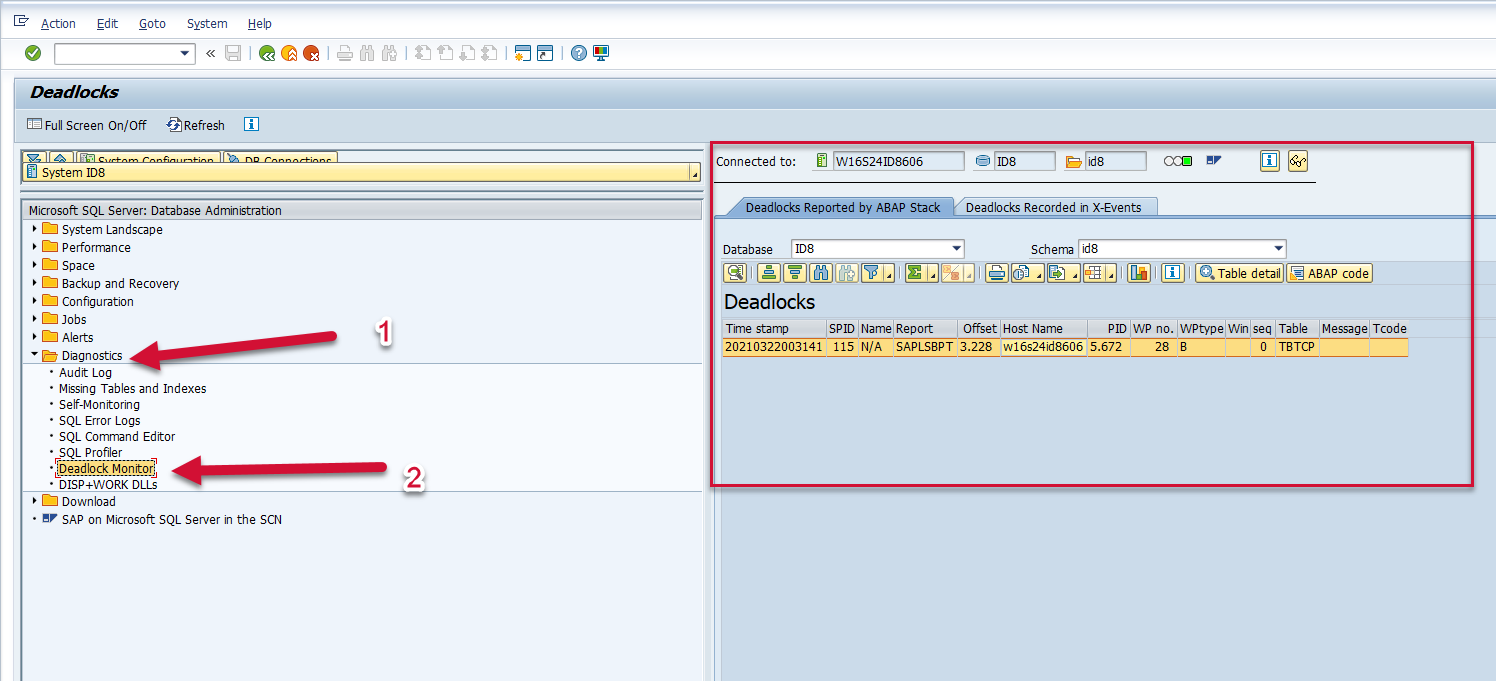
The MSS_DB02_DDLK event is used in SAP to view database deadlocks for a Microsoft SQL database.
Potential Use Cases
This event could be used in the following scenarios:
-
Alert on deadlocks in the environment.
-
Correlate database deadlocks with particular application activity such as batch job.
-
Dashboard deadlocks in the environment.
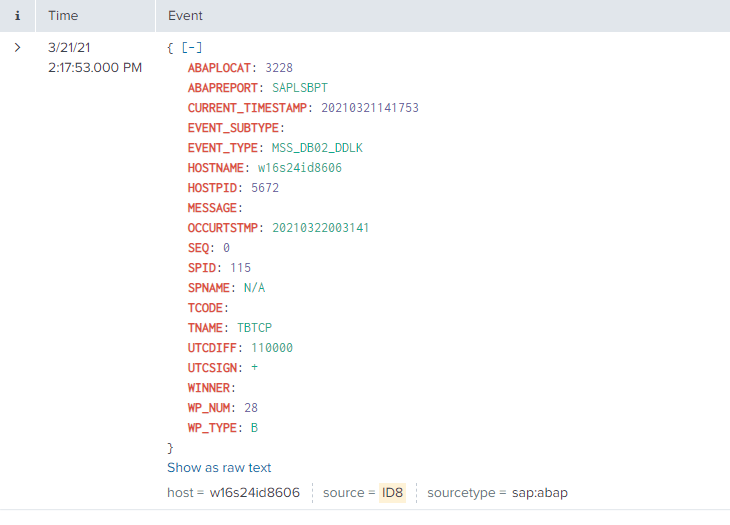
Splunk Event
The event will look like this in Splunk:
SAP Navigation
Log into the managed system and execute the dbacockpit transaction code. Expand the Diagnostics menu option on the left side of the screen and double-click the Deadlock Monitor option. The information displayed will match the data that is extracted and sent to Splunk.