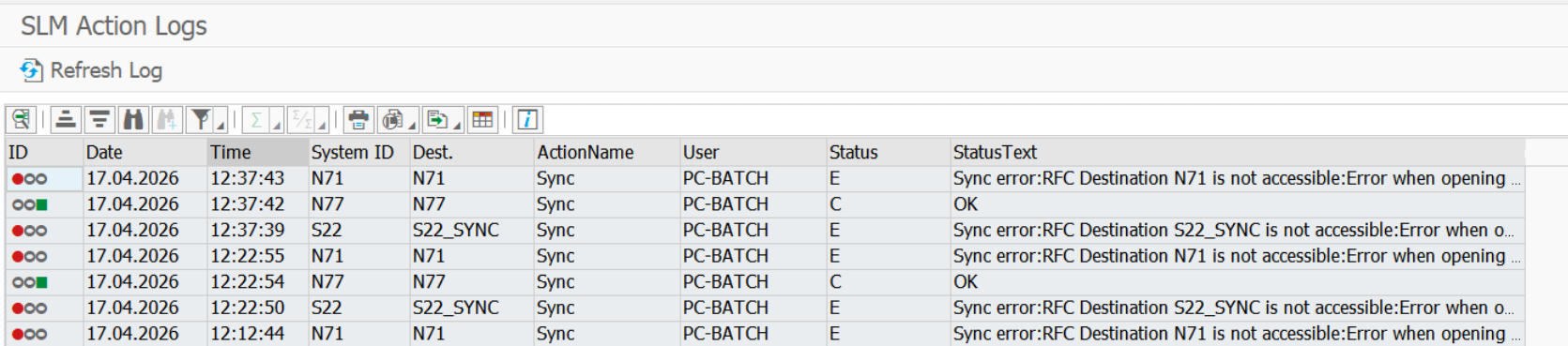
Data Description
The PC_SLM_ACTIONLOG event captures and presents the action log entries from the PowerConnect System Landscape Management module, specifically focusing on configuration synchronization events. This log facilitates monitoring and troubleshooting of system landscape changes and integration activities.
Potential Use Cases
This event could be used for the following scenarios:
-
Audit Trail of Configuration Changes: Track when and how configuration synchronization actions occurred, including timestamps, user IDs, and systems affected. Useful for compliance and change management.
-
Troubleshooting Synchronization Issues: When configuration sync fails or produces inconsistent data, this log helps identify which action ran, what parameters were used, and whether errors occurred.
-
Historical Analysis of Sync Events: View patterns or frequency of sync actions over time — useful for identifying automation gaps or performance issues.
-
Validation After Configuration Deployment: Confirm that changes pushed through PowerConnect SLM have successfully synchronized across systems as expected.
SAP Navigation
Execute the PowerConnect transaction, /n/BNWVS/MAIN, in the SAP system. Then click on Goto → Landscape Management →SLM Control Panel
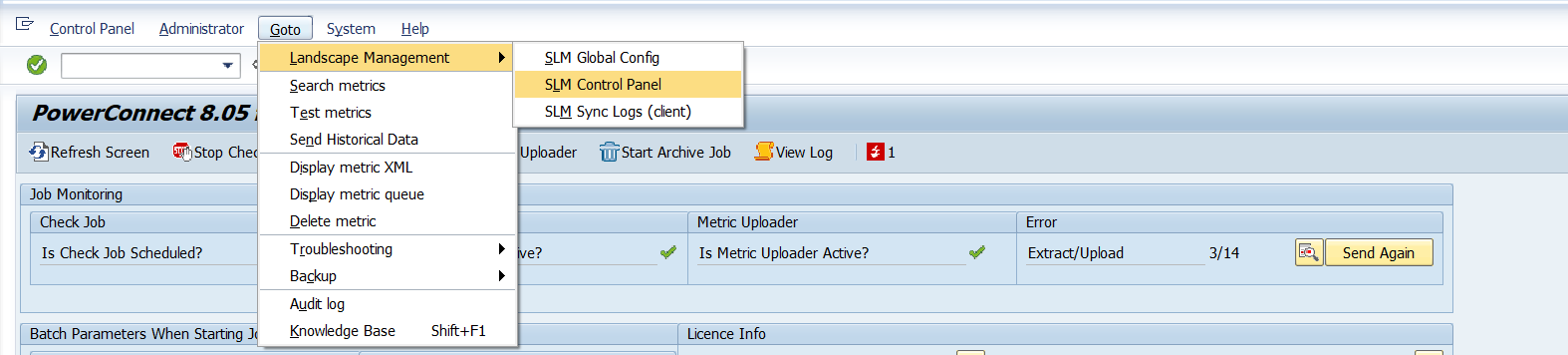
Click on Action Log button of the below screen

Enter date and Sytem ID on the below screen
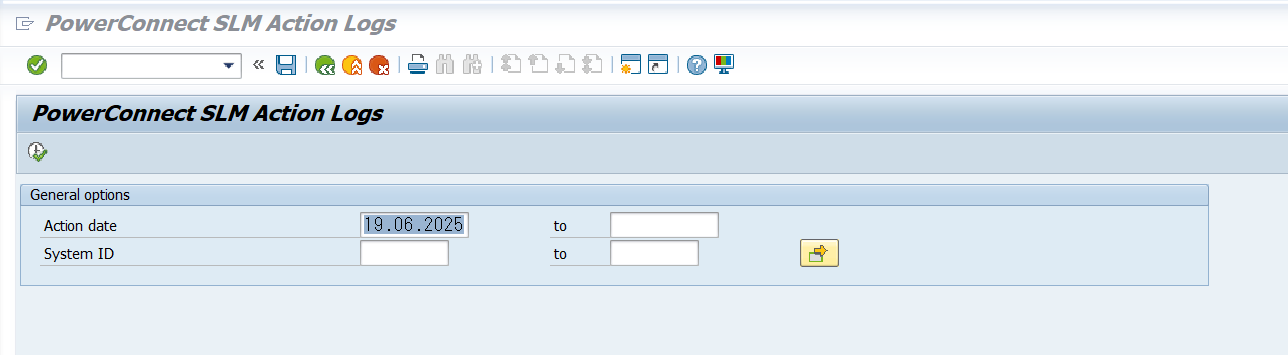
The SLM Action Logs will be displayed as shown in the below screen