Data Description
The SYSTEM_STATUS event is used in SAP to view the software, components, kernel, and general SAP system information.
Potential Use Cases
This event could be used in the following scenarios:
-
To obtain system information details for dashboarding purposes.
-
Correlate new installations with security risks or performance issues.
Splunk Event
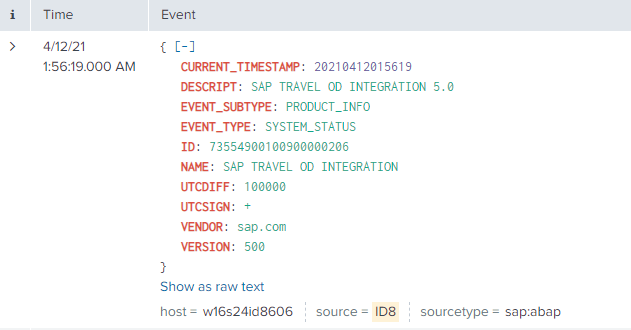
SYSTEM_STATUS with EVENT_SUBTYPE=PRODUCT_INFO
The event will look like this in Splunk:
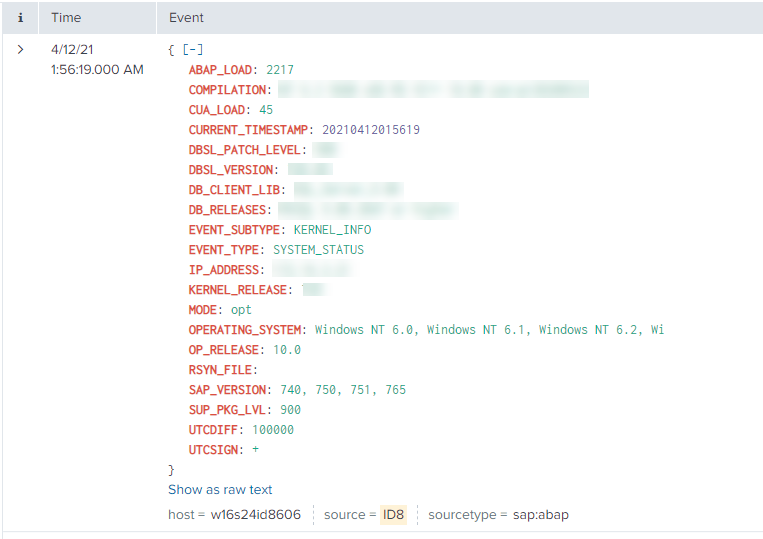
SYSTEM_STATUS with EVENT_SUBTYPE=KERNEL_INFO
The event will look like this in Splunk:
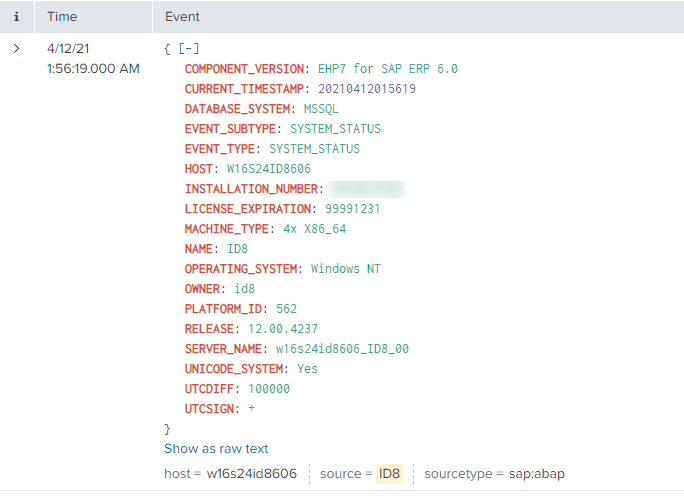
SYSTEM_STATUS with EVENT_SUBTYPE=SYSTEM_STATUS
The event will look like this in Splunk:
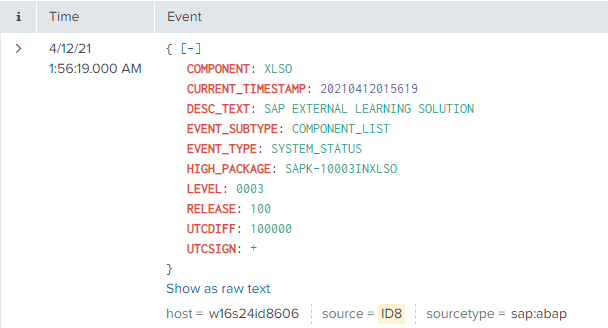
SYSTEM_STATUS with EVENT_SUBTYPE=COMPONENT_LIST
The event will look like this in Splunk:
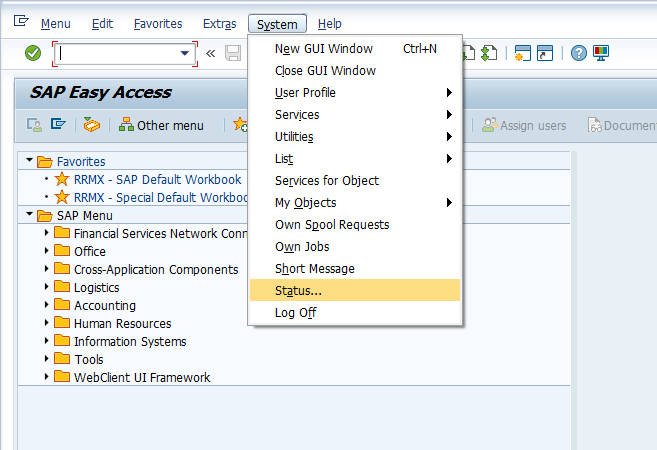
SAP Navigation
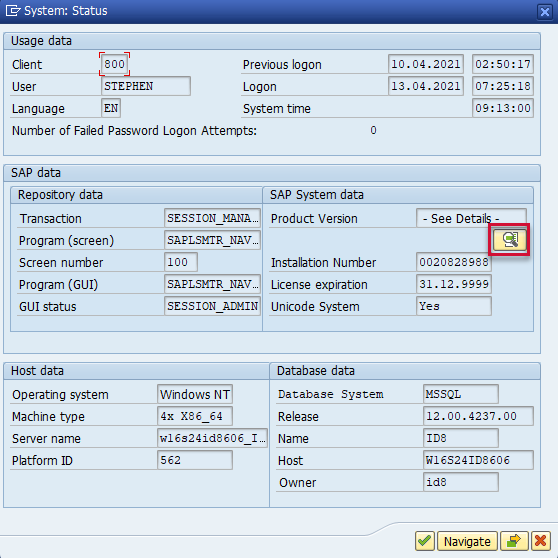
Log into the system and go to the System → Status menu option.
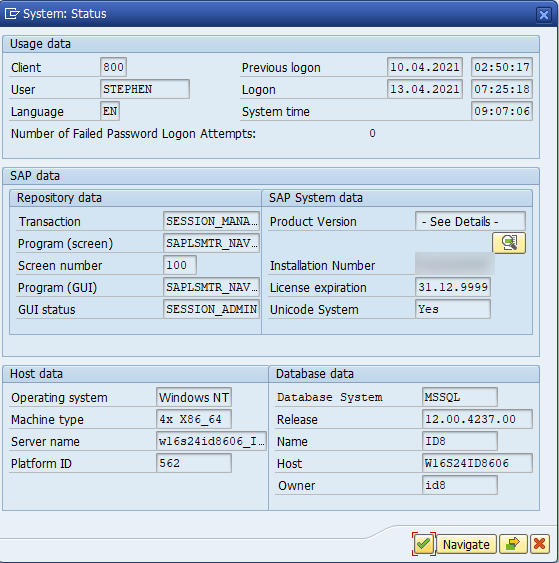
SYSTEM_STATUS with EVENT_SUBTYPE=SYSTEM_STATUS
The information displayed below will match with Splunk.
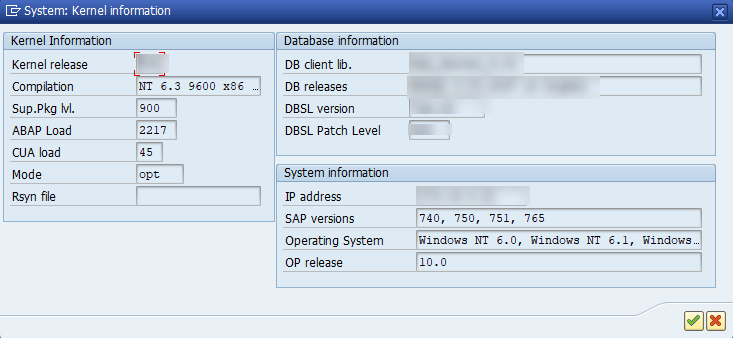
SYSTEM_STATUS with EVENT_SUBTYPE=KERNEL_INFO
Click on the Other kernel Info button.
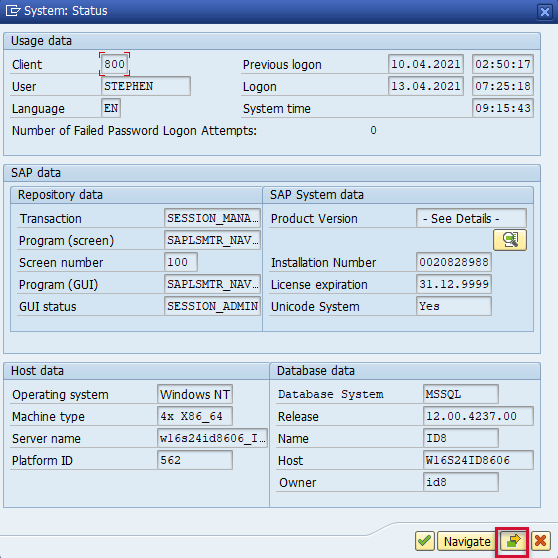
The information displayed will match with Splunk.
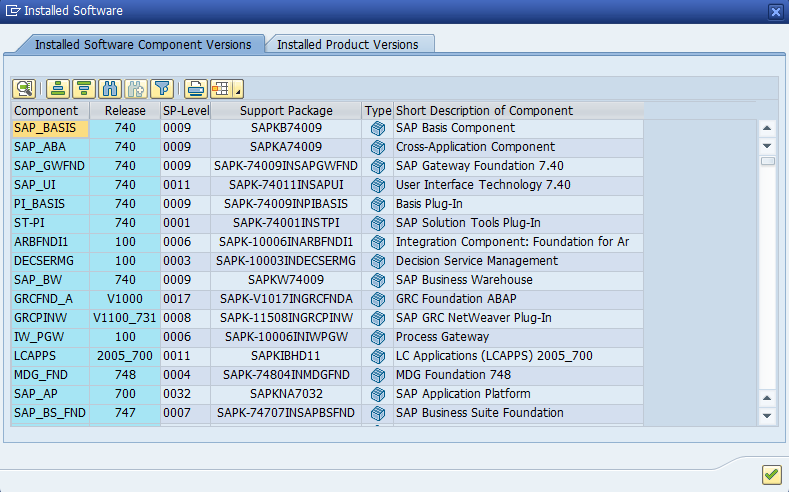
SYSTEM_STATUS with EVENT_SUBTYPE=COMPONENT_LIST
Click on the Details button.
The information displayed will match with Splunk.
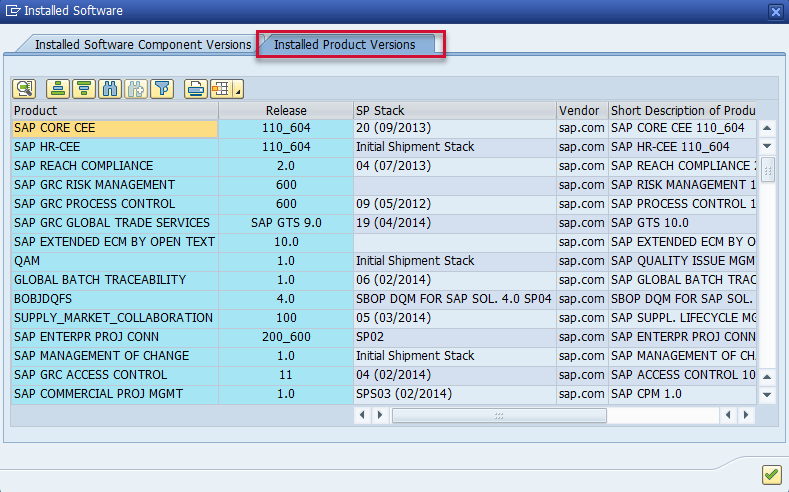
SYSTEM_STATUS with EVENT_SUBTYPE=PRODUCT_INFO
Click on the Details button.
Click on the Installed Product Versions tab. The data displayed will match with Splunk.