Data Description
The ADS_CHECK event is used to determine the status of the Adobe Document Service(ADS) connection to SAP.
Potential Use Cases
This event could be used in the following scenarios:
-
Alert on instances where ADS connection goes down.
-
Visualize ADS connection failures over time.
-
Correlate ADS connection failures to other system activities.
Metric Configuration
Out of the Box, the ‘ADS’ destination name is used to check the connection. However, If customers have a different name for the ADS destination in their system, they can configure the destination in Metric configuration. To do this, log into the managed system and execute the /n/BNWVS/MAIN transaction. Then, go to Administrator → Setup Metric → Metric Configuration.
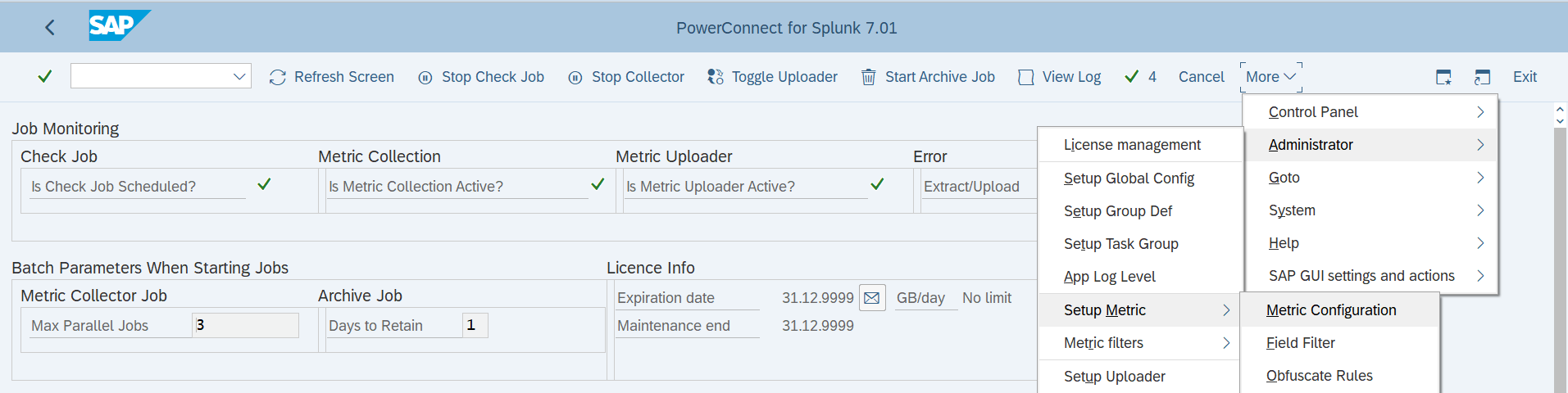
Then Enter the Destination name in the 'Parameter Value' column for ADS_CHECK if it is different from ADS.

Splunk Event
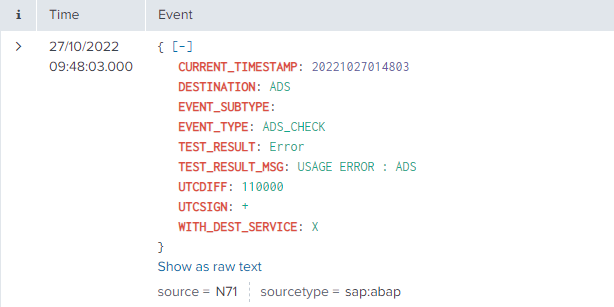
The event will look like this in Splunk:
SAP Navigation
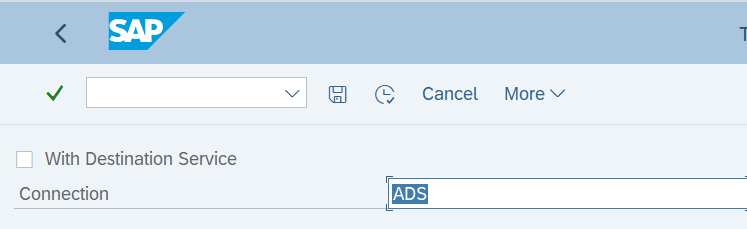
Log into the managed system and execute the report FP_CHECK_DESTINATION_SERVICE to check the ADS connection.