

KB 124 (ABAP) - Update PowerConnect License Key
|
Category: Information |
Priority: Normal |
|---|---|
|
Platform: ABAP |
Version: 1 from 23.03.2021 |
Description
The following steps should be used to update the PowerConnect license key:
-
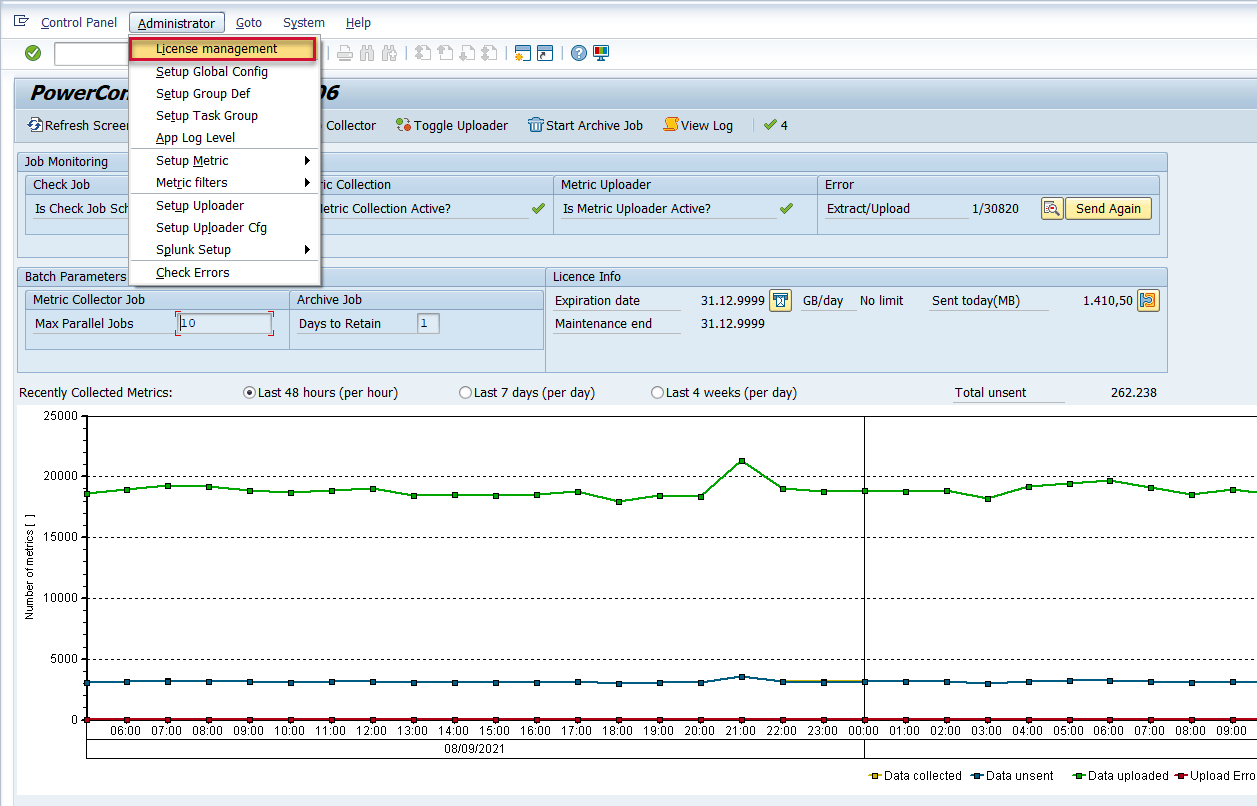
Log into the system where the PowerConnect application was installed, and execute the /n/bnwvs/main transaction. Then go to Administrator → License management
-
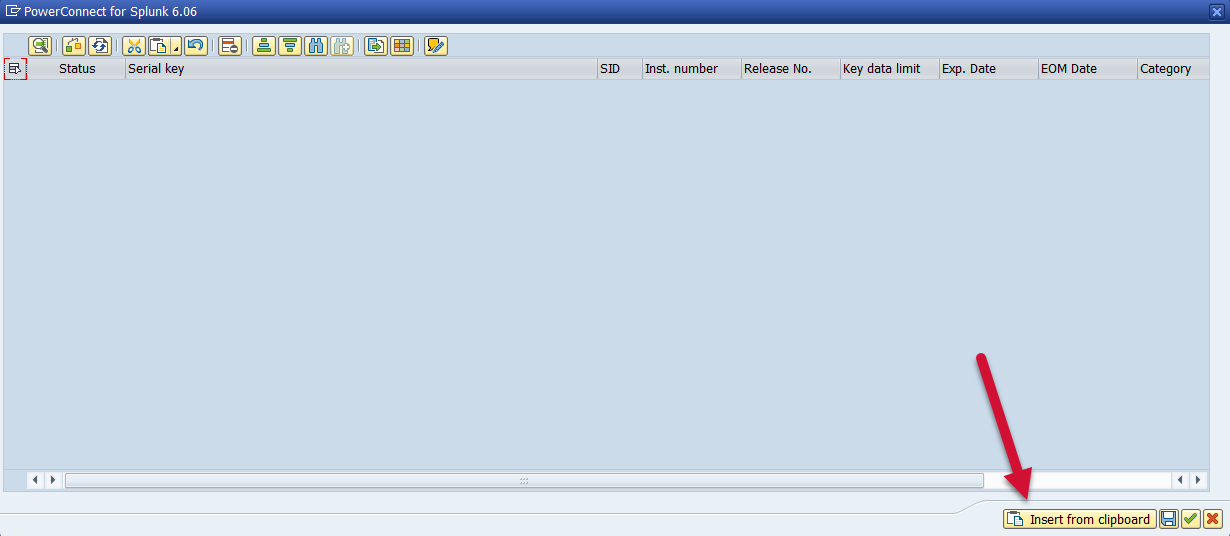
Copy the license key provided by the PowerConnect team into your clipboard, and use the “insert from clipboard” button:
-
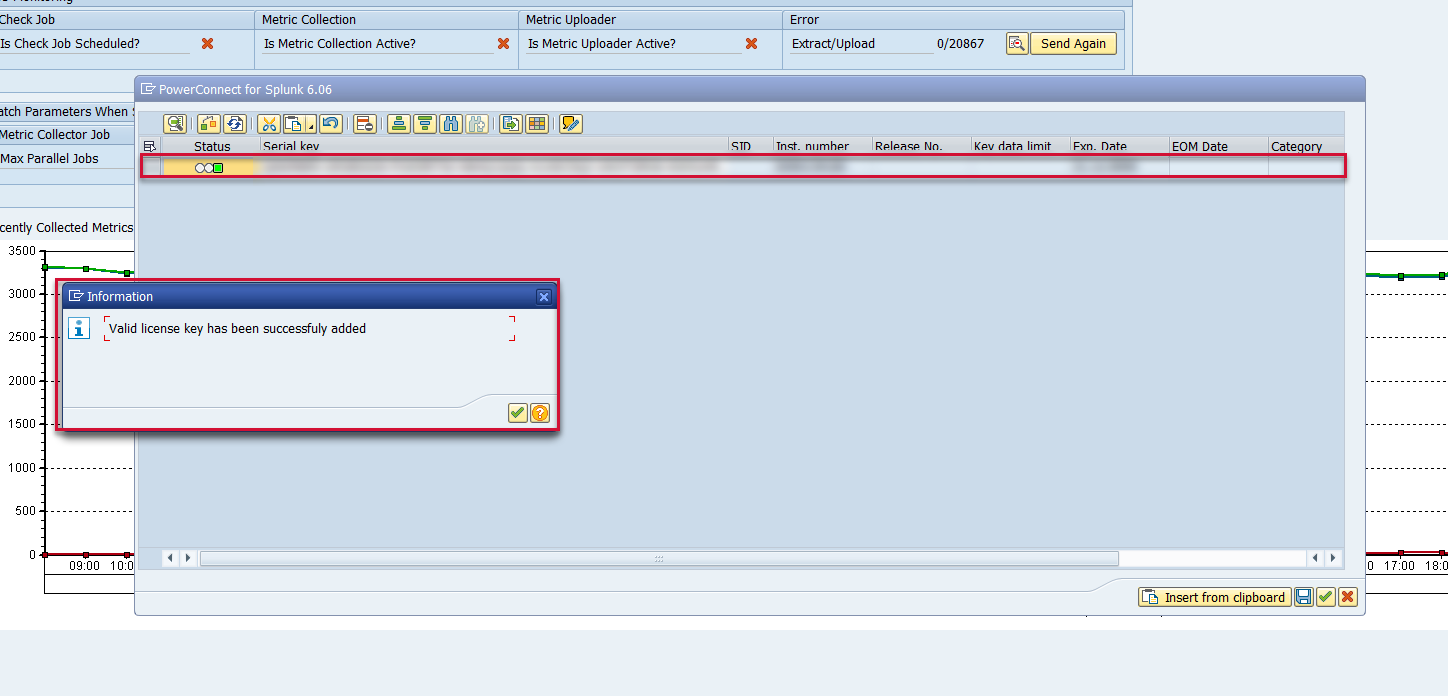
A dialog box will then appear indicating that the license key was successfully applied, and a new row with the license key will be added to to the license key table.
-
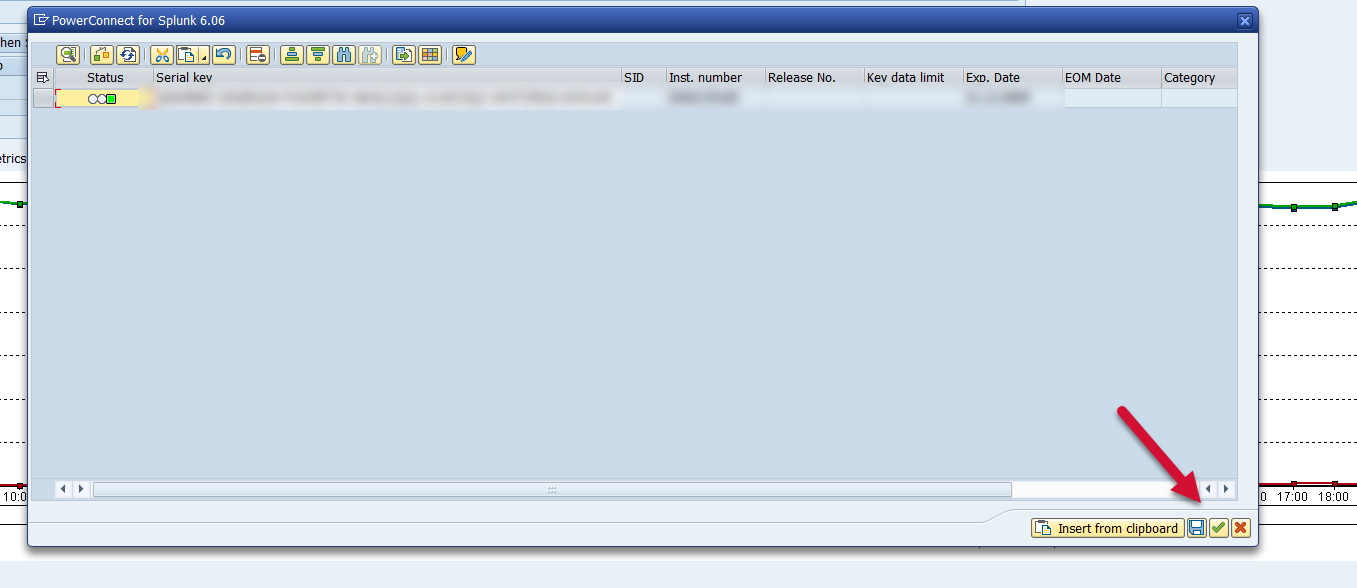
Save and then close.
-
The license key will be successfully applied.