

|
Category: Problem |
Priority: Normal |
|---|---|
|
Platform: Splunk Enterprise |
Version: 1 from 01.08.2022 |
Description
The Splunk app’s built in NIPING data tool is not collecting data.

Cause
A deprecated function (ResultsReader) is being used in the Python scripts for NIPING’s built-in collection tool for release 7.0.0.
Resolution
Open the Python script file collect_niping_status.py located at $SPLUNK_HOME/etc/apps/BNW-app-powerconnect/bin/collect_niping_status.py
Change the function ResultsReader to JSONResultsReader and add the key-value pair “output_mode”: “json” in the kwargs_oneshot object inside the get_instance_names function.
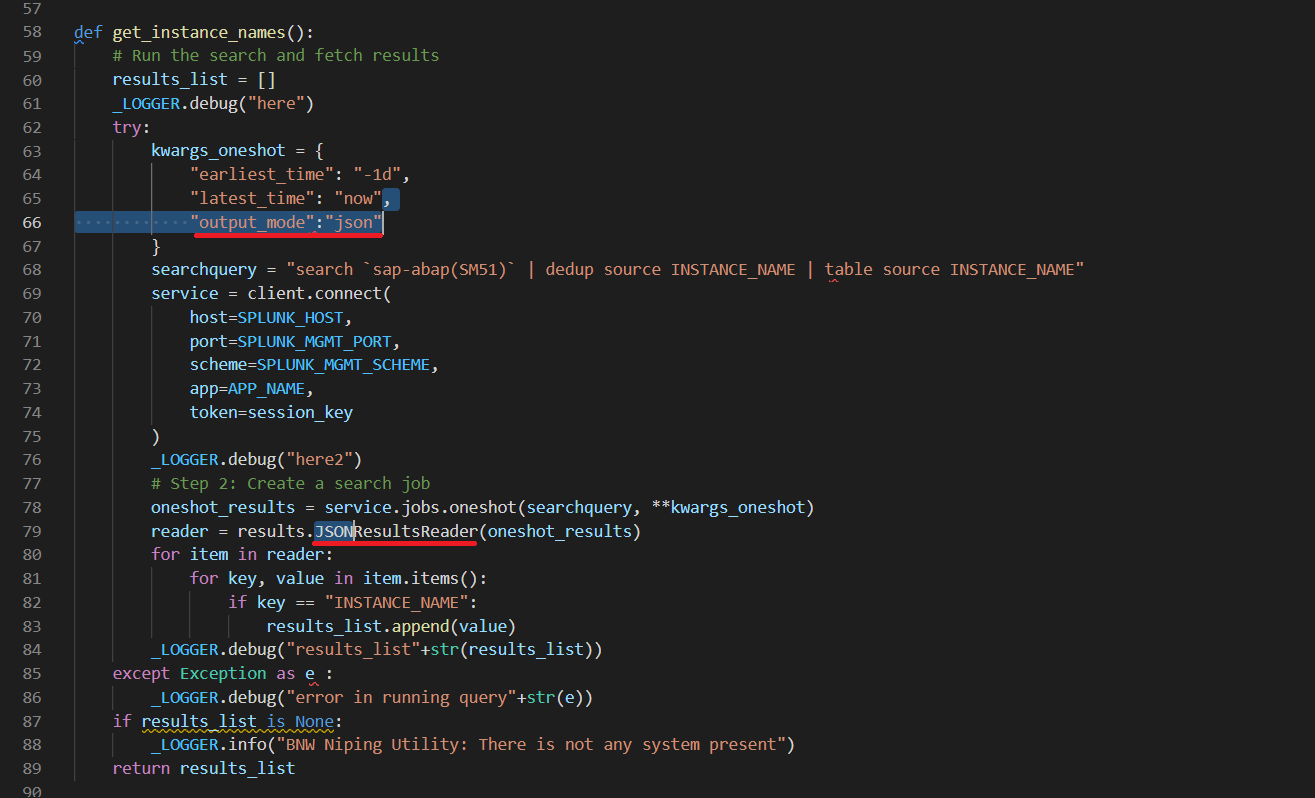
Save the file.