KB 142 (Java): Modifying Java Extractor Data Collection Interval
|
Category: Information |
Priority: Normal |
|---|---|
|
Platform: Java NW/Java |
Version: 1 from 23.03.2021 |
Description
This document should be used if you want to modifying the interval for data collection for PowerConnect Java extractors.
To do this, log into the PowerConnect Java administrative console using the following URL: http://<serverhost>:<port>/webdynpro/resources/com.powerconnect5/spcj_wd/SapPowerConnectJava#
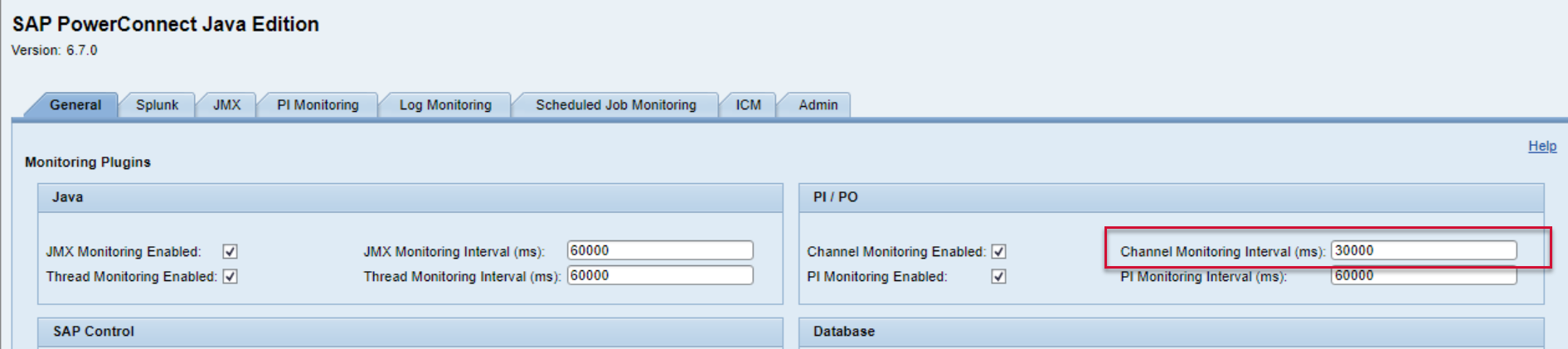
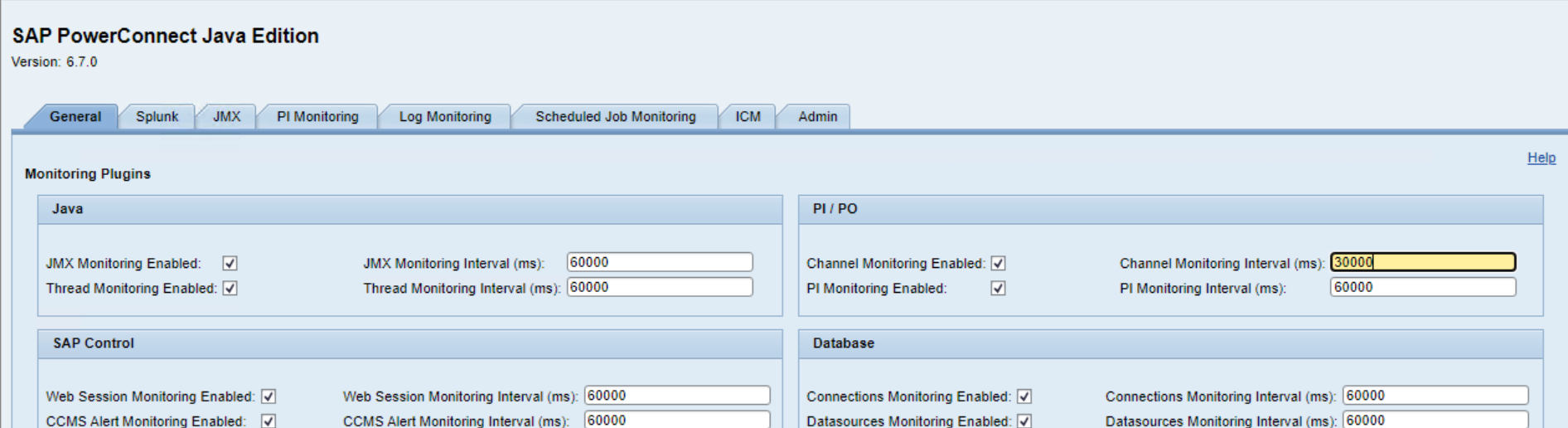
Stay in the General tab, and modify the desired data extraction interval. In this example, we are changing the Channel Monitoring Interval from 60,000 milliseconds to 30,000 milliseconds. Save the configuration at the bottom of the screen.

Modifying the data extraction interval for Java extractors requires a restart of the PowerConnect Java application. To do this, go to Netweaver Administrator (http://<serverhost>:<port>/nwa), and go to Operations → Systems → Start & Stop

Then go to the Java applications tab, and type “powerconnect” in the Vendor field.
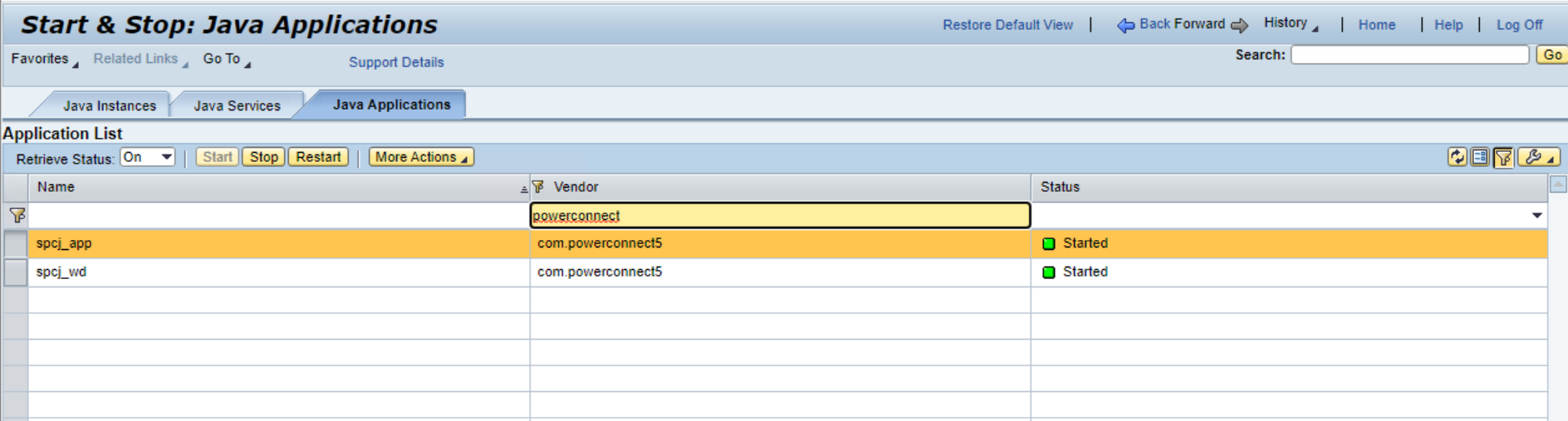
Stop the applications in this order:
-
spcj_wd
-
spcj_app
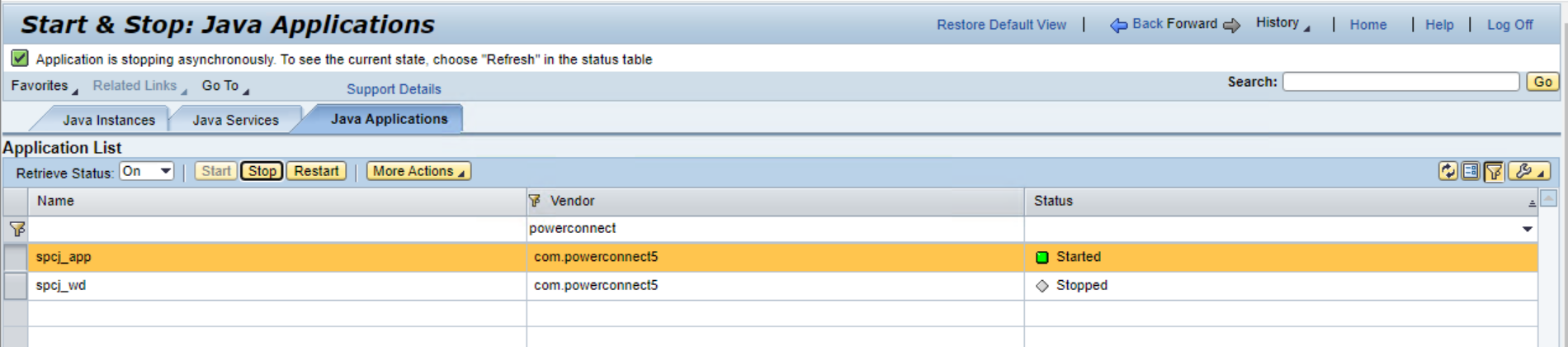

Once you have confirmed both applications have been stopped, start them in this order:
-
spcj_app
-
spcj_wd
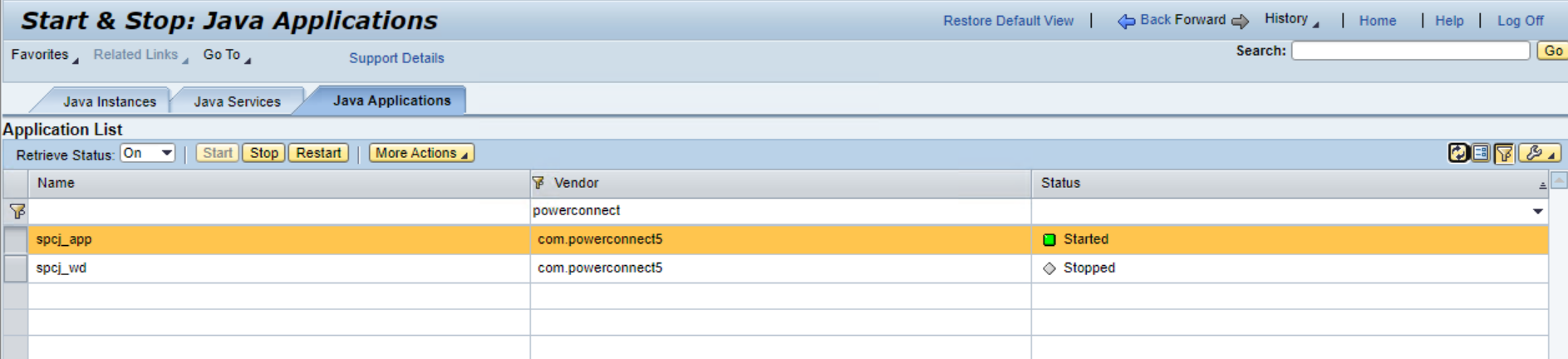

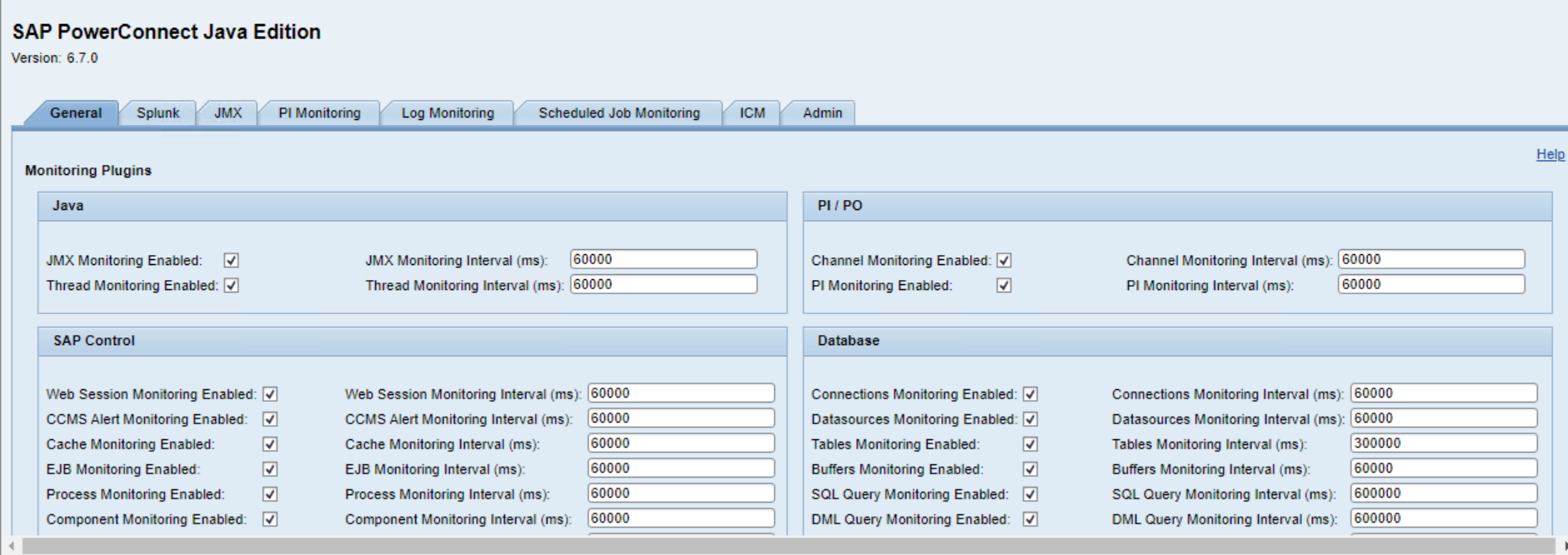
Data will now be collected in accordance with the collection interval that was adjusted. Please confirm the adjustment was made by logging into the PowerConnect Java administrative console ( http://<serverhost>:<port>/webdynpro/resources/com.powerconnect5/spcj_wd/SapPowerConnectJava#), and confirm the collection interval matches the configuration made: