

KB 108 (ABAP): Enable/Disable ABAP Extractor
|
Category: Information |
Priority: Normal |
|---|---|
|
Platform: ABAP |
Version: 1 from 23.03.2021
|
Description
In order to enable or disable a particular extractor, please follow steps below. Starting from PowerConnect SP 6.04, it is not mandatory to stop PowerConnect jobs, these steps are labeled as optional.
-
Log into the managed system and execute the /n/bnwvs/main transaction.
-
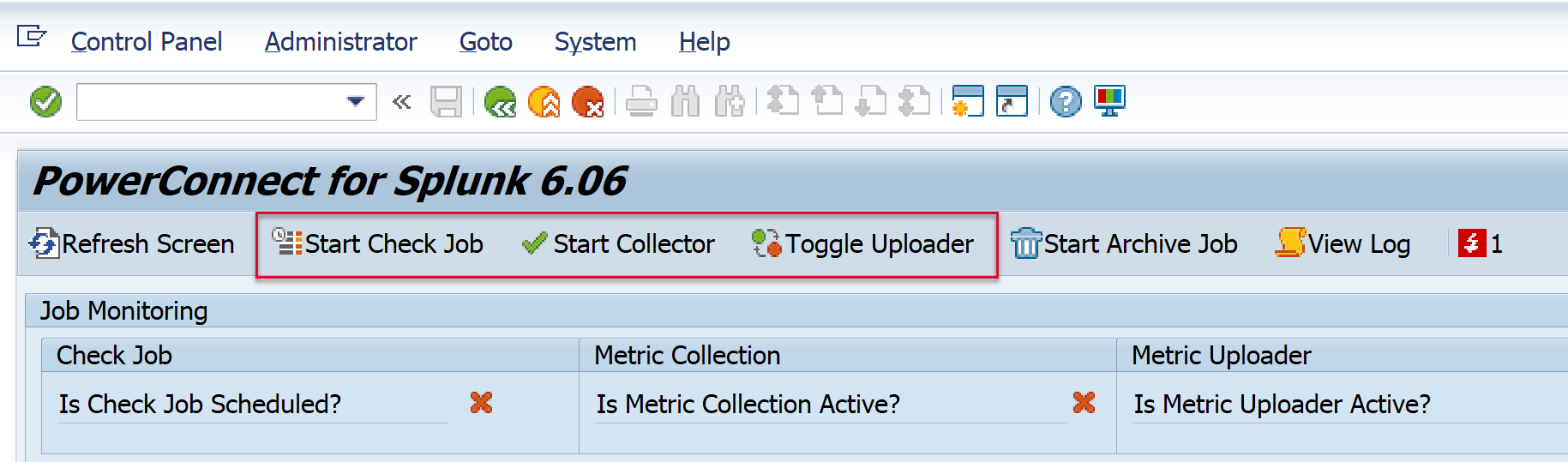
(optional) Disable the PowerConnect batch jobs if they are active by selecting the following buttons.

-
(optional) Confirm the batch jobs have stopped running. The PowerConnect administrative console should look like this.

-
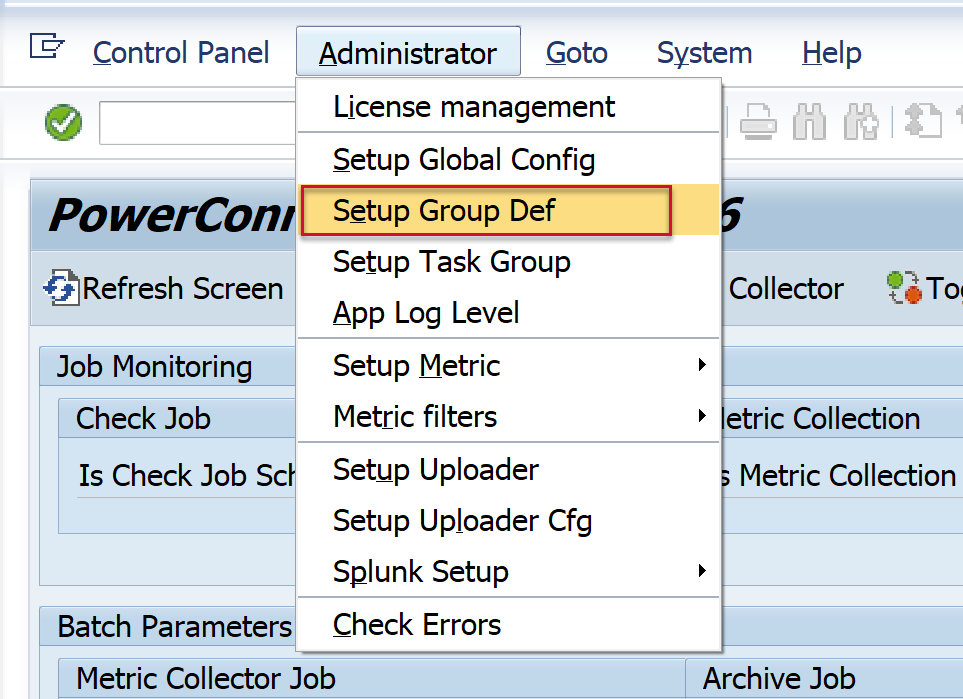
Then go to Administrator → Setup Group Def.
-
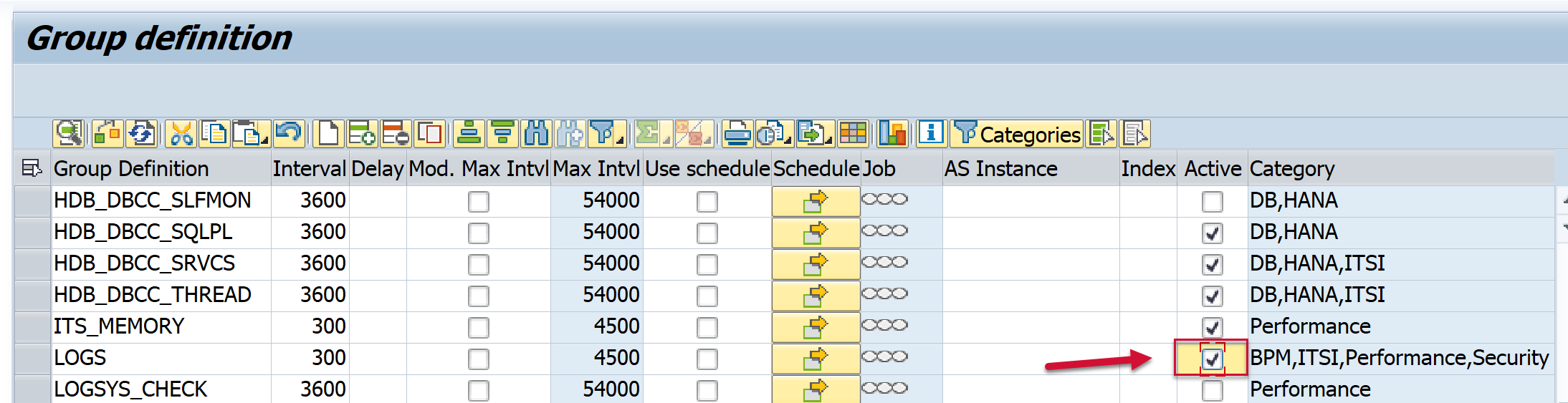
Go to the extractor that you would like to enable or disable based on the text in the Group Def field. Change (set or unset) the “Active” flag, and then Save.
-
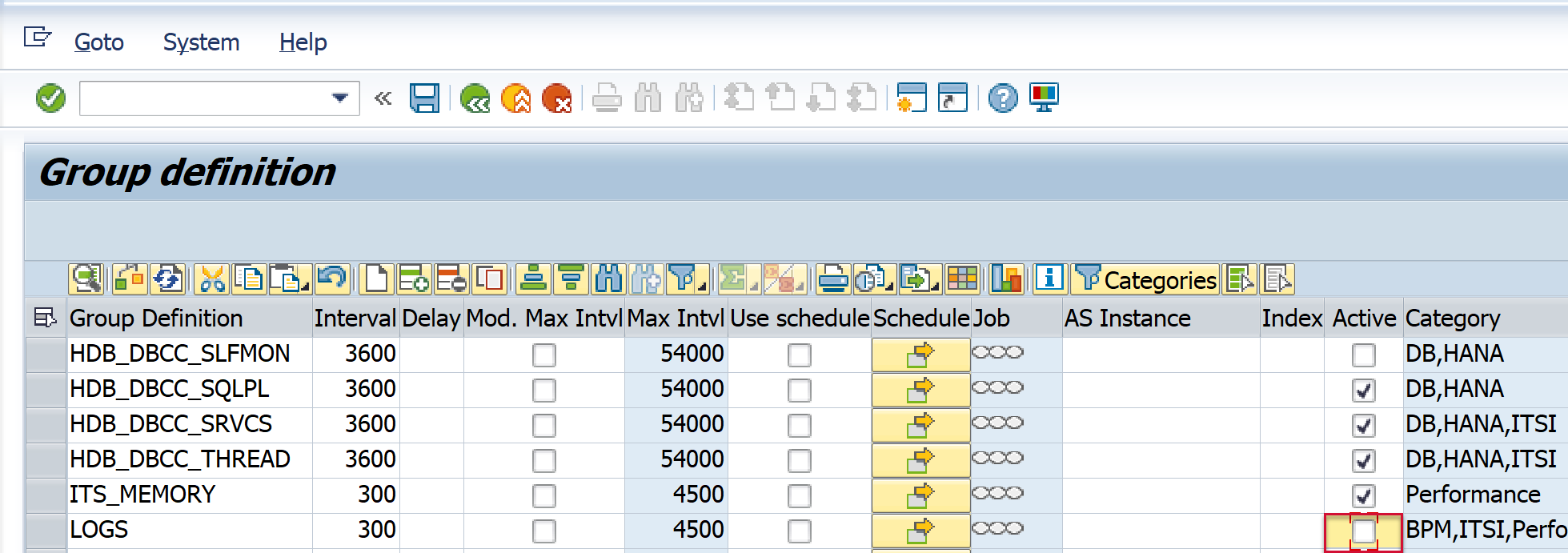
The Active field should then look like this:
-
(optional) Go back to the PowerConnect administrative console. Restart the PowerConnect batch jobs by clicking the buttons below.
-
The PowerConnect administrative console should match the screen below once the batch jobs have successfully restarted.
