

KB 209 (JAVA): Configuring PowerConnect Java to use a HTTP Proxy
|
Category: Information |
Priority: Normal |
|---|---|
|
Platform: JAVA |
Version: 1 from 01.04.2024 |
Description
There may be environments that require a proxy server connection for outbound communications. The PowerConnect Java agent can be configured to use a HTTP proxy to send it’s data to a target platform. Curently only unauthenticated plain http proxies are supported.
Configuration Steps
-
Login to the PowerConnect Java UI - http(s)://sap-host:<port>/powerconnect-java/index.html
-
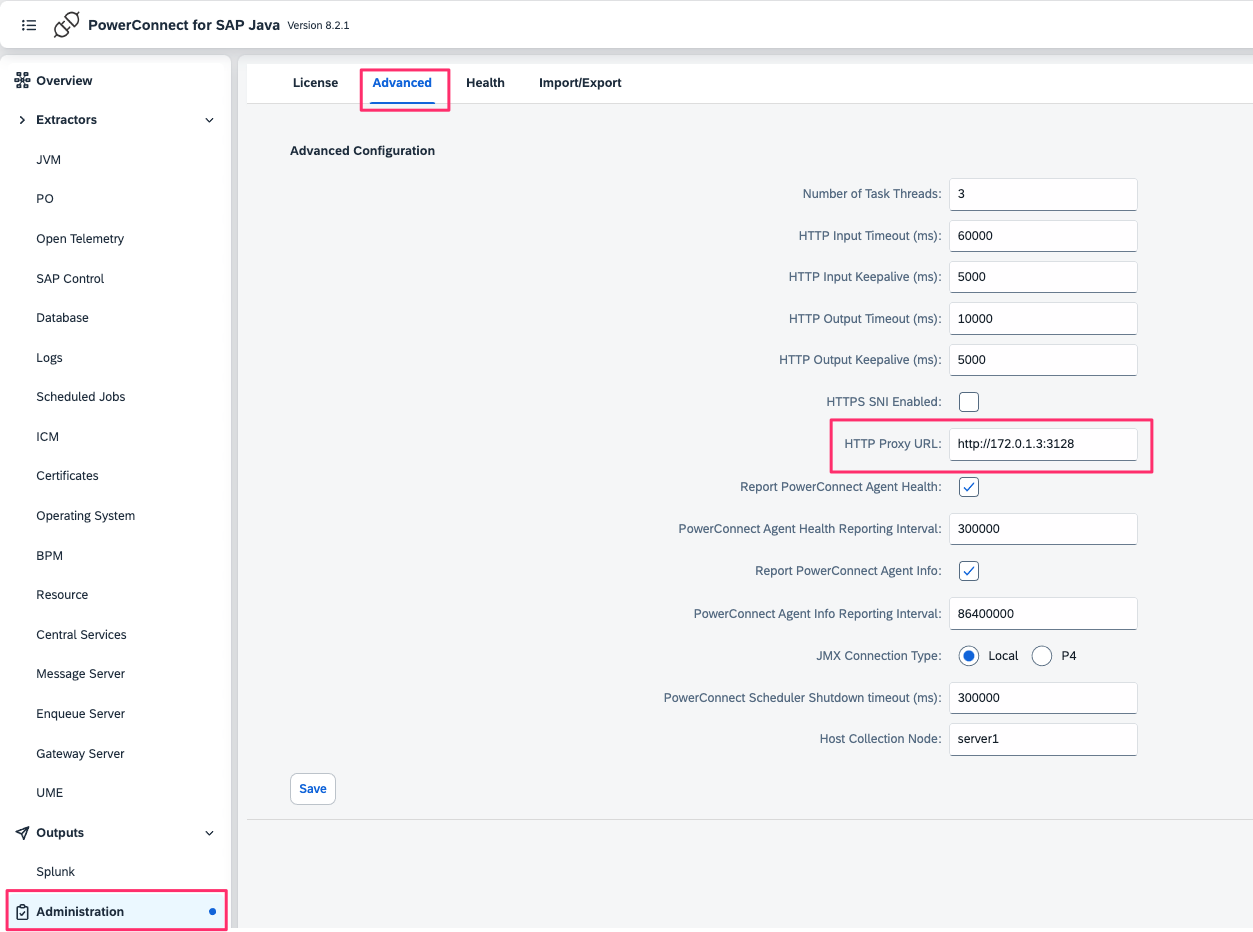
Navigate to Administration → Advanced
-
Enter the HTTP proxy url under the HTTP Proxy URL text box e.g. http://172.0.1.3:3218
-
Click Save
-
Restart the PowerConnect Java agent for changes to take effect