KB 41 (Java) - Enabling Portal Activity Data Collector
|
Category: Information |
Priority: Normal |
|---|---|
|
Platform: Java(NW) |
Version: 1 from 23.03.2021 |
Description
The following instructions show how to enable the Portal Activity extractor for the Java environment and configure the PowerConnect Java agent to collect these logs:
-
Go to the Enterprise Portal by entering the following URL:
http://<Hostname_of_AS_Java_Server>:5<Instance_Number>00/irj -
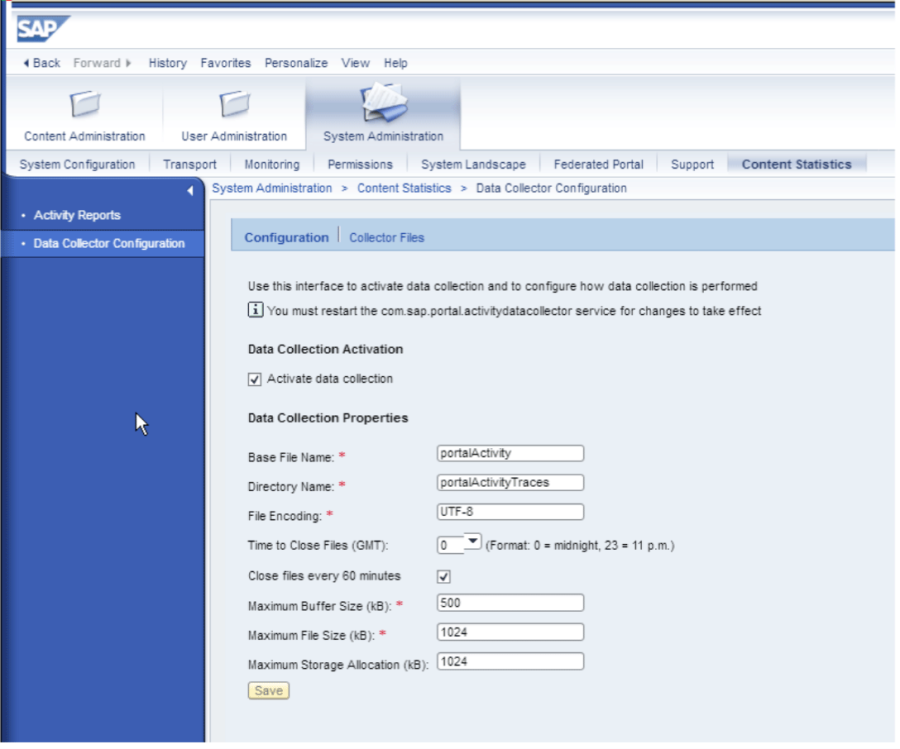
Then go to System Administration -> Content Statistics -> Data Collector Configuration
-
Make sure the "Close files every 60 minutes" option is checked
-
Click on Collector Files
-
Setup the portalActivity data file to use the following entries:
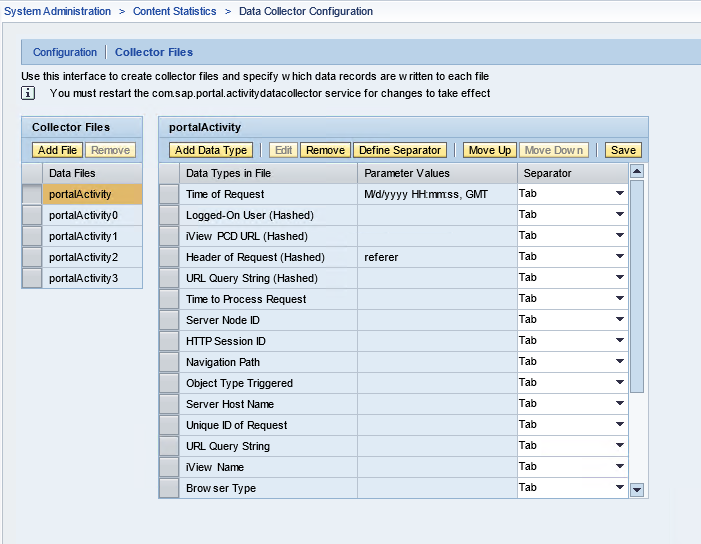
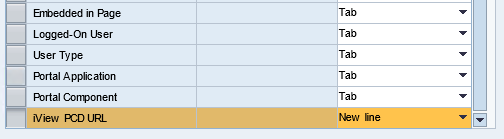
Note the order of these fields is critical for the PowerConnect Java agent log header configuration detailed below
-
Enable the Activity Data collector application by going to the NWA console using the following URL:
http://<Hostname_of_AS_Java_Server>:5<Instance_Number>00/nwa -
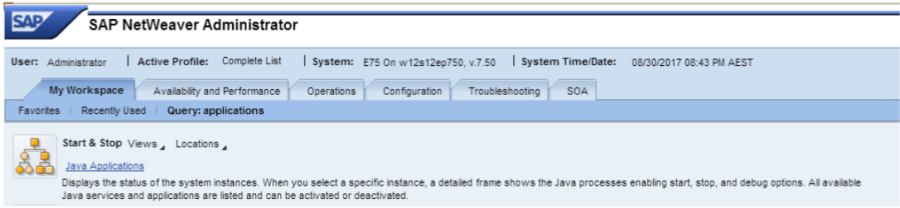
Click the Operations tab then the Start & Stop link:
-
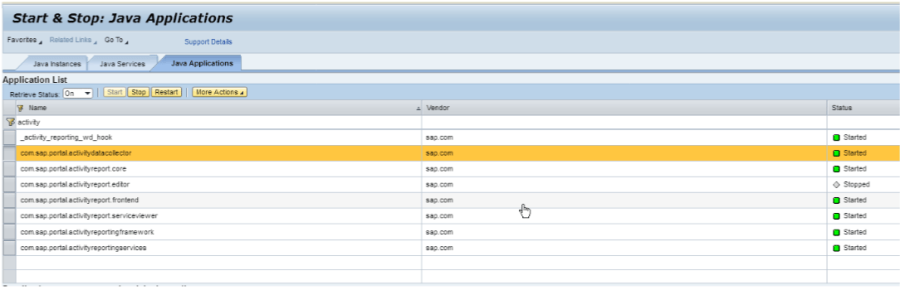
Click the Java Applications tab
-
Search for "activity" in the Name column
-
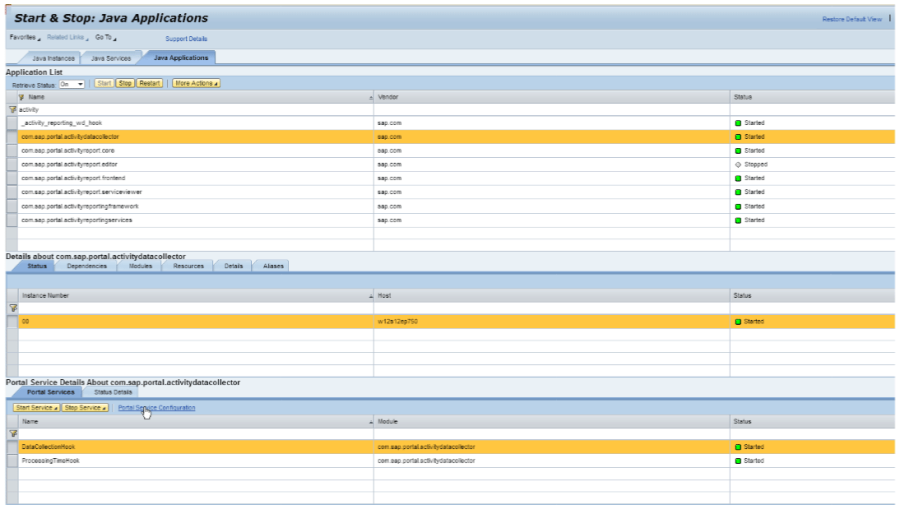
Click on Portal Service Configuration
-
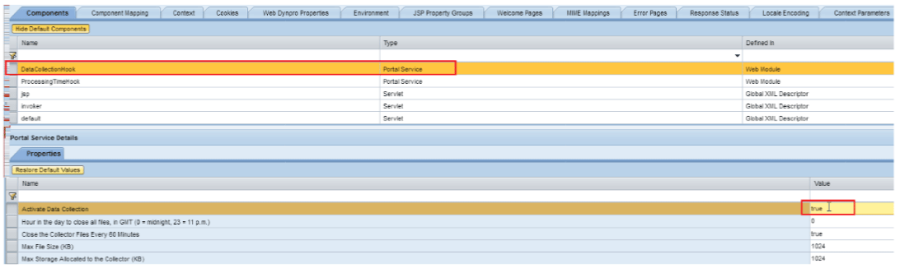
Ensure the data Collection Hook is set to True
-
Navigate Back
-
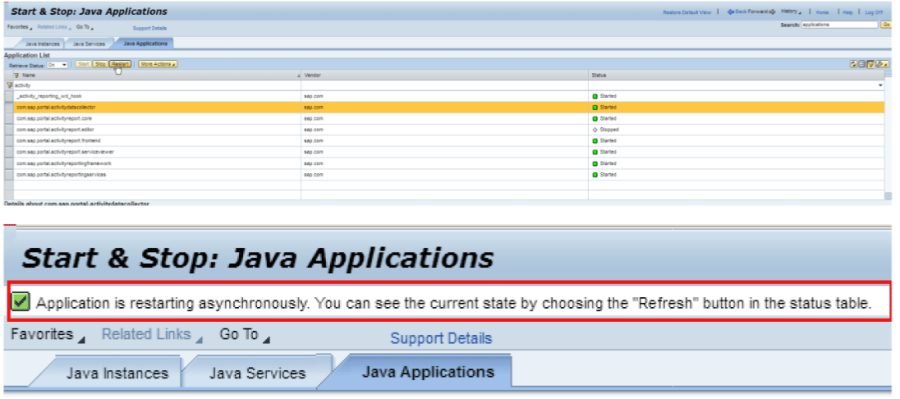
Restart the Data Activity Collector by clicking the Restart button
-
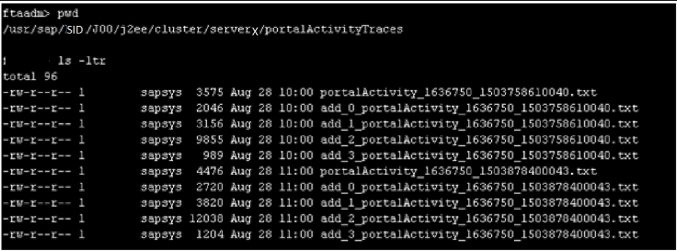
Files will start to appear in the following directory
/usr/sap/<SID>/<SID>/j2ee/cluster/server#/portalActivityTraces
Configure the PowerConnect Java agent to collect the Portal Activity Logs:
-
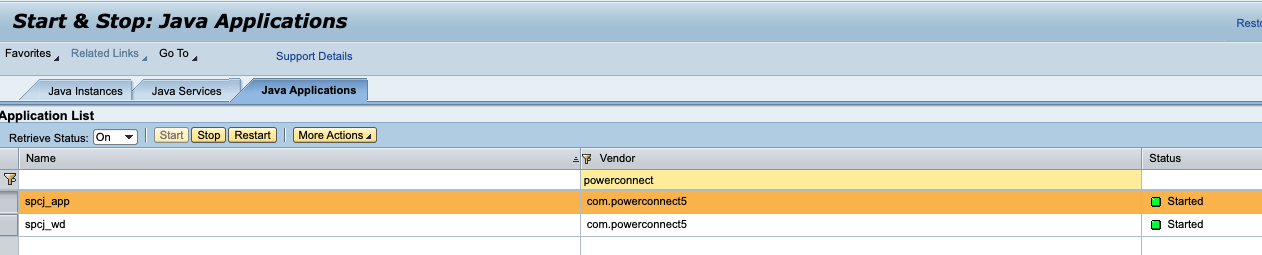
Go to the PowerConnect Java agent UI by entering the following URL: http://<Hostname_of_AS_Java_Server>:5<Instance_Number>00/ webdynpro/resources/com.powerconnect5/spcj_wd/SapPowerConnectJava
-
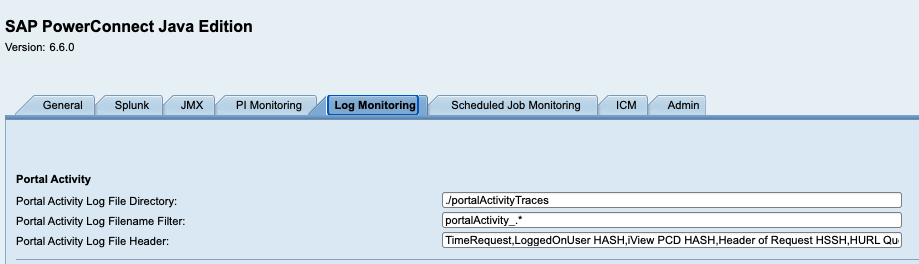
Click on the Log Monitoring Tab
-
Set the Portal Activity Log File Header value to be a comma separated string of field names as defined in the portalActivity data file configuration above e.g.
TimeOfRequest,LoggedOnUser HASH,iView PCD URL HASH,Header of Request HASH,URL Query String HASH,TimeToProcess Request,ServerNode,HTTPSessionID,NavigationPath,ObjectType,ServerHost,UniqueID,URLQueryString,IViewName,BrowserType,EmbeddedInPage,LoggedOnUser,UserType,PortalApplication,PortalComponent,iView PCD URL
-
Click Save
-
Click on the General tab
-
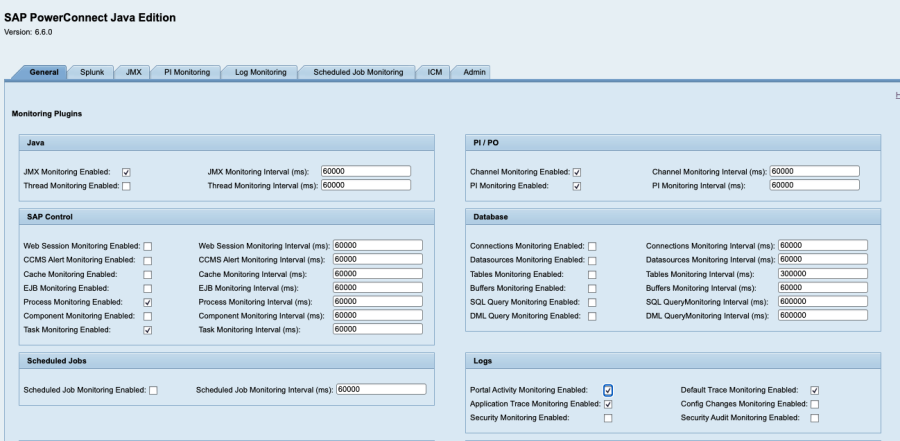
Tick the Portal Activity Monitoring Enabled checkbox in the Logs section
-
Restart the PowerConnect Java agent