

|
Category: Problem |
Priority: Normal |
|---|---|
|
Platform: Splunk Enterprise/Cloud |
Version: 1 from 28.07.2022 |
Description
Important Note: The STATS extractor only applies for SAP ABAP systems running NetWeaver 7.5 or higher. If your SAP system has a lower NetWeaver version than 7.50, the dashboard will not populate.
When certain systems are selected in the STATS Details Dashboard, the “Overall Statistics“ table does not render any data.

Cause
For some SAP systems running S/4 HANA 2020 or older (the lowest version of NetWeaver supporting STATS transaction is NetWeaver 7.50), the HANA_PROCESSING_TIME field is not included in the PowerConnect data. As a result, the “ABAP vs DB Time” column in the Overall Statistics panel is not populating any data, resulting in the table rendering as empty.
Resolution
Click on the Edit button at the top right corner.

Click the Edit Search icon (magnifying glass) next to the title of the Overall Statistics panel to open the dialogue box to edit the search.

Replace all references in the search string to the HANA_PROCESSING_TIME field with TOTAL_REQUEST_TIME.
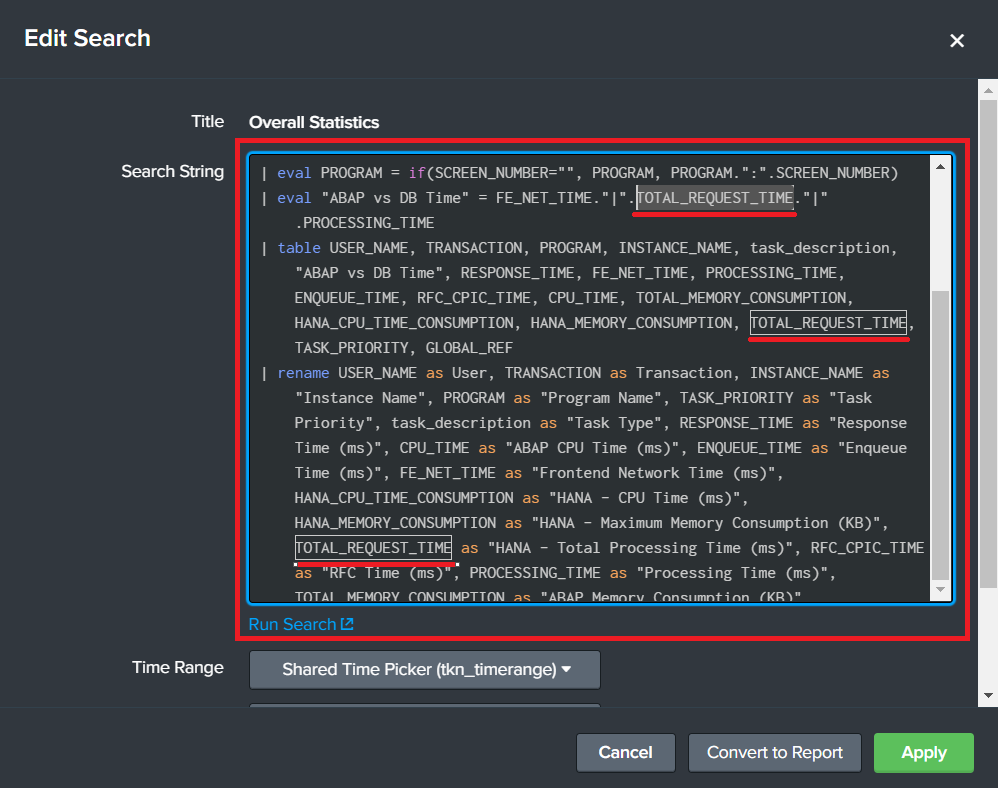
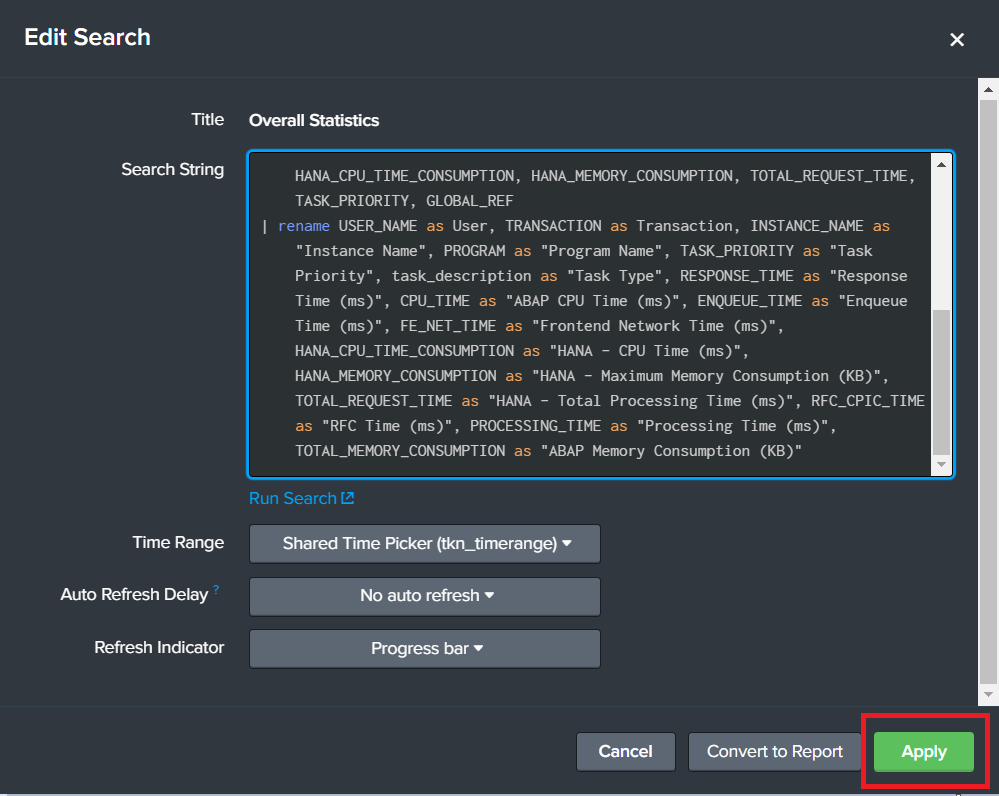
Now click the Apply button to save the updated search.
Finally, click on the Save button at the top right corner of the dashboard to save the new dashboard configuration.
