

KB 134 (ABAP): SAP Fiori User Monitoring
|
Category: Information |
Priority: Normal |
|---|---|
|
Platform: ABAP |
Version: 1 from 15.12.2021 |
Description
Starting from PowerConnect SP 6.08 it is possible to monitor SAP Fiori user activities/performance. Please follow steps mentioned in Resolution section to use this functionality.
Resolution
Create/extend Fiori Launchpad Catalog
Tcode: /n/UI2/FLPD_CUST (Client-specific) or /n/ui2/FLPD_CONF (System-wide)
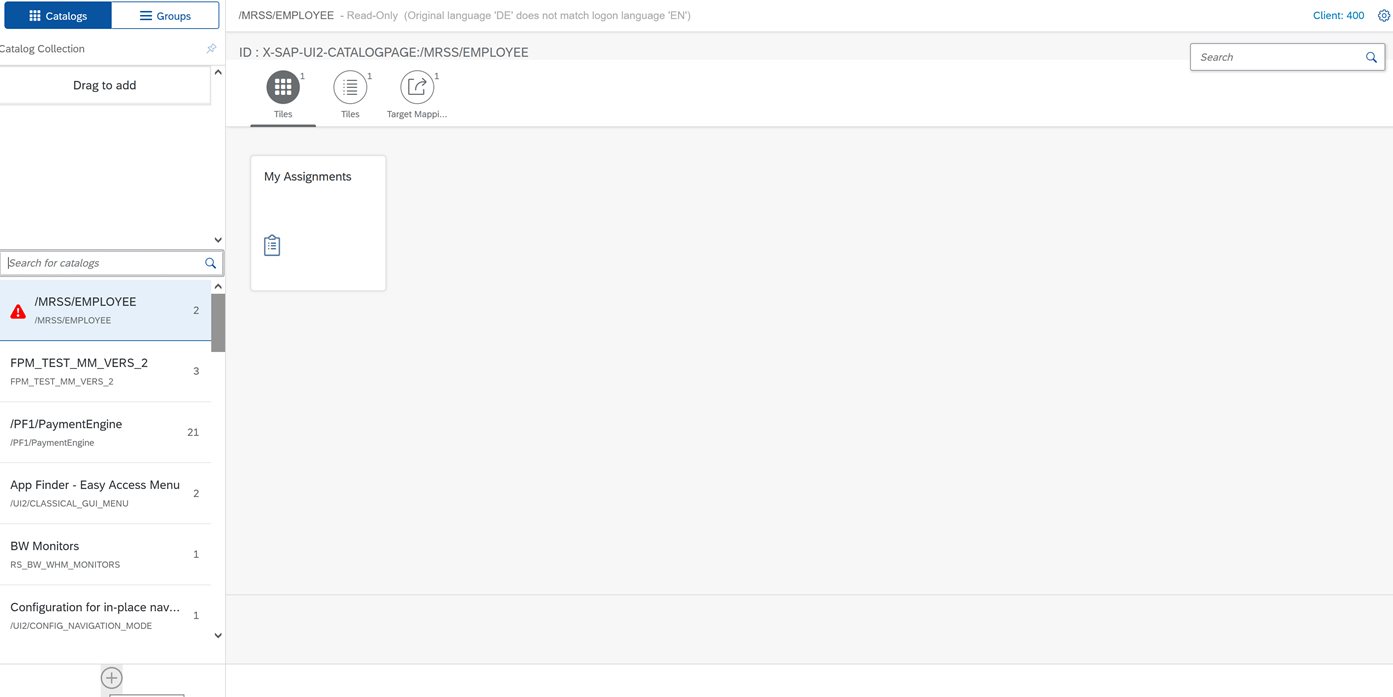
In this guide we will show new catalog creation, however it is possible to extend existing catalogs.
Use
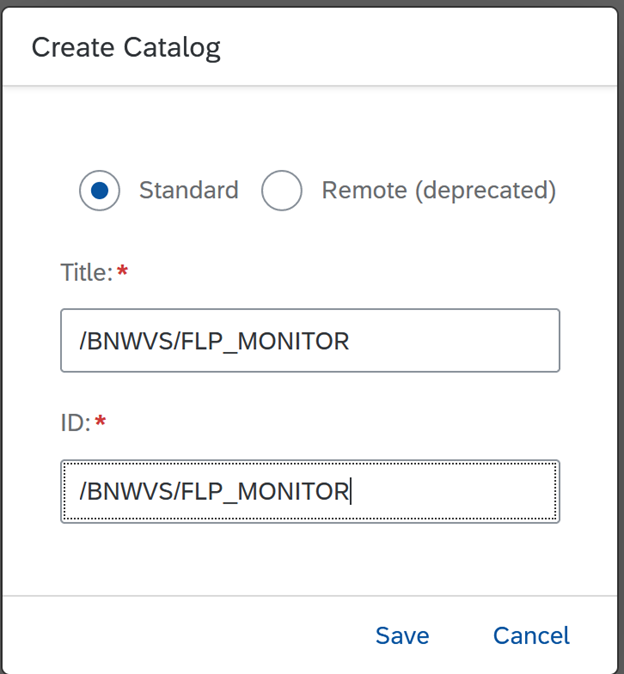
Click ‘Save’
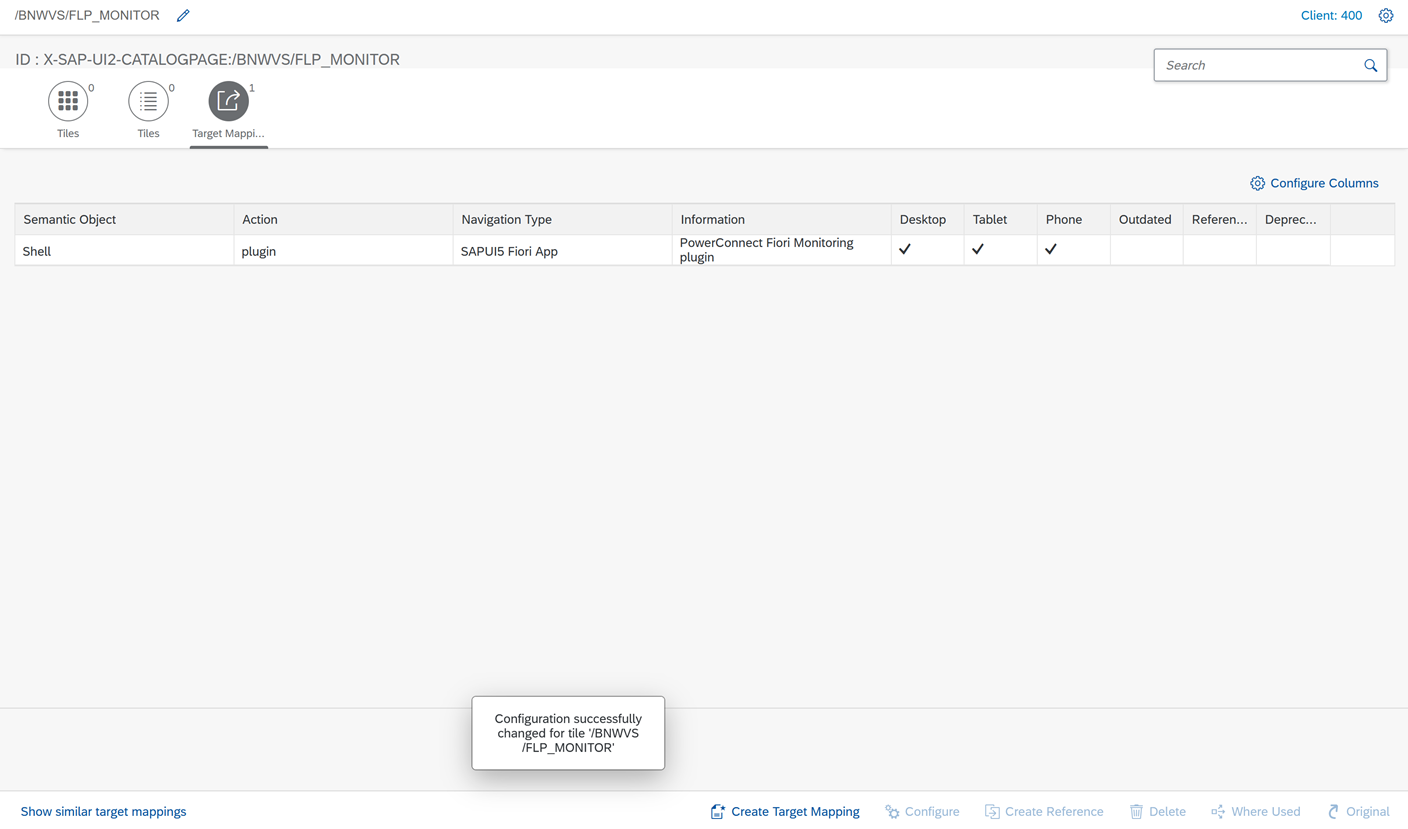
Switch to ‘Target Mappings’ tab
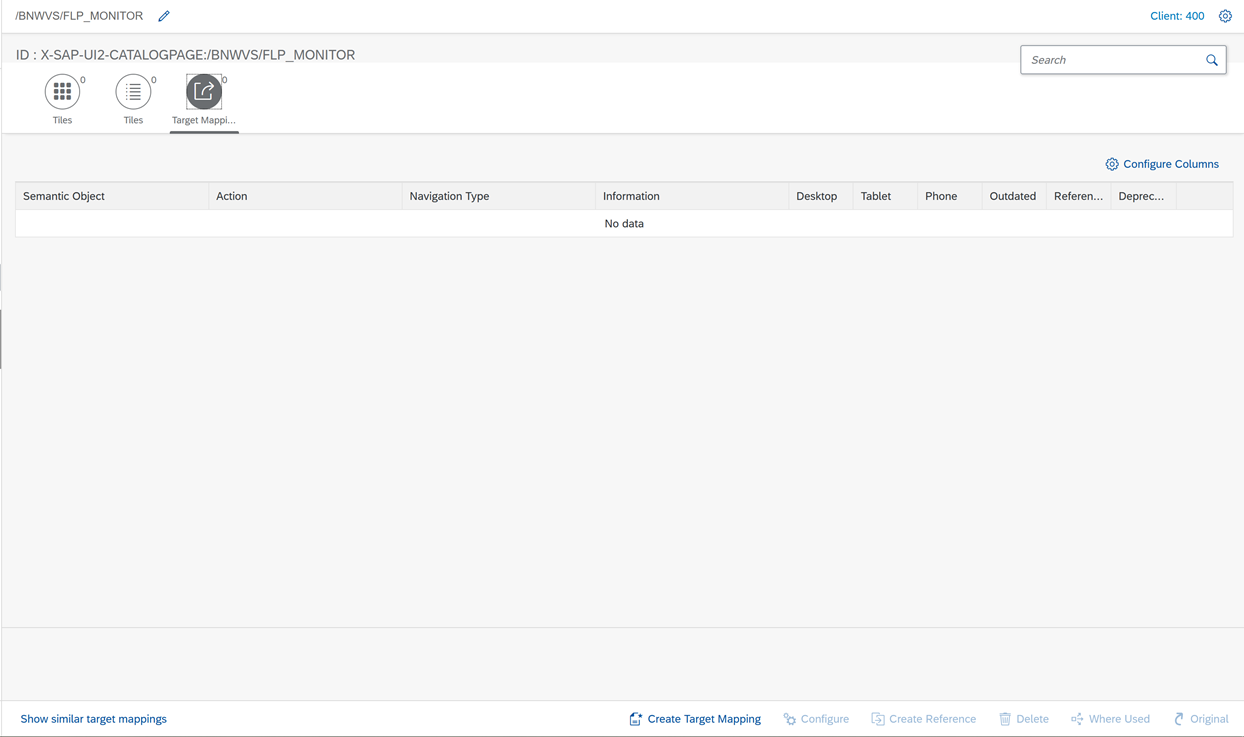
Click ‘Create Target Mapping’ in the bottom of the page.
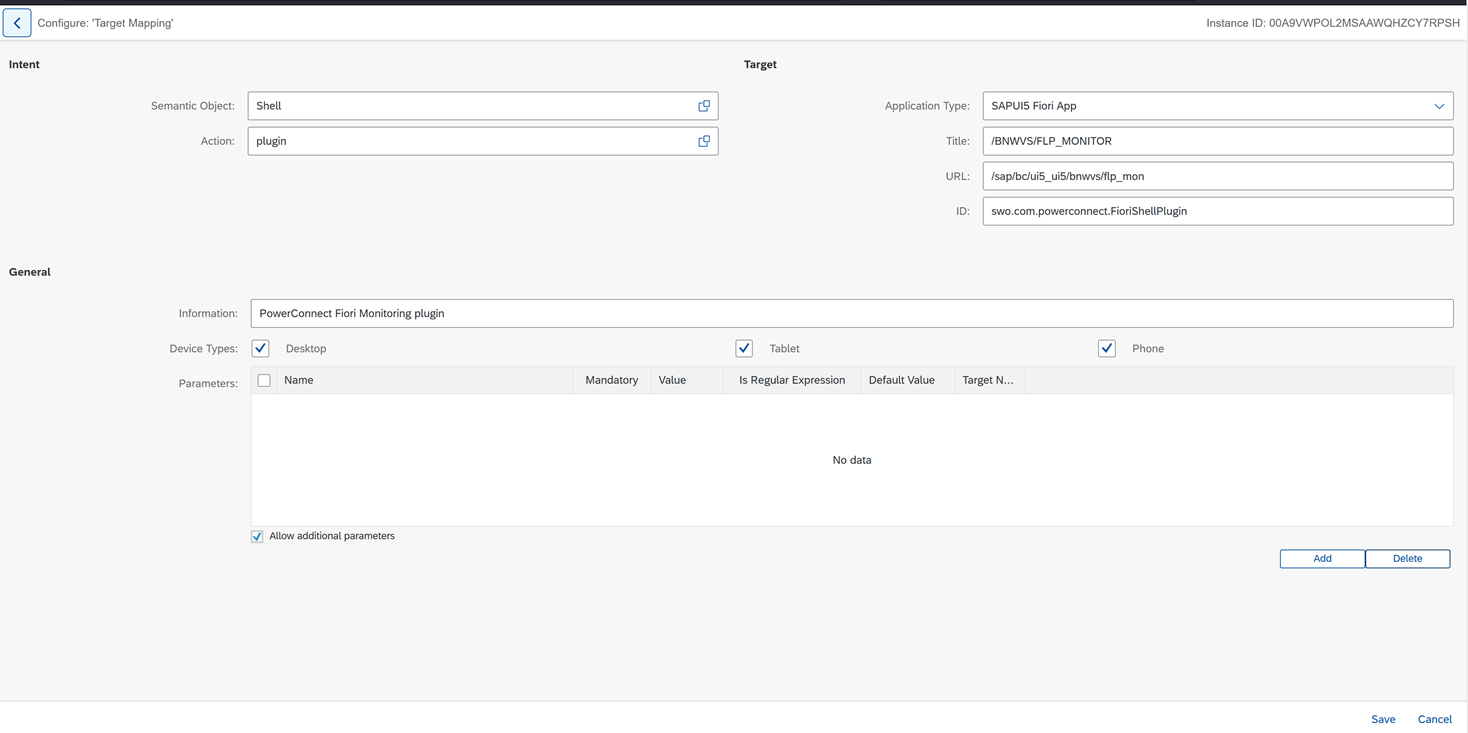
Define following values:
Semantic object: Shell
Action: plugin
Application Type: SAPUI5 Fiori App
Title: /BNWVS/FLP_MONITOR
URL: /sap/bc/ui5_ui5/bnwvs/flp_mon
ID: swo.com.powerconnect.FioriShellPlugin
Information: PowerConnect Fiori Monitoring plugin
Device Types: Activate all
Click ‘Save’ in the bottom of the page
Create Fiori catalog role
Transaction: PFCG
Create role: Z_BNWVS_FIORI_MONITORING (name can be changed)
Role description: PowerConnect Fiori Monitoring role
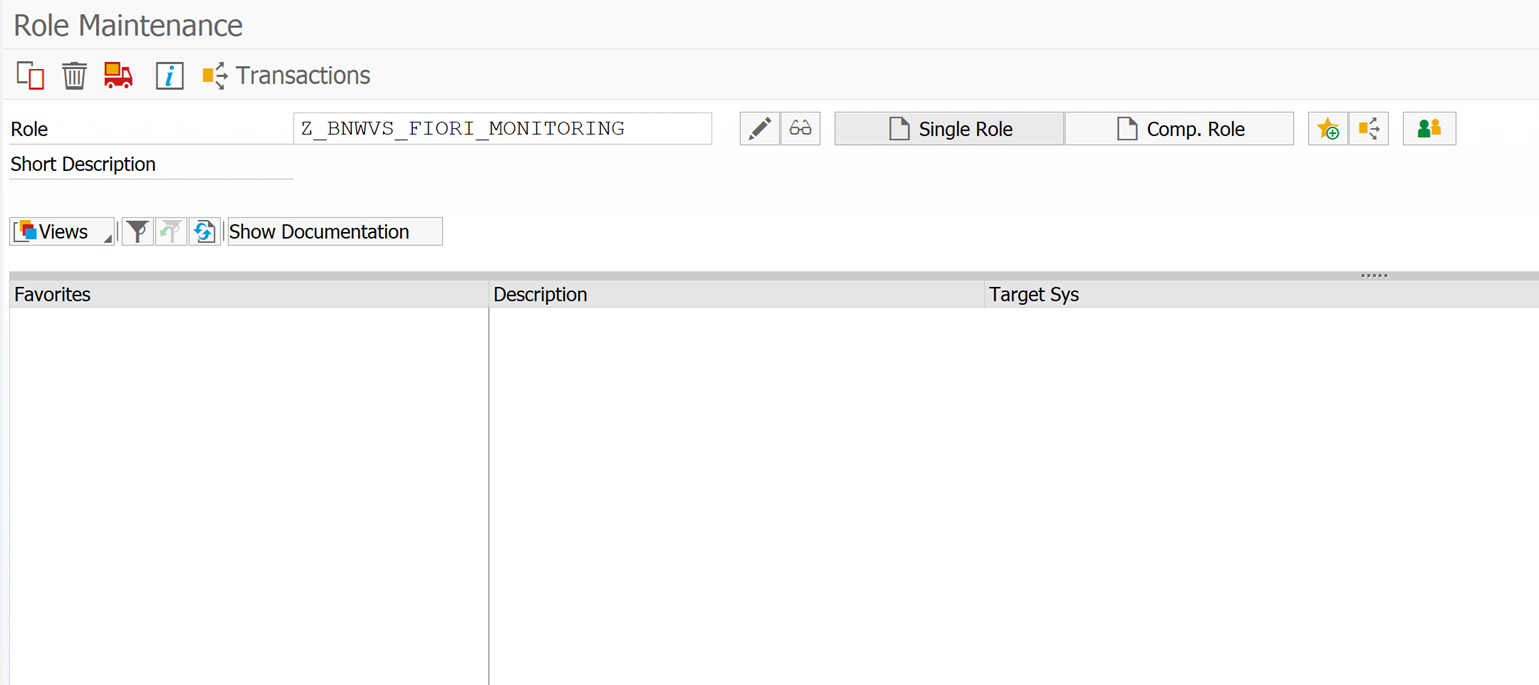
Click ‘Single Role’ to create a single role.
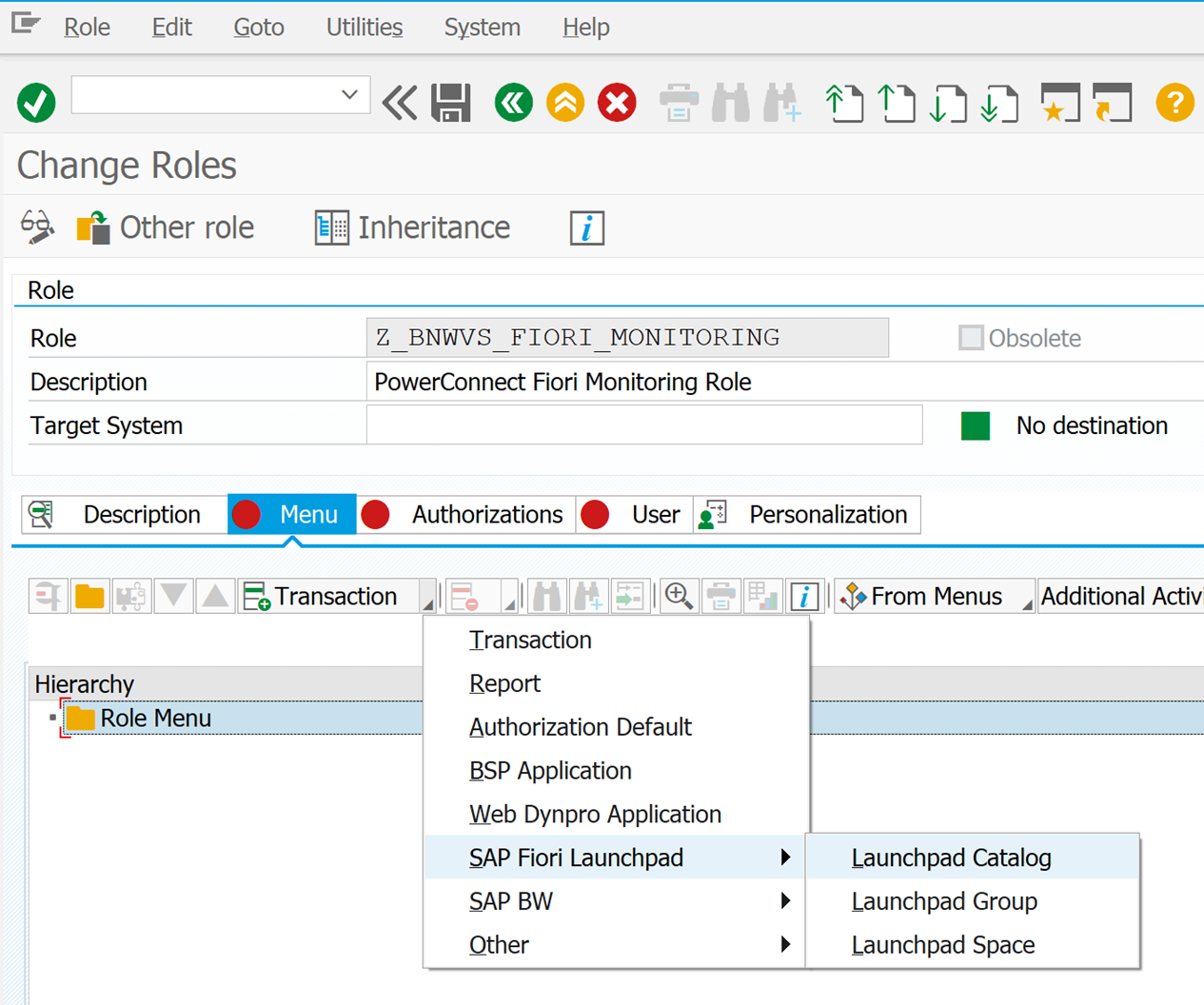
Assign Fiori Launchpad Catalog to the Role: on Menu tab add SAP Fiori Launchpad->Launchpad Catalog
Define /BNWVS/FLP_MONITOR as Catalog ID value:
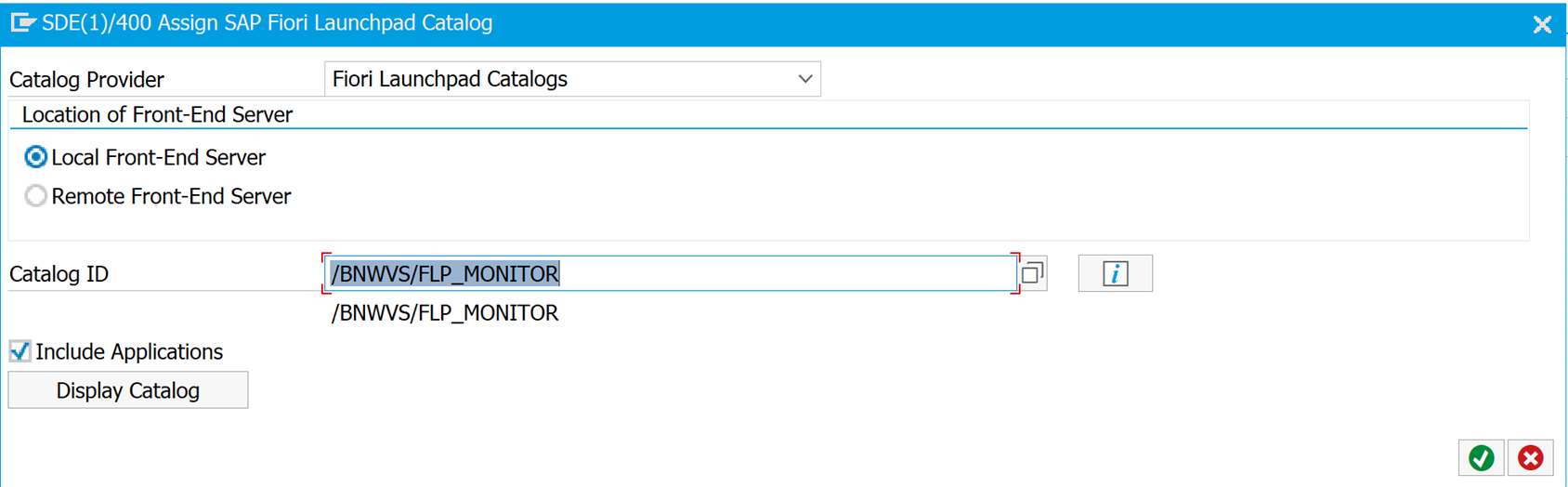
Confirm the dialog.
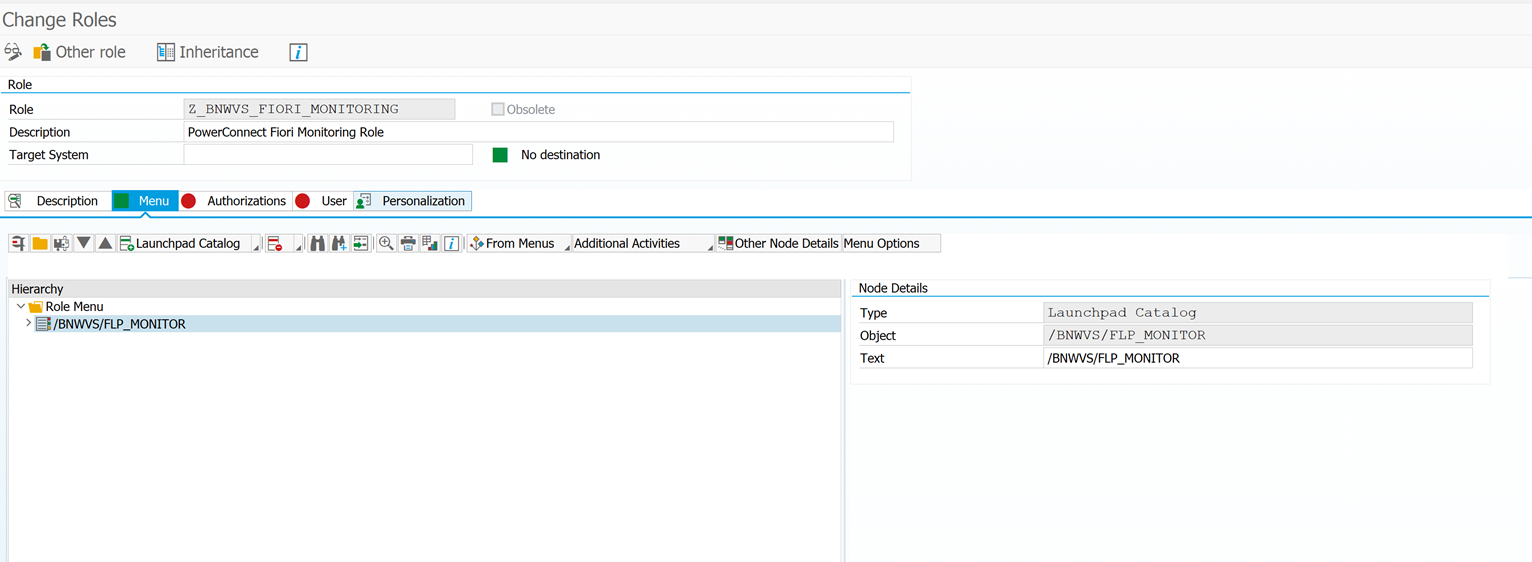
Save the role.
Assign the role to necessary users/profiles.
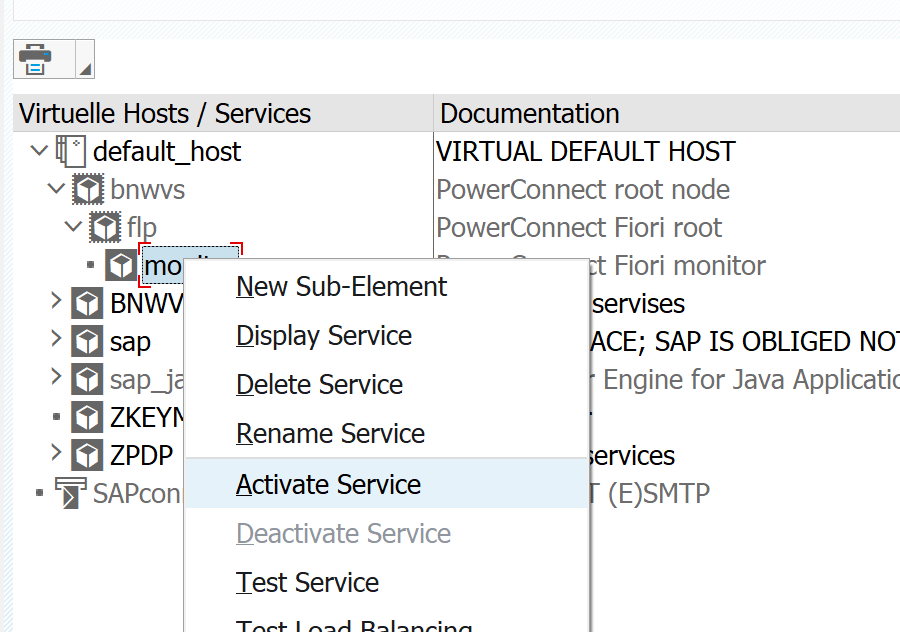
Ensure following ICM services are active:
/default_host/sap/bc/ui5_ui5/bnwvs/
/default_host/bnwvs/flp/monitor

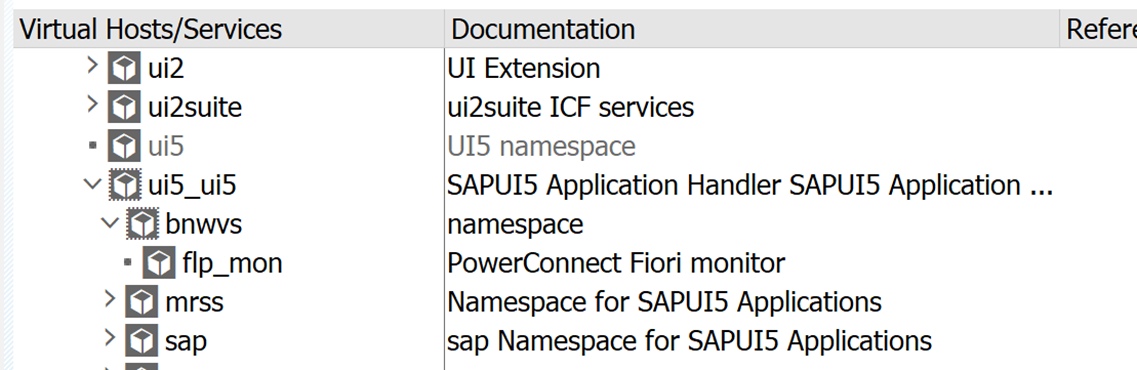
Please activate these nodes if they are not active using right mouse click->Activate Service:
[Additional Information]
[insert links to other KB documents, SAP notes, Splunk documentation or other documentation]
Product version
|
Product |
From |
To |
|
PowerConnect (NW,S4HANA) |
6.08 |
* |
SAP product version
|
Product |
Component |
From |
To |
|
SAP Fiori frontend |
SAP_GWFND |
* |
* |