Data Description
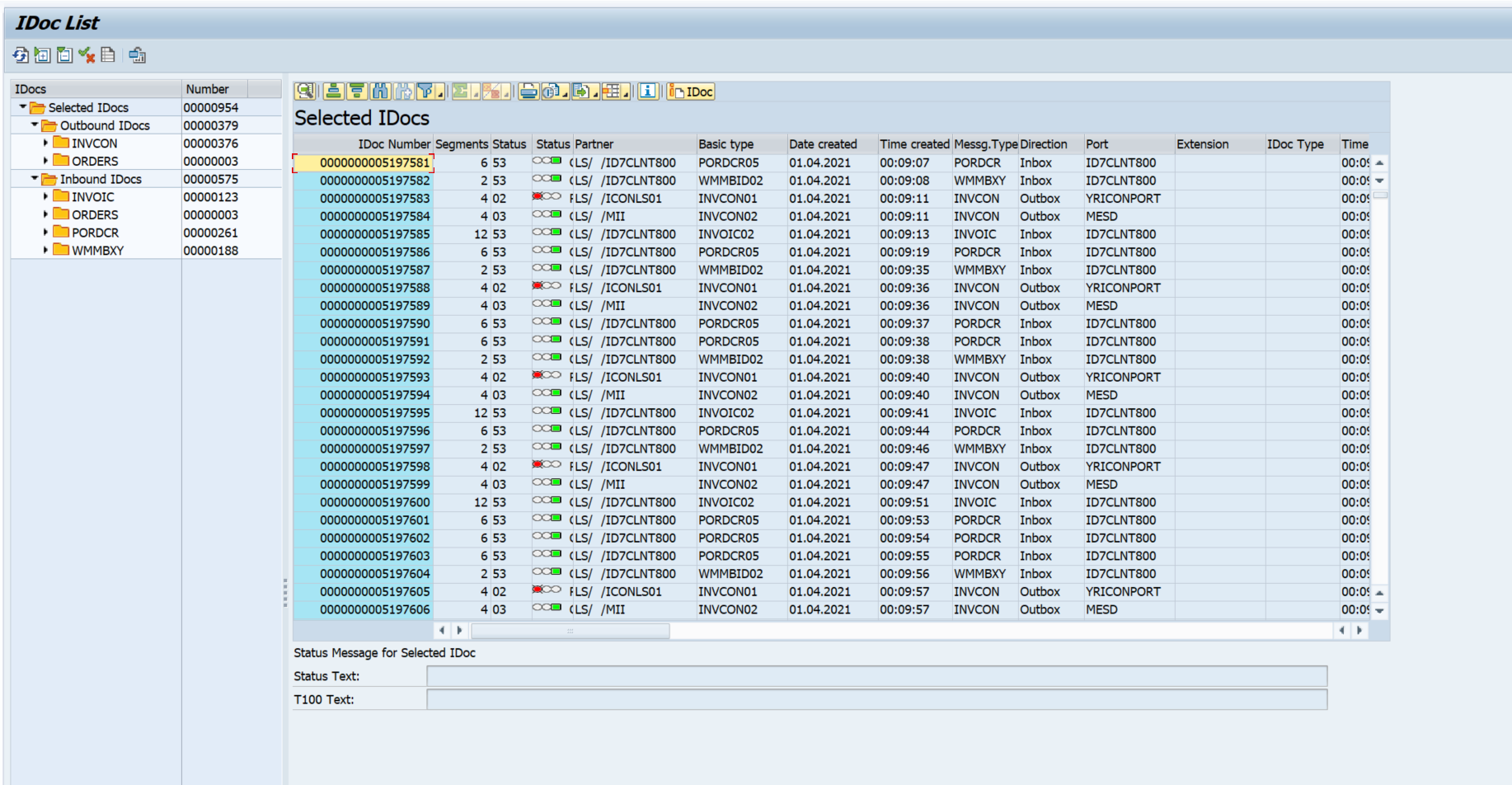
The WE02 event is used in SAP to view the status of iDocs.
Potential Use Cases
This event could be used for the following scenarios:
-
View iDoc volume trends over time.
-
Identify problematic interfaces within the environment.
-
Alert on iDoc failures.
-
Correlate iDoc traffic with other interface components to identify root-cause.
Metric Filters
Important Note: Metric Filter for WE02 is available form version 9.01 onwards.
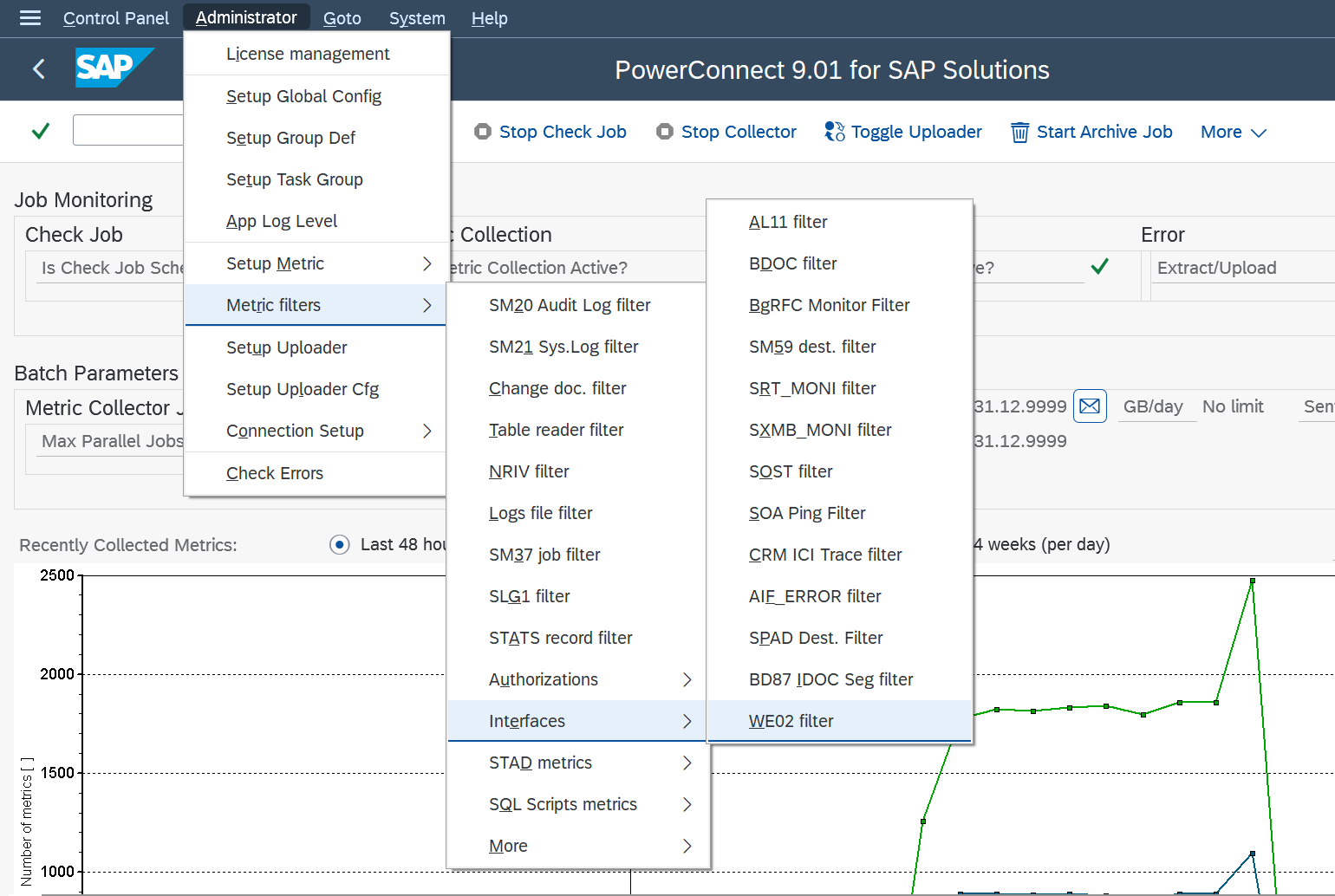
To access the metric filters for the BD87_DYN event, execute the /n/BNWVS/MAIN transaction in the managed system. Then go to Administrator → Metric Filters → Interfaces→ WE02 filter
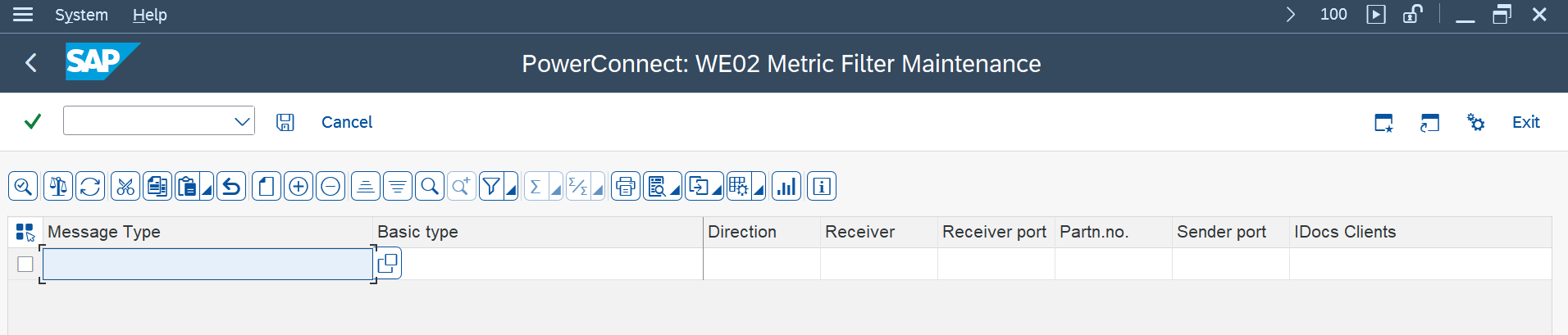
Then you will be brought to a page where the IDocs parameters can be input. Select the New Entries option.
Splunk Event
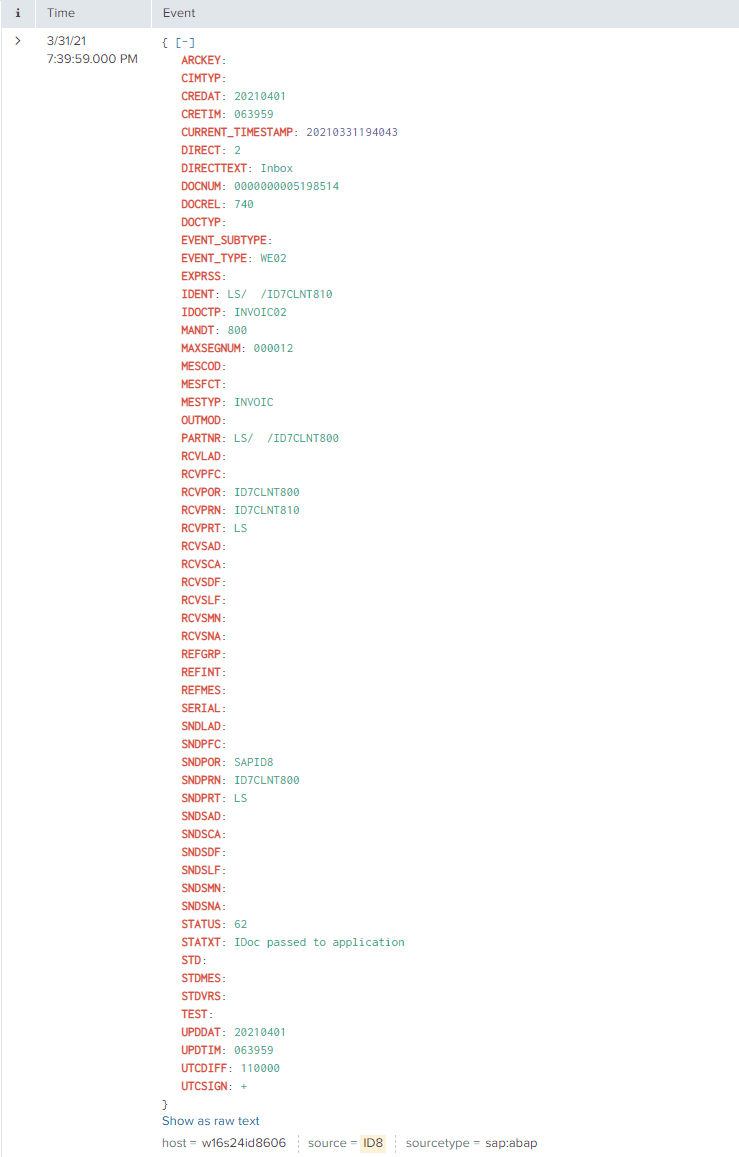
The event will look like this in Splunk:
SAP Navigation
Navigate to this data by using one of the two approaches below:
SE16
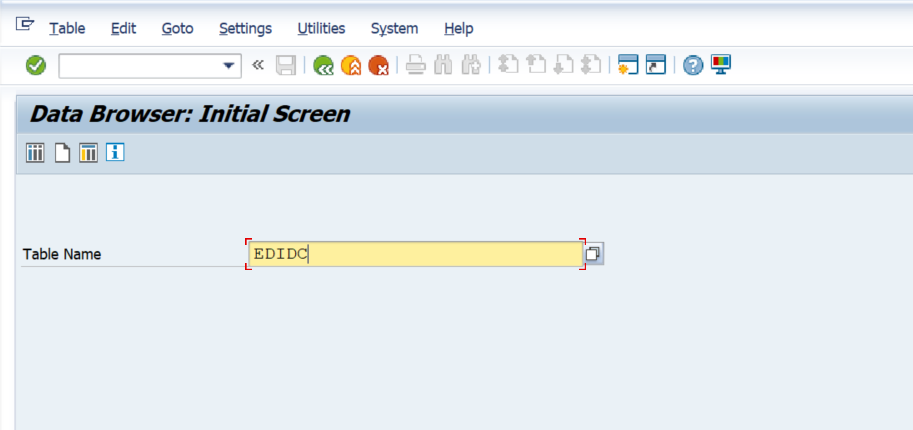
Execute the SE16 transaction code in the managed system, and input EDIDC in the table name, and hit the Enter key.
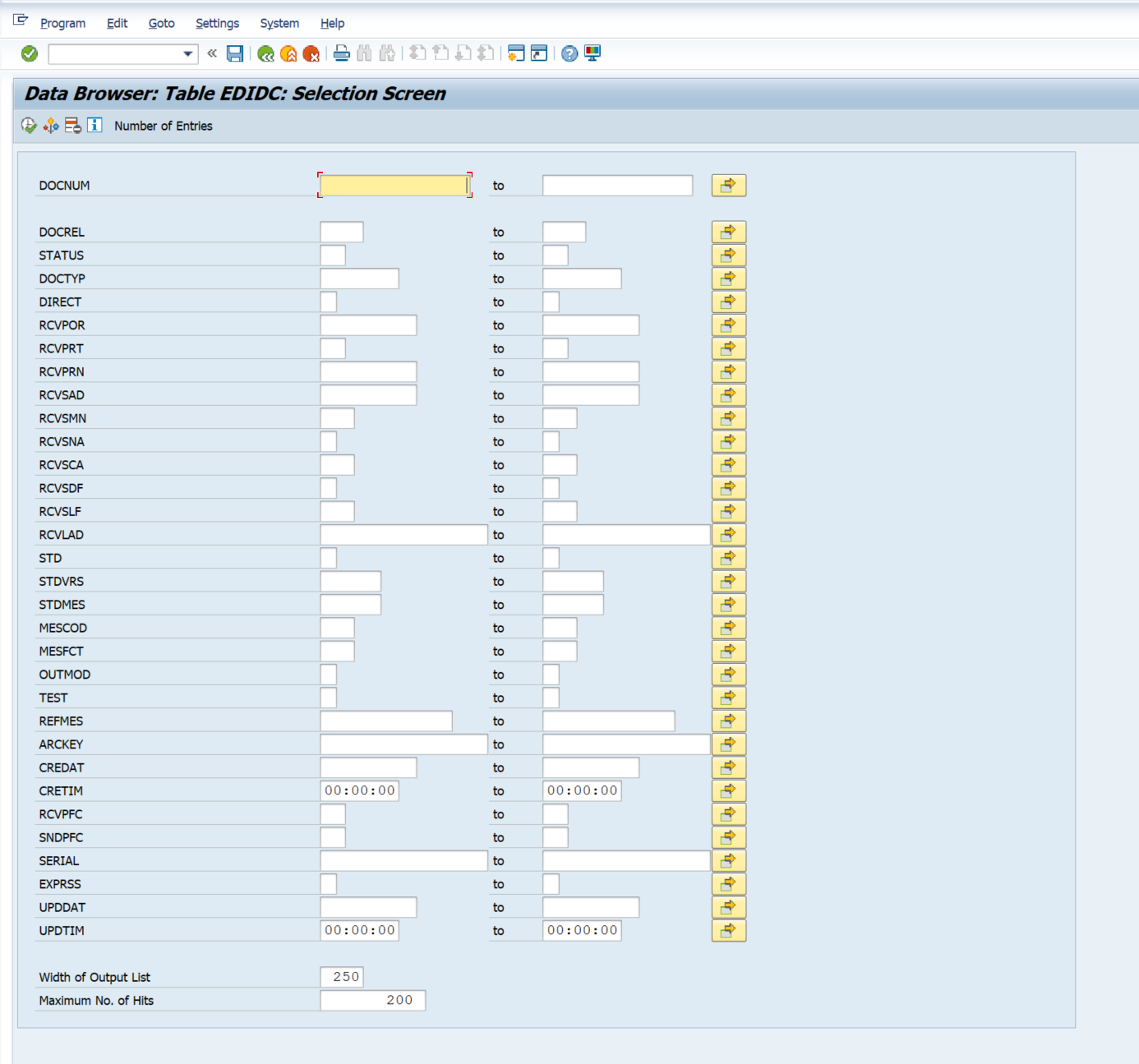
Then enter the desired user selection parameters and execute the transaction.
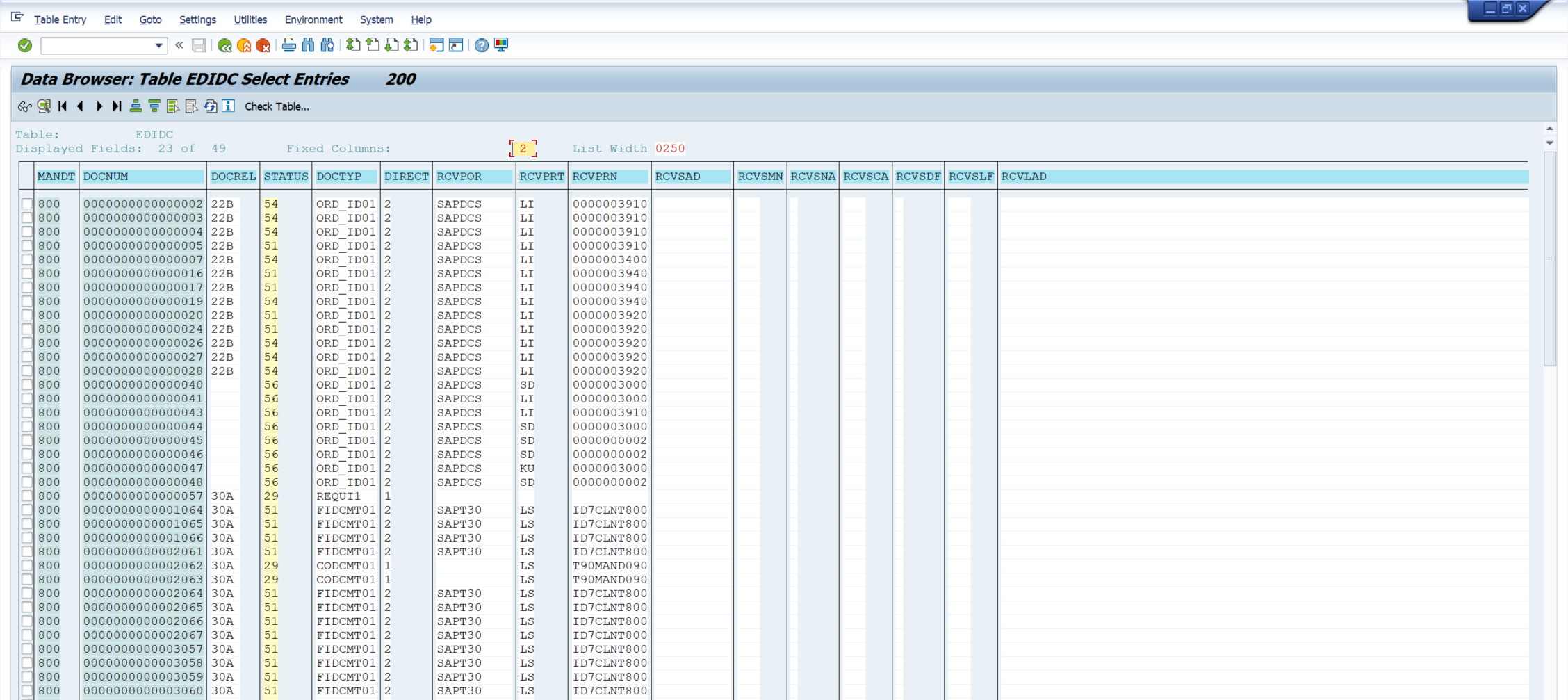
The data below will match the data that is extracted by Splunk.
WE02
Alternatively the data is visible in the WE02 transaction code. Execute the WE02 transaction code and enter the desired user selection parameters and select the Execute button.
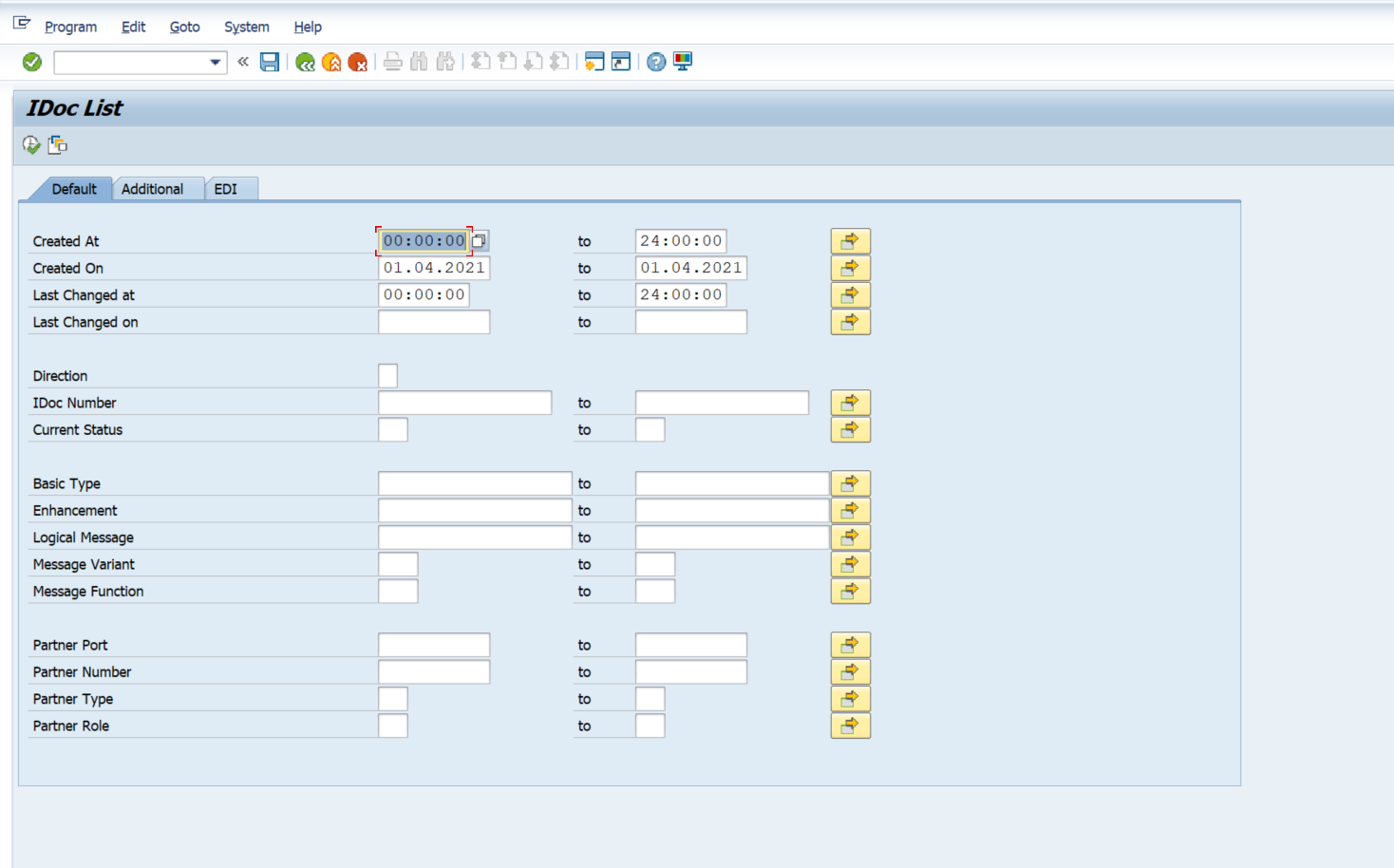
The data displayed in the table will match the values in Splunk.