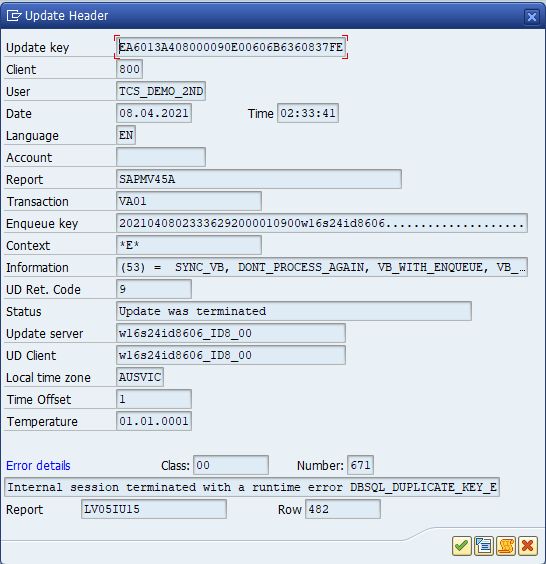
Data Description
The SM13 event is used in SAP to administrate update records.
Potential Use Cases
This event could be used in the following scenarios:
-
Alert on update errors.
-
Correlate the update entries with enqueue locks.
-
Dashboard update entries over time.
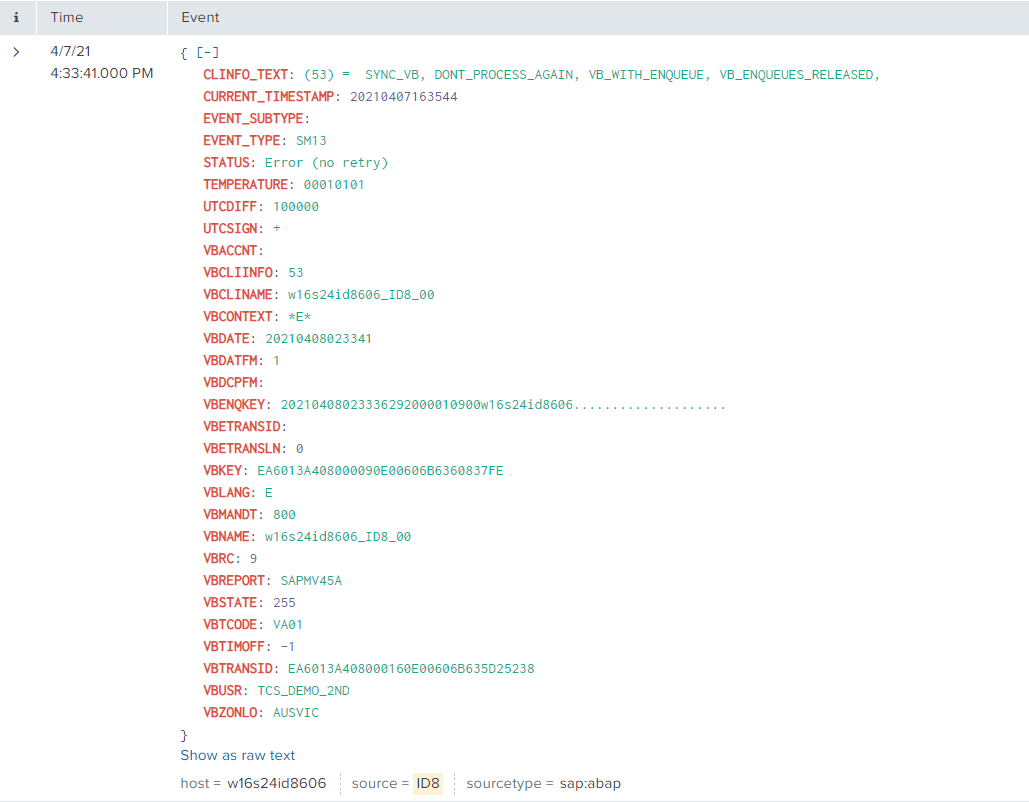
Splunk Event
The event will look like this in Splunk:
SAP Navigation
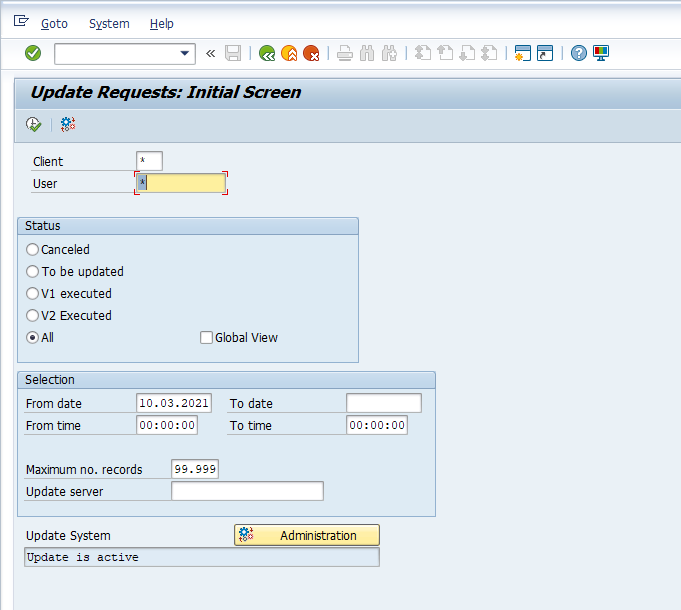
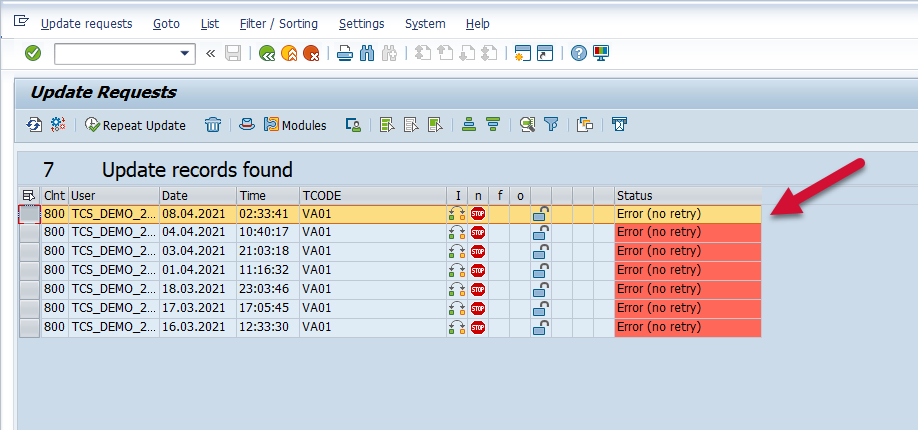
Log into the managed system and execute the SM13 transaction. Enter the desired user selection parameters, and select the Execute button.
Then select the record of interest and then the Details button.
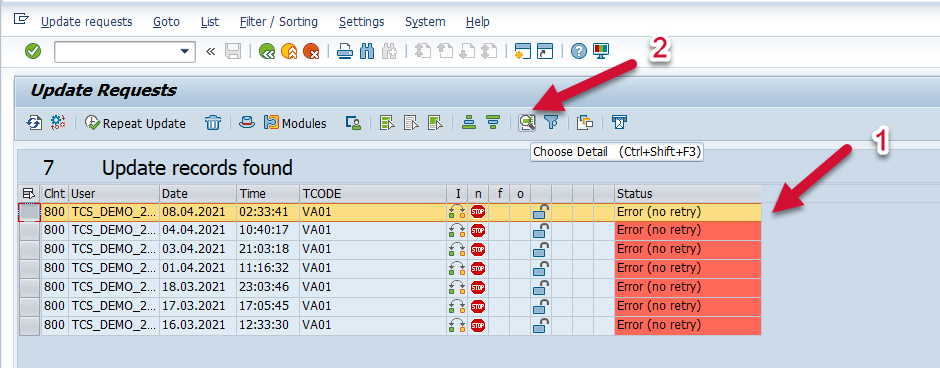
Double-click one of the entries from the screen.
Select the Update Header button.
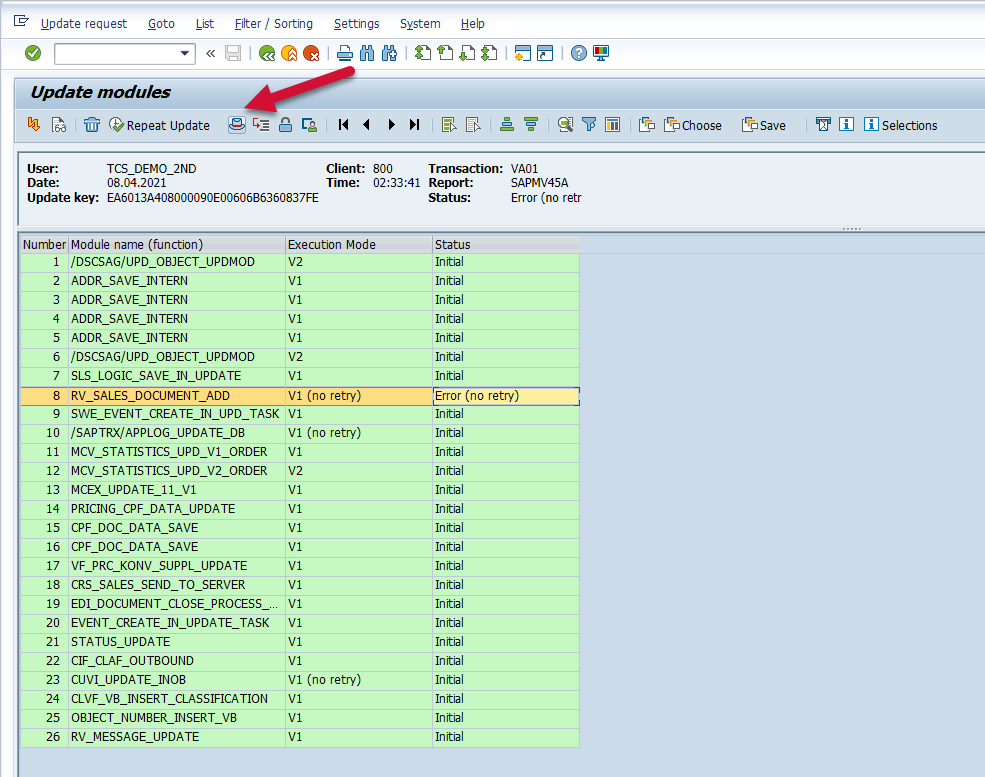
The information displayed is the remaining information extracted by Splunk.