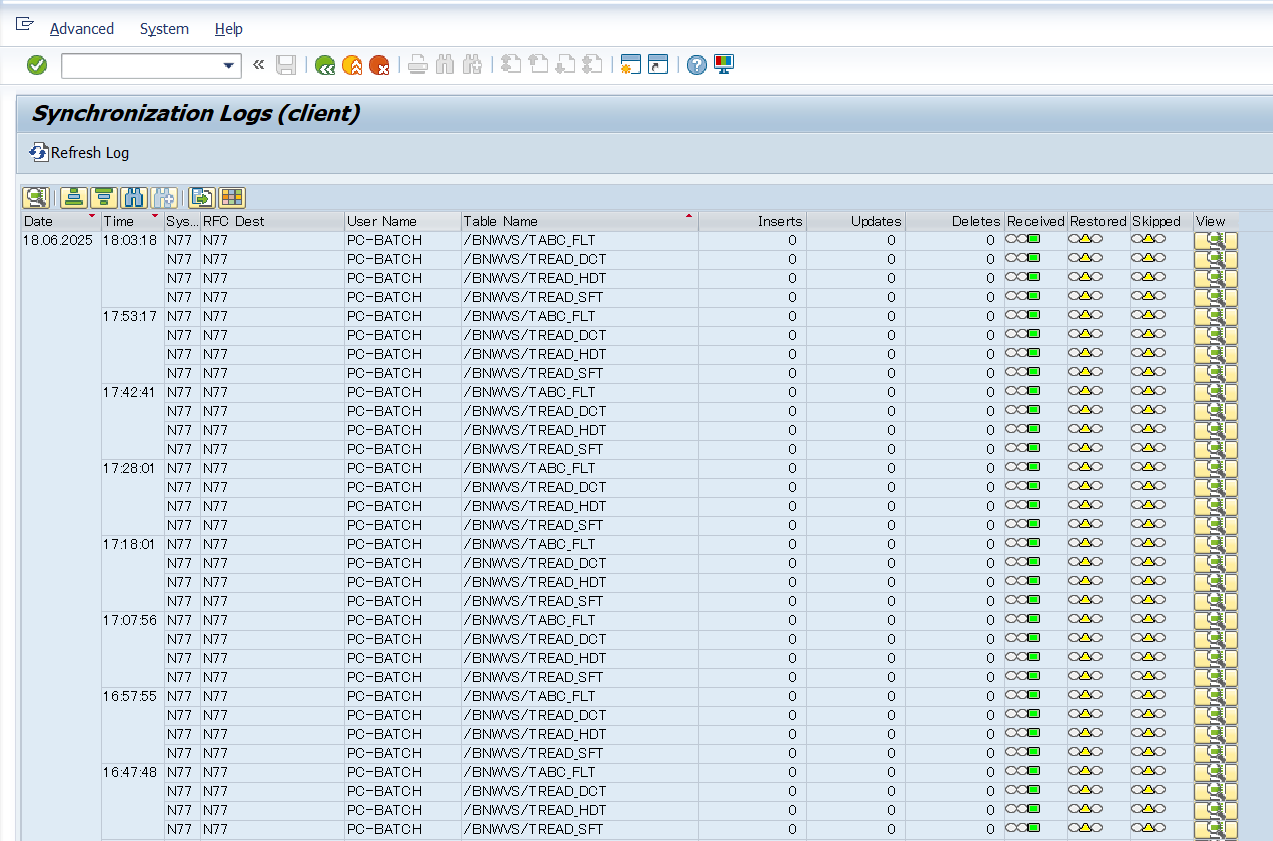
Data Description
The PC_SLM_SYNCLOG event logs configuration synchronization activity at the table level within PowerConnect System Landscape Management. It includes metadata such as the name of the configuration tables, the action performed (insert/update/delete), the number of records processed, and the execution status, supporting traceability and diagnostics of sync operations.
Potential Use Cases
This event could be used for the following scenarios:
-
Audit and Compliance Tracking: Maintain a detailed record of which configuration tables were changed during synchronization, what kind of changes occurred, and how many records were involved — essential for audit trails and compliance reporting.
-
Troubleshooting Sync Errors: Quickly identify which table(s) failed to sync, or had unexpected numbers of inserted/updated/deleted rows, making it easier to analyse synchronization issues..
-
Monitoring Sync Health and Frequency: Use log data to track how often each table is being synchronized and whether the volume of changes is normal or unusual. Can help detect misconfigurations or runaway sync jobs.
-
Alerting on Abnormal Sync Patterns: Set up alerts if unexpected sync activity is detected (e.g., too many deletions, sync failures, or unusually large record counts).
SAP Navigation
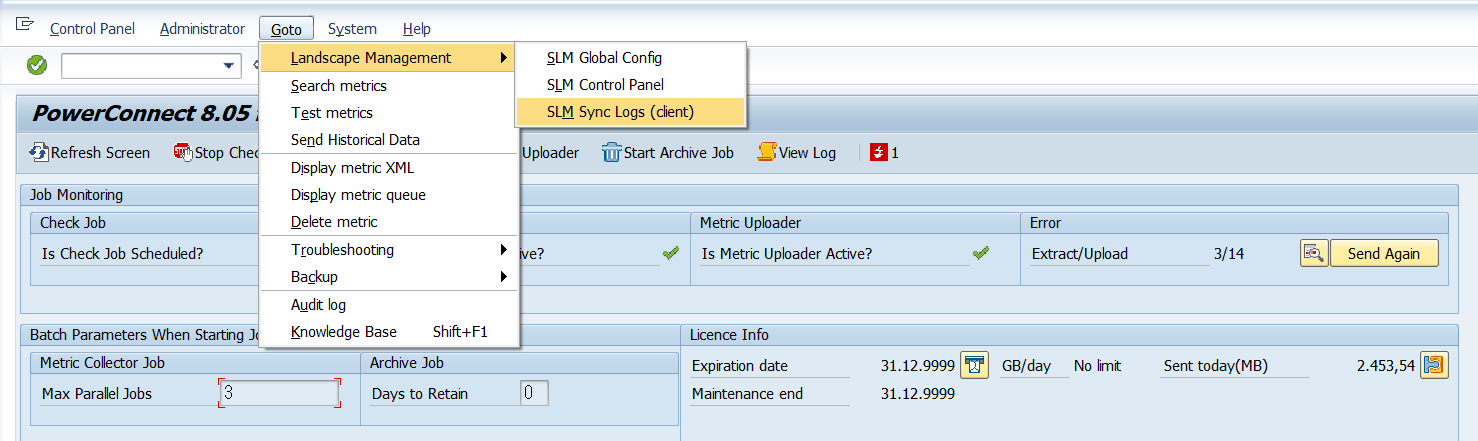
Execute the PowerConnect transaction, /n/BNWVS/MAIN, in the SAP system. Then click on Goto → Landscape Management →SLM Sync Logs(client)
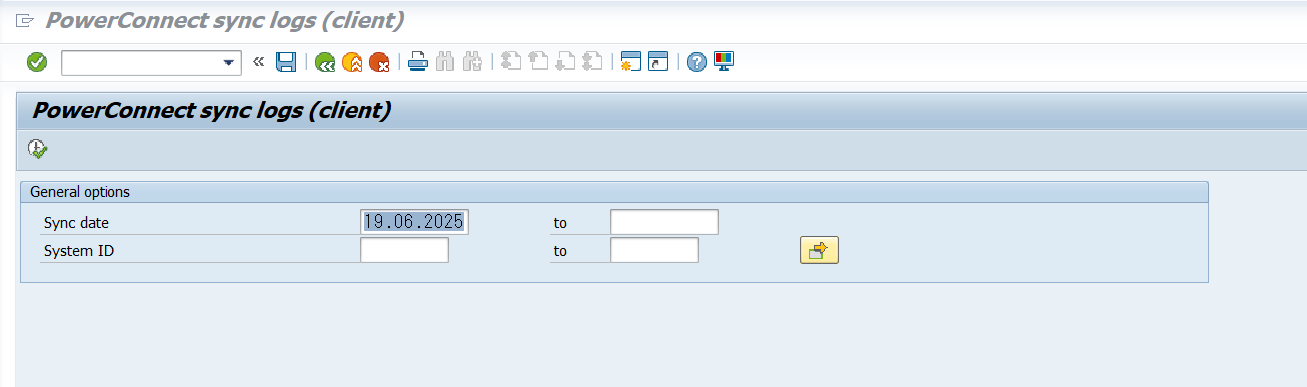
Enter Sync date and System ID on the below screen
The SLM Sync Logs will be displayed as shown in the below screen