Data Description
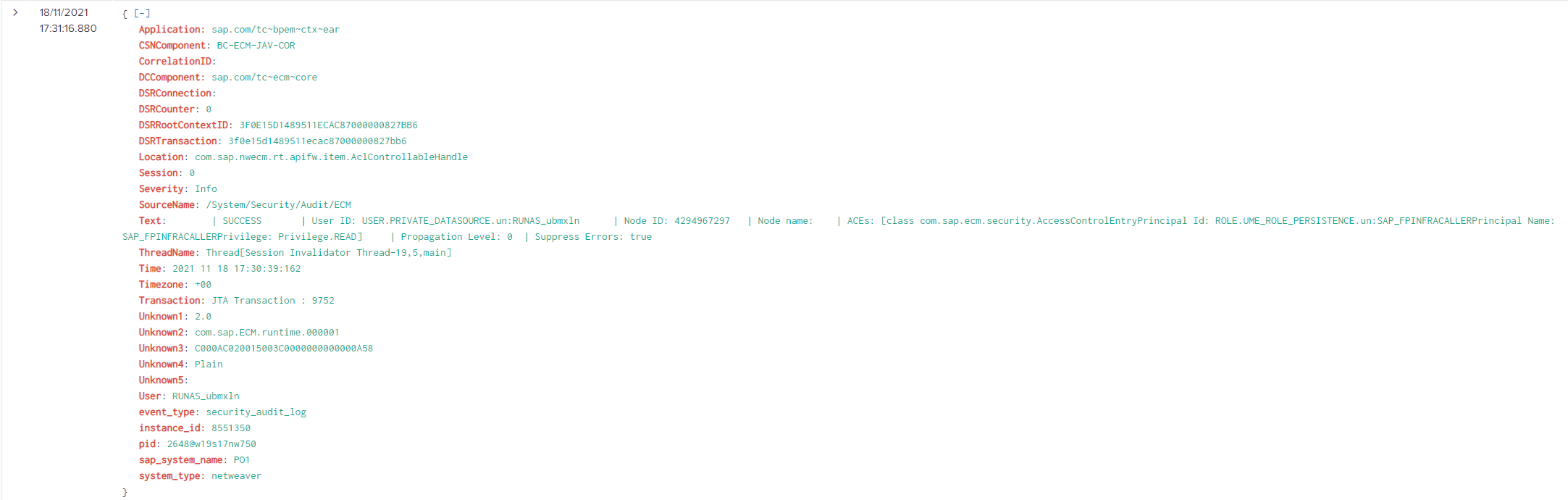
The Logs event is used in SAP to view log data from the Java NetWeaver systems. Six types of log file are supported:
-
Portal Activity: These logs are generated by SAP Enterprise Portal systems
-
Default Trace: These logs are generated by SAP Netweaver AS systems
-
Application: These logs are generated by SAP Netweaver AS systems
-
Config Changes: These logs are generated by SAP Netweaver AS systems
-
Security: These logs are generated by SAP Netweaver AS systems
-
Security Audit: These logs are generated by SAP Netweaver AS systems
Potential Use Cases
This event could be used in the following scenarios:
-
Alert on specific errors in the default trace log.
-
Visualize user activity in the Enterprise Portal system.
-
View specific application logs.
-
Alert on suspicious user activity.
-
Correlate configuration changes to performance issues.
PowerConnect Administrative Console Configuration
Important: These settings should not be changed without first consulting support.
Log into the PowerConnect administrative console via the following URL (http://<serverhost>:<port>/webdynpro/resources/com.powerconnect5/spcj_wd/SapPowerConnectJava#). Then click on the Log Monitoring tab.
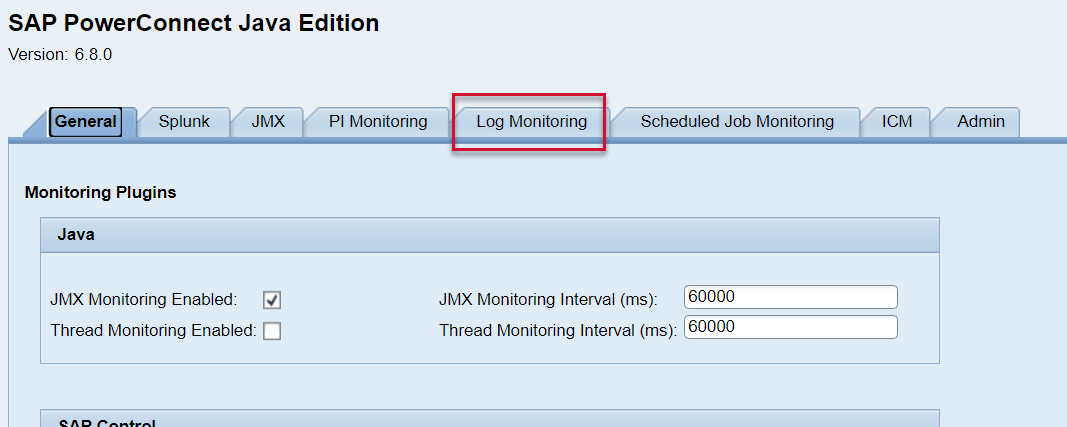
The screen will look like this:
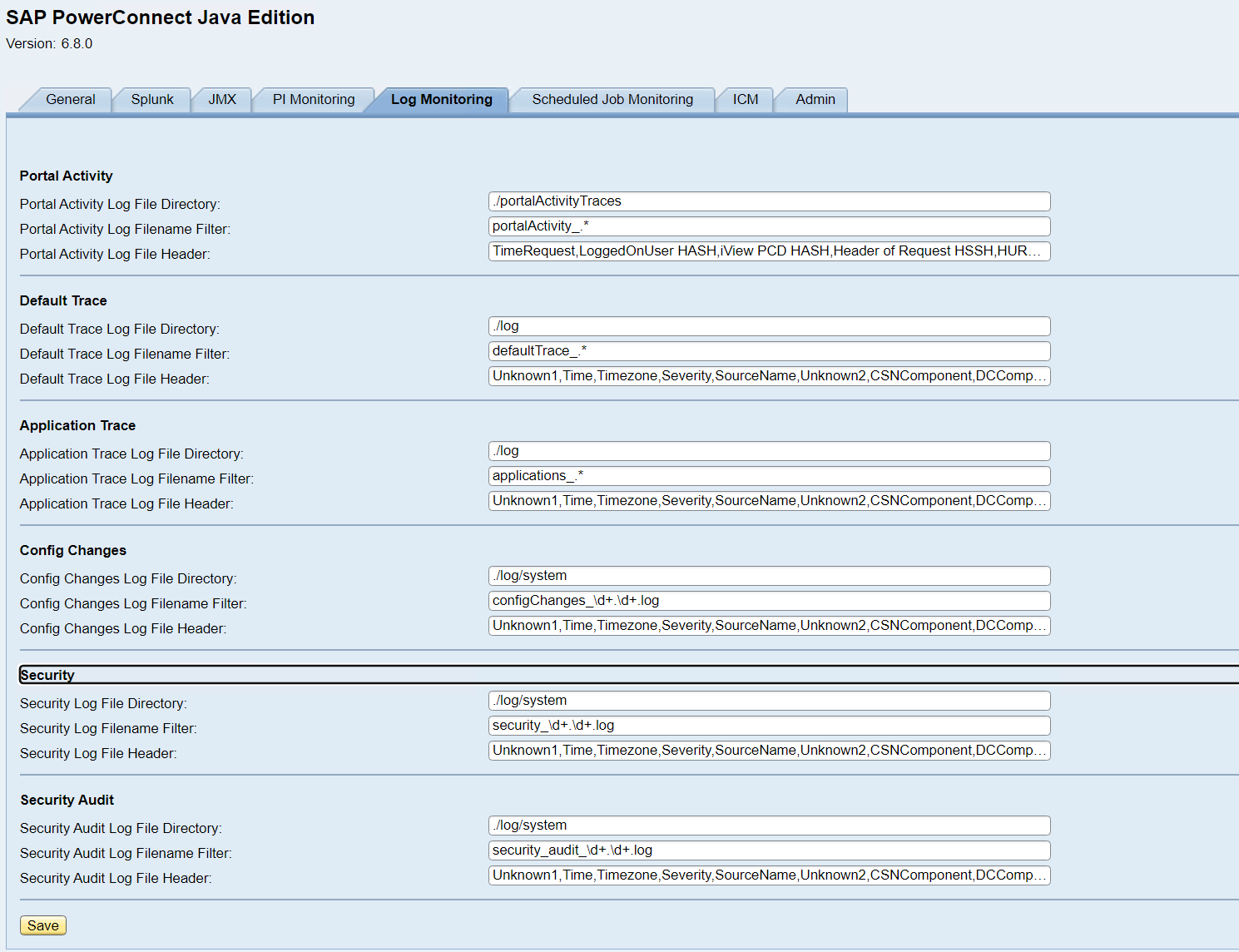
Below is the list of configuration options presented in the Log Monitoring window.
Important: These settings should not be changed without first consulting support.
|
Name |
Description |
Restart of PowerConnect Required |
Default |
|---|---|---|---|
|
Portal Activity Log File Directory |
Directory on the filesytem where the Portal Activity logs are stored |
Yes |
./portalActivityTraces |
|
Portal Activity Log Filename Filter |
Regex pattern matching Portal Activity log filenames |
Yes |
portalActivity_.* |
|
Portal Activity Log File Header |
Comma separated list of field names which are mapped to each line in the log |
Yes |
TimeRequest, LoggedOnUser HASH, iView PCD HASH, Header of Request HSSH, HURL Query String HASH, Time to Process Request, ServerNode, TimeToProcessRequest, HTTPSessionID, NavigationPath, ObjectType, ServerHost, UniqueID, URLQueryString |
|
Default Trace Log File Directory |
Directory on the filesytem where the Default Trace logs are stored |
Yes |
./log |
|
Default Trace Log Filename Filter |
Regex pattern matching Default Trace log filenames |
Yes |
defaultTrace_.* |
|
Default Trace Log File Header |
Comma separated list of field names which are mapped to each line in the log |
Yes |
Unknown1, Time, Timezone, Severity, SourceName, Unknown2, CSNComponent, DCComponent, Unknown3, CorrelationID, Application, Location, User, Session, Transaction, DSRRootContextID, DSRTransaction, DSRConnection, DSRCounter, ThreadName, Unknown4, Unknown5, Text |
|
Application Log File Directory |
Directory on the filesystem where the Application logs are stored |
Yes |
./log |
|
Application Log Filename Filter |
Regex pattern matching Application log filenames |
Yes |
applications_.* |
|
Application Log File Header |
Comma separated list of field names which are mapped to each line in the log |
Yes |
Unknown1, Time, Timezone, Severity, SourceName, Unknown2, CSNComponent, DCComponent, Unknown3, CorrelationID, Application, Location, User, Session, Transaction, DSRRootContextID, DSRTransaction, DSRConnection, DSRCounter, ThreadName, Unknown4, Unknown5, Text |
|
Config Changes Log File Directory |
Directory on the filesystem where the configuration change logs are stored |
Yes |
./log/system |
|
Config Changes Log Filename Filter |
Regex pattern matching Config change log filenames |
Yes |
configChanges_\d+.\d+.log |
|
Config Changes Log File Header |
Comma separated list of field names which are mapped to each line in the log |
Yes |
Unknown1,Time,Timezone,Severity,SourceName,Unknown2,CSNComponent,DCComponent,Unknown3,CorrelationID,Application,Location,User,Session,Transaction,DSRRootContextID,DSRTransaction,DSRConnection,DSRCounter,ThreadName,Unknown4,Unknown5,Text |
|
Security Log File Directory |
Directory on the filesystem where the security logs are stored |
Yes |
./log/system |
|
Security Log Filename Filter |
Regex pattern matching security log filenames |
Yes |
security_\d+.\d+.log |
|
Security Log File Header |
Comma separated list of field names which are mapped to each line in the log |
Yes |
Unknown1,Time,Timezone,Severity,SourceName,Unknown2,CSNComponent,DCComponent,Unknown3,CorrelationID,Application,Location,User,Session,Transaction,DSRRootContextID,DSRTransaction,DSRConnection,DSRCounter,ThreadName,Unknown4,Unknown5,Text |
|
Security Audit Log File Directory |
Directory on the filesystem where the security audit logs are stored |
Yes |
./log/system |
|
Security Audit Log Filename Filter |
Regex pattern matching security audit log filenames |
Yes |
security_audit_\d+.\d+.log |
|
Security Audit Log File Header |
Comma separated list of field names which are mapped to each line in the log |
Yes |
Unknown1,Time,Timezone,Severity,SourceName,Unknown2,CSNComponent,DCComponent,Unknown3,CorrelationID,Application,Location,User,Session,Transaction,DSRRootContextID,DSRTransaction,DSRConnection,DSRCounter,ThreadName,Unknown4,Unknown5,Text |
A restart of the PowerConnect agent can be completed using the instructions in the following document: Start & Stop PowerConnect Java agent (PowerConnect Java - All Versions) .
Splunk Event
Default Trace Log
The event will look like this in Splunk:
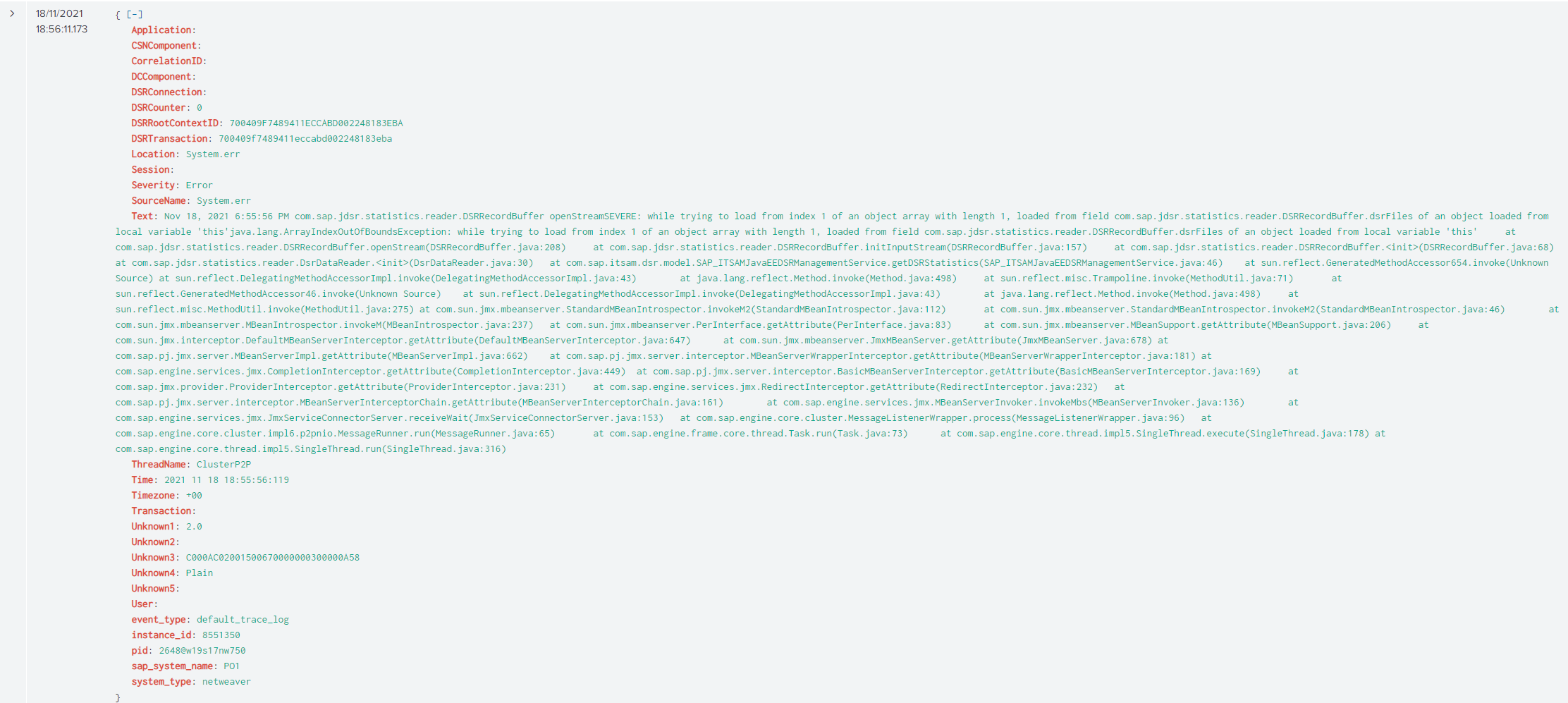
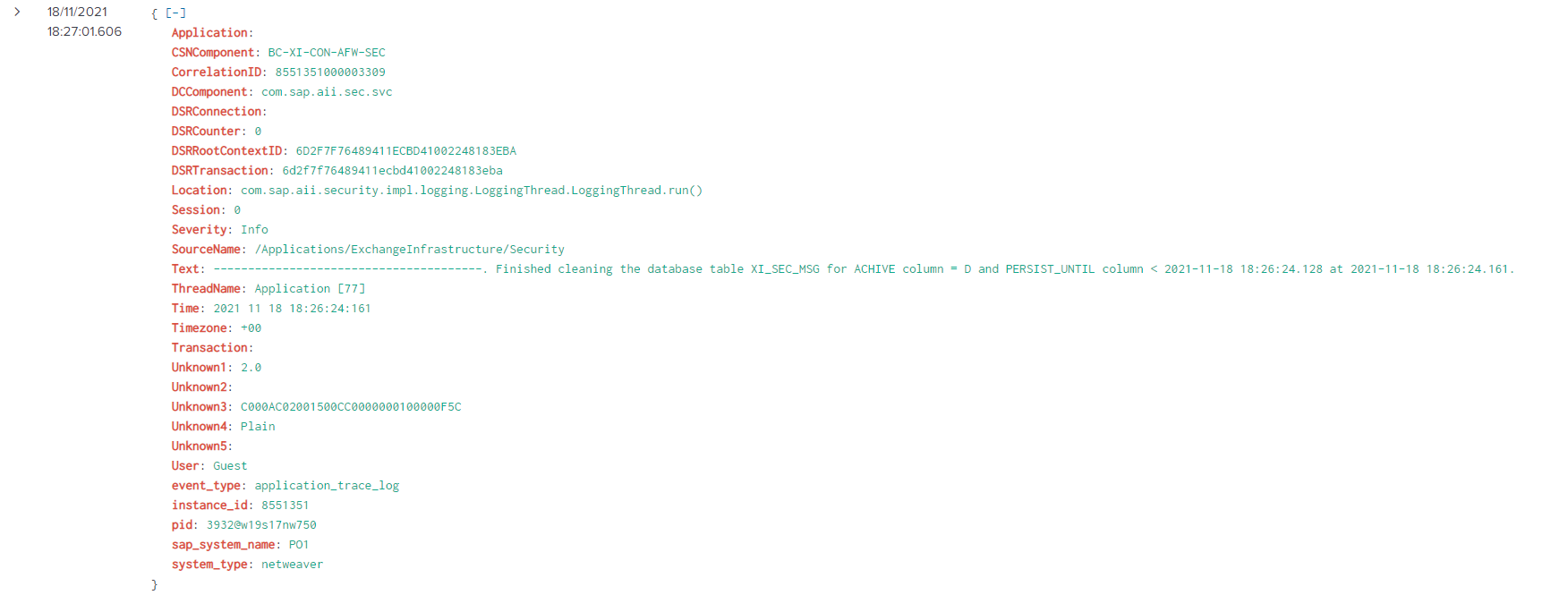
Application Log
The event will look like this in Splunk:
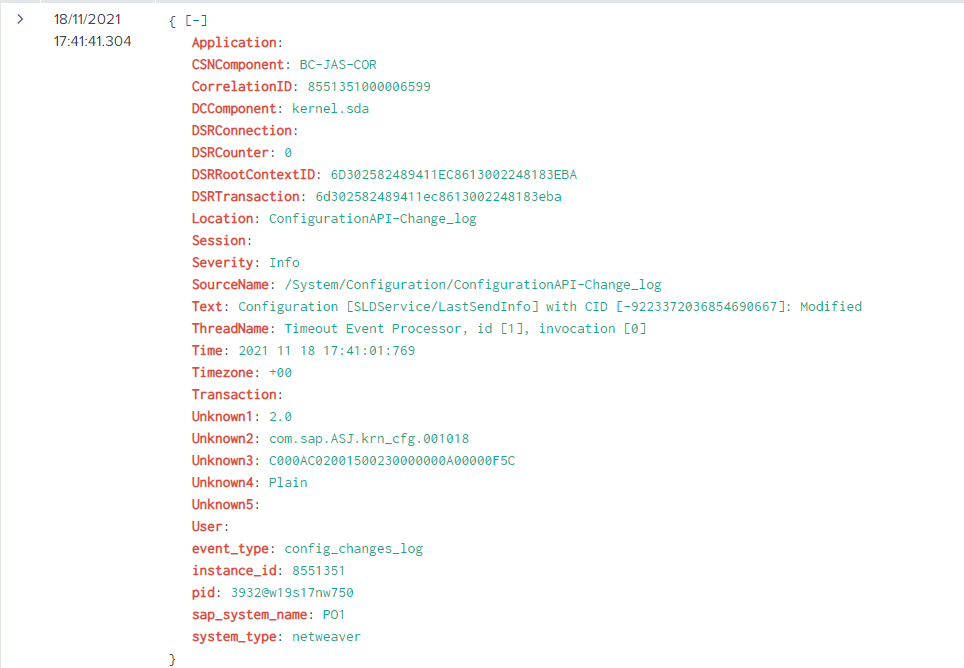
Configuration Changes Log
The event will look like this in Splunk:
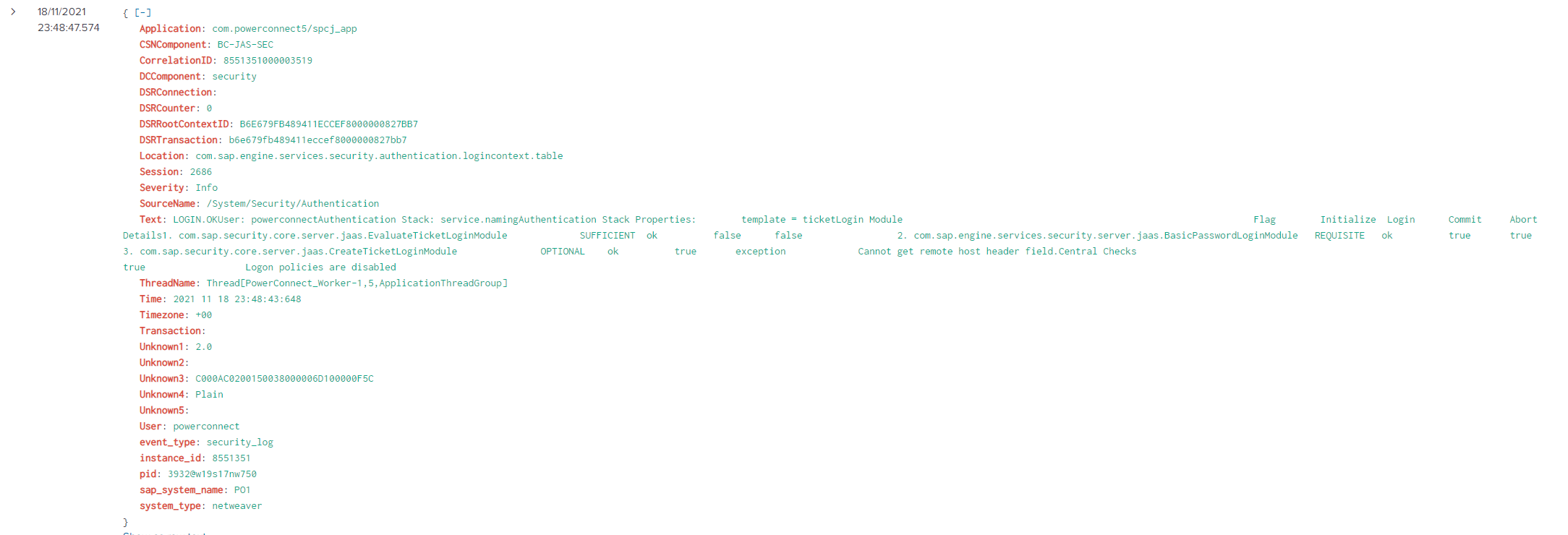
Security Log
The event will look like this in Splunk:
Security Audit Log
The event will look like this in Splunk: