

Overview
PowerConnect Cloud has a simple role based access control system for organisations that have different teams responsible for administering Inputs, Outputs and the PowerConnect Agent configuration.
Roles and Permissions
|
Action |
Input Manager |
Output Manager |
Administrator |
|---|---|---|---|
|
View Inputs Create Input Edit Input Pause Input Enable/Disable Output |
x x x x x |
|
x x x x x |
|
Create Output Edit Output Enable/Disable Output |
|
x x x |
x x x |
|
Assign Output to Input |
|
x |
x |
|
View Tasks |
x |
x |
x |
|
View Checkpoints |
x |
x |
x |
|
View Plugins |
x |
x |
x |
|
View Users Add User Edit User Delete User |
|
|
x x x x |
|
View Agent Configuration Edit Agent Configuration |
|
|
x x |
Note - Assigning an Output to an Input requires both Input Manager (to edit the Input) and Output Manger (to assign the Output to the Input) roles or Administrator
Adding a User
-
Login as a user with adminstration permissions
-
Click the Users tab in the PowerConnect Agent Web UI

-
Click Add new
-
Fill in the new User details and assign a role
-
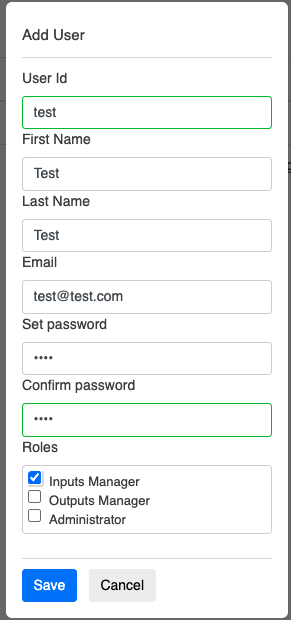
Click Save
-
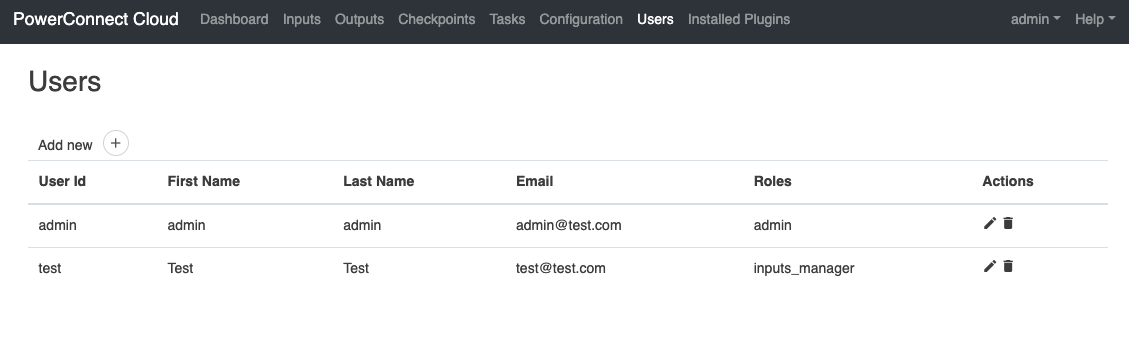
The newly created user will now appear in the Users table
Deleting a User
-
Login as a user with adminstration permissions
-
Click the Users tab in the PowerConnect Agent Web UI
-
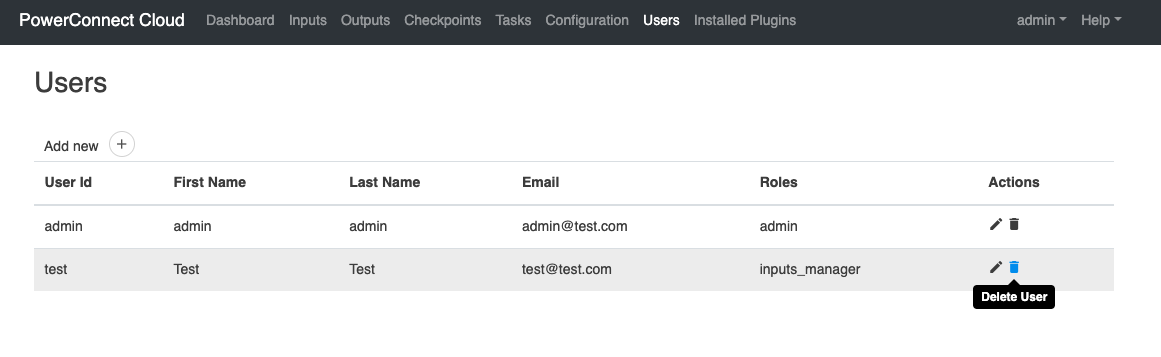
Click on the delete icon next to the user you wish to delete
-
Confirm you wish to delete the user
-
The user has now been removed from the system