

|
Category: Problem |
Priority: High |
|---|---|
|
Platform: Dynatrace |
Version: 1.335 from 3.31.2026 |
Description
Even when an SAP system is successfully ingesting logs into Dynatrace, the dashboards and visualizations are failing to populate.
Cause
During the OpenPipeline import process, the PowerConnect Dynamic Route creation fails, resulting in PowerConnect records not being processed by the PowerConnect OpenPipeline
Resolution
Manually recreate the Dynamic Route and link it to the PowerConnect Pipeline.
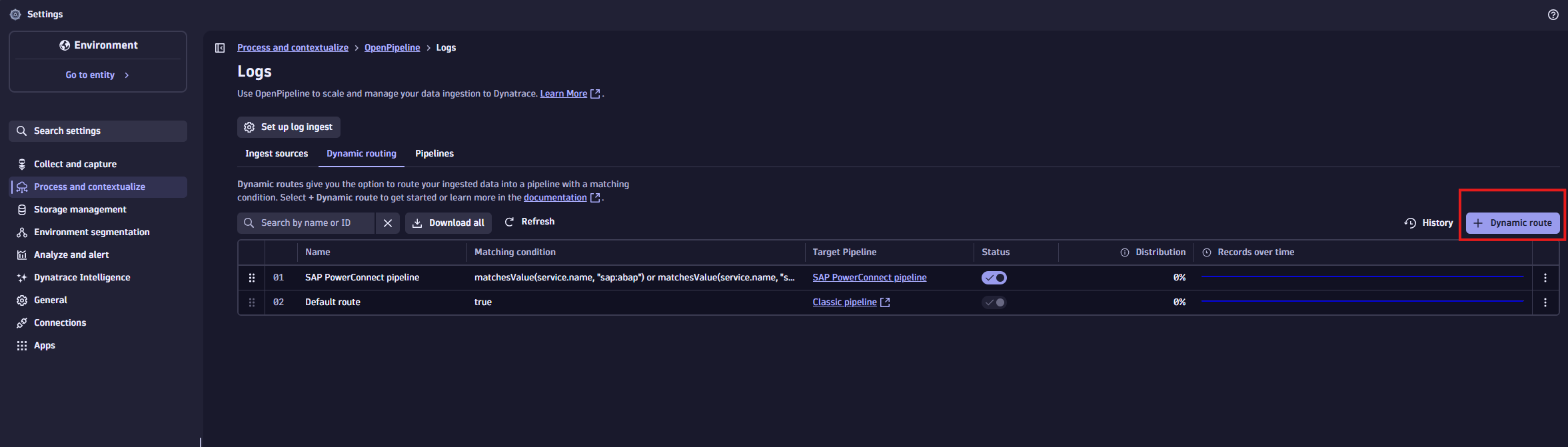
First, navigate to the “OpenPipeline” in new settings, select “logs”, and then select “Dynamic routing”. Then select “+ Dynamic route”:
Then create a PowerConnect route:
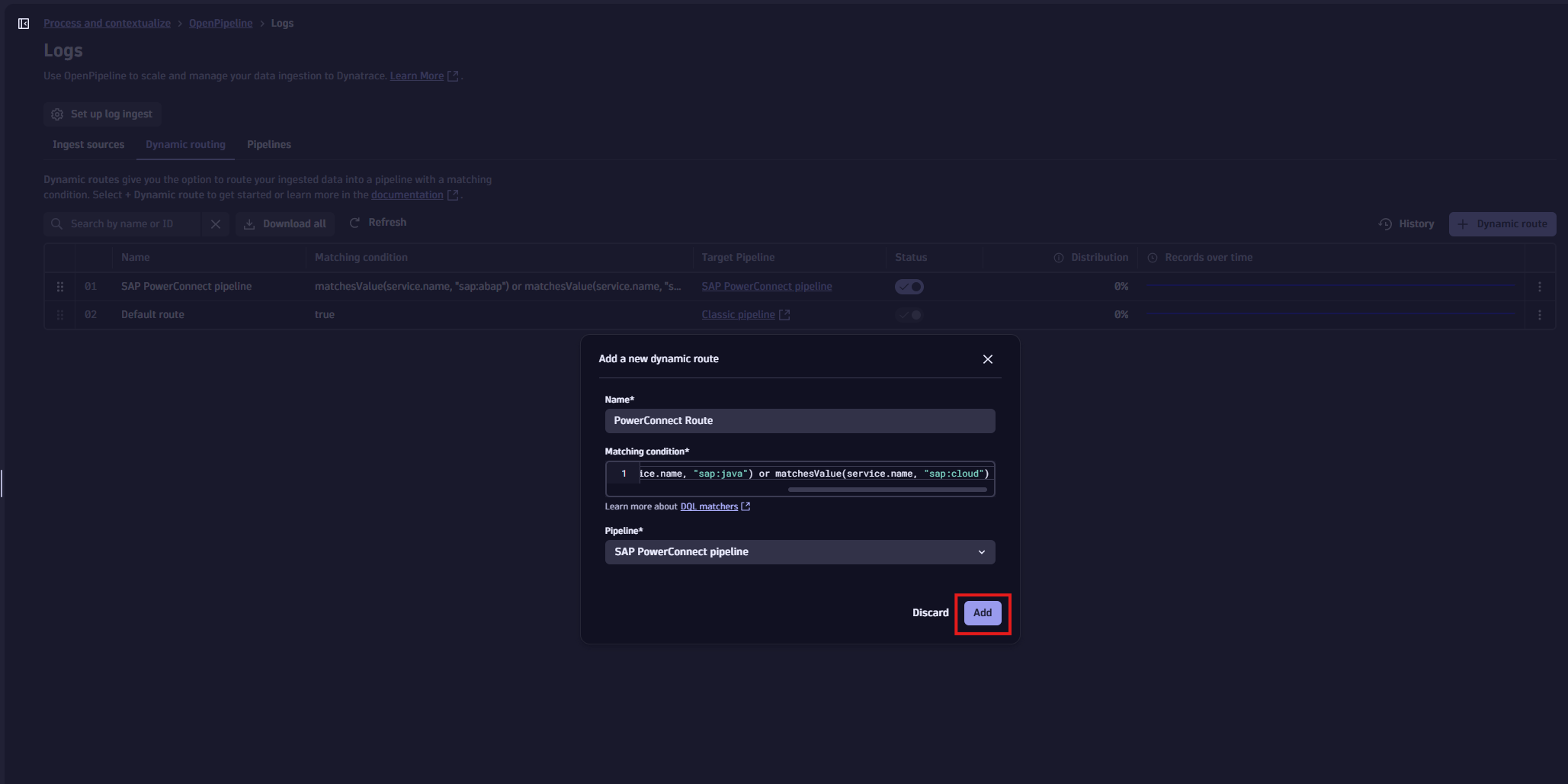
Matching condition: matchesValue(service.name, "sap:abap") or matchesValue(service.name, "sap:java") or matchesValue(service.name, "sap:cloud")
Pipeline: SAP PowerConnect pipeline
Then save the updated Dynamic Route table:
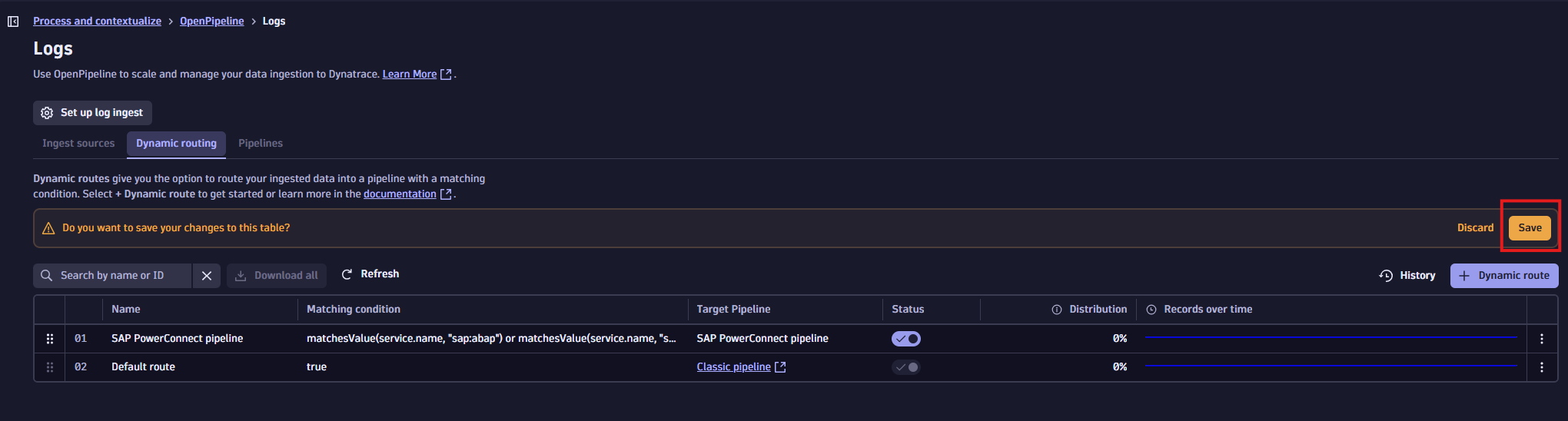
Data should begin populating normally in the app and dashboards within 15 minutes of the change.
Product version
|
Product |
From |
To |
|
PowerConnect App for Dynatrace (Dynatrace App) |
1.0.0 |
9.1.0 |